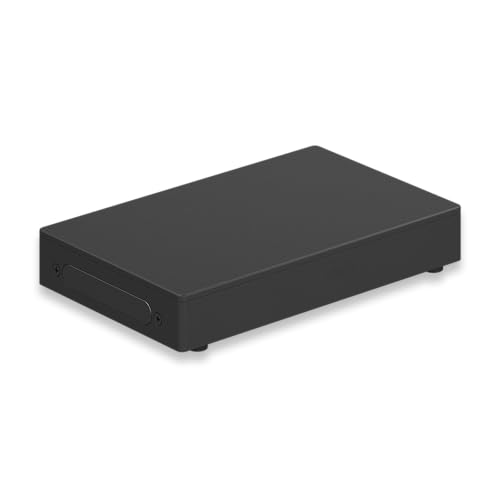
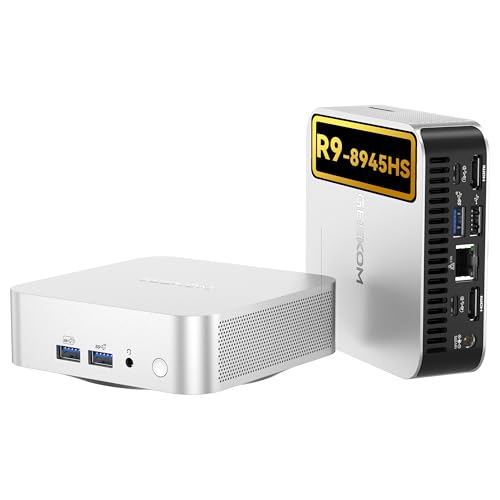
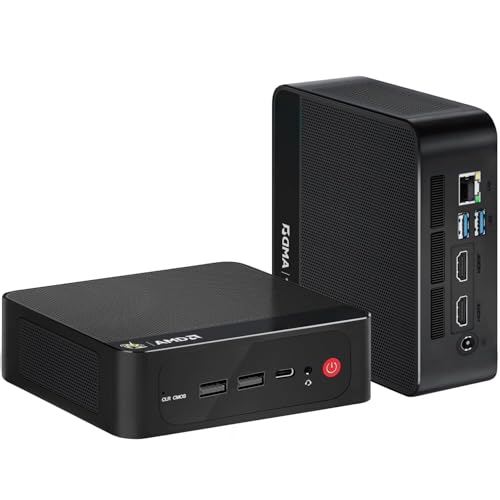
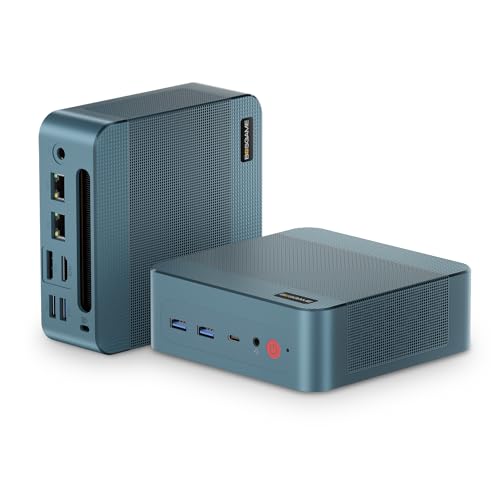
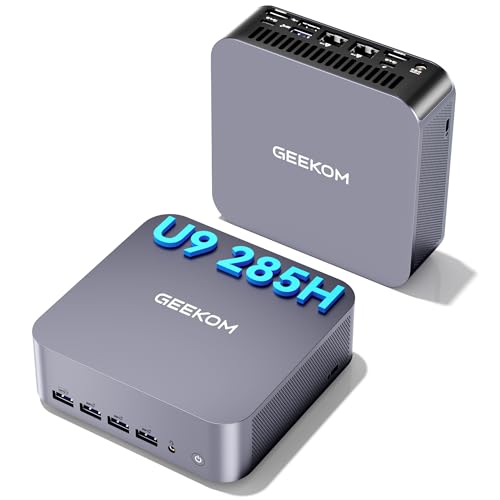
Mini PC’s are compact computers designed for people who want useful computing power without the size of a full desktop tower. They are a practical choice for home offices, study spaces, media setups, business desks, reception areas, digital signage, light gaming, everyday browsing and space saving workstations.
At YPC, you can browse Mini PC’s for work, study, entertainment, travel friendly setups and compact desk organisation. This category helps you compare processor type, memory, storage, ports, display support, wireless connectivity, operating system, mounting options, cooling and listed specifications before choosing.
Mini PC’s are small desktop computers built into compact cases. They are designed to provide computer functionality while taking up less space than a traditional desktop tower.
Depending on the product, Mini PC’s may include processors, RAM, SSD storage, WiFi, Bluetooth, USB ports, HDMI or DisplayPort outputs, Ethernet, operating systems, mounting brackets or upgradeable components where listed.
Some Mini PC’s are designed for basic everyday computing, while others may suit business use, media centres, light creative tasks or more demanding workloads depending on the specification.
What Are Mini PC’s Used For?
Mini PC’s are used for web browsing, email, office documents, video calls, media streaming, digital signage, schoolwork, business systems, point of sale setups, light editing, home servers, remote work and compact desk computing.
They are useful when you want a fixed computer setup but do not want a large desktop case. They can sit neatly on a desk, behind a monitor or on a shelf depending on the design and mounting options where listed.
A Mini PC can also be useful for shared family computers, small business workstations, home theatre setups or secondary computers in workshops, offices or study rooms.
How To Choose The Right Mini PC
Start by thinking about what you need the Mini PC to do. Everyday browsing and documents usually need less performance than gaming, editing, design work or heavy multitasking.
Next, check the specification. Processor, RAM, storage type and graphics support all affect how the Mini PC performs. If you plan to run specific software, check the software requirements before buying.
Also consider what is included. Some Mini PC’s may include an operating system, power adapter, mounting bracket or accessories where listed, while others may need additional setup items. Always check the product listing carefully.
Key Features To Compare
When comparing Mini PC’s, look at processor model, RAM capacity, storage size, storage type, graphics support, ports, display outputs, wireless connectivity, operating system, case size, cooling design and upgrade options where listed.
Ports are especially important because compact computers can have limited space. Check whether you need USB A, USB C, HDMI, DisplayPort, Ethernet, audio ports or memory card slots.
Also consider how the Mini PC will be placed. A unit for a desk setup may need easy front access to ports, while a unit mounted behind a monitor may need simple cable routing.
Mini PC’s Compared With Desktop Towers
Desktop towers are larger computers with more internal space for cooling, graphics cards, storage drives and upgrades. They may be more suitable for gaming, creative work or advanced custom builds where supported.
Mini PC’s are much smaller and easier to fit into tight spaces. They are useful for tidy desks, home offices, business counters and simple computing setups.
The trade off is space and upgrade potential. A tower may offer more flexibility, while a Mini PC can be more convenient where compact size matters.
Mini PC’s Compared With Laptops
Laptops include a built in screen, keyboard, trackpad and battery, making them suitable for portable work and study. They are useful for people who move between rooms, offices or travel locations.
Mini PC’s are usually fixed computers that need a monitor, keyboard and mouse. They can be a good choice when you want a compact desktop setup but do not need portability.
If you need to work anywhere, a laptop may be better. If you want a small computer for one desk or screen, a Mini PC may be more practical.
Mini PC’s Compared With All In One Computers
All in one computers combine the computer and monitor in one unit. They can create a clean desk setup with fewer separate parts.
Mini PC’s keep the computer separate from the screen. This gives more flexibility when choosing monitor size, display quality and desk layout.
Choose an all in one computer for simplicity. Choose a Mini PC if you want a compact computer that can work with your preferred monitor, keyboard and accessories.
Mini PC’s Compared With Media Streaming Devices
Media streaming devices are usually designed mainly for watching content through apps and online services. They are simple and compact, but they are not full computers.
Mini PC’s can be used for media playback where suitable, but they can also run computer software, browse the web, manage files, connect peripherals and support work tasks depending on the specification.
If you only need streaming, a streaming device may be enough. If you want a compact full computer for media and productivity, a Mini PC may be the better choice.
Mini PC’s Compared With Gaming PCs
Gaming PCs are usually larger systems with dedicated graphics cards, stronger cooling and more performance focused components where listed. They are designed for games that need higher graphics power.
Mini PC’s can suit light gaming or cloud gaming where suitable, but many are not designed to replace full gaming desktops. Performance depends heavily on processor, graphics, cooling and memory.
If gaming is a priority, check the game requirements and product specification carefully before buying.
Beginner, Regular User And Advanced Buyer Guidance
If you are buying your first Mini PC, focus on everyday suitability, operating system, enough RAM, suitable storage and the ports you need for your monitor and accessories.
Regular users may want to compare wireless connectivity, display support, storage capacity, upgrade options, noise level where listed and how easily the Mini PC fits into a desk setup.
Advanced buyers may look more closely at processor generation, memory type, storage slots, thermal design, BIOS features, multi screen support, network options and operating system compatibility.
Use Cases By Setup And Routine
For home offices, a Mini PC can create a tidy workstation with a monitor, keyboard, mouse, webcam and speakers. It is useful when desk space is limited.
For study spaces, a Mini PC can support homework, online lessons, research, documents and browsing where the specification is suitable.
For media setups, a Mini PC can connect to a TV or monitor for streaming, local media playback and general browsing where compatible.
For business use, Mini PC’s can suit reception desks, point of sale setups, meeting rooms, signage displays and compact office workstations depending on software requirements.
Processor, Memory And Storage
The processor affects general speed and how well the Mini PC handles tasks. A basic processor may suit browsing and documents, while stronger processors may be needed for heavier multitasking or creative software.
RAM supports active tasks and multitasking. More suitable memory can help when using several apps or browser tabs at once, where the system supports it.
Storage holds the operating system, programs and files. SSD storage can help a Mini PC feel more responsive where listed, while larger storage capacity may be useful for media files, documents and software.
Graphics And Display Support
Many Mini PC’s use integrated graphics built into the processor. This can be suitable for everyday display output, streaming, office work and light visual tasks where supported.
Some Mini PC’s may support stronger graphics or external display features where listed. However, compact size can limit gaming and graphics performance compared with larger desktops.
If you plan to connect one or more monitors, check the display outputs, supported resolution and refresh rate where listed. The Mini PC, cable and monitor must all support the setup you want.
Ports, Connections And Expansion
Mini PC’s can vary widely in available ports. Common connections may include USB A, USB C, HDMI, DisplayPort, Ethernet, audio outputs, memory card slots and power inputs depending on the product.
Before buying, list the accessories you need to connect, such as a keyboard, mouse, monitor, printer, webcam, external drive, speakers, headset or docking accessory.
If the Mini PC has limited ports, a USB hub or docking accessory may be useful where compatible. Check that any adapter supports the feature you need, not just the connector shape.
Operating System And Software Compatibility
Some Mini PC’s may include an operating system where listed, while others may be supplied without one or require setup. Always check what is included before buying.
Software compatibility is important. Work programs, school platforms, creative software, business tools and games may require specific operating systems, processors, memory or graphics support.
Before choosing a Mini PC for a specific task, check the software requirements and compare them with the listed product specification.
Wireless Connectivity And Networking
Mini PC’s may include WiFi, Bluetooth and Ethernet where listed. These features affect how the computer connects to the internet, keyboards, mice, speakers, headphones and other devices.
Ethernet can be useful for a stable wired network connection in offices, media setups and fixed desks. WiFi is useful when running a cable is not convenient.
Bluetooth may be useful for wireless peripherals, but support and version can vary by product. Check the listing if wireless accessories are part of your setup.
Size, Mounting And Desk Placement
One of the main benefits of Mini PC’s is their compact size. They can sit on a desk, shelf, media unit or sometimes behind a monitor where mounting is supported.
Some Mini PC’s may include VESA mounting options or brackets where listed. This can help keep the desk clear, but you should check monitor compatibility and cable access.
Placement matters for cooling and access. Avoid blocking vents, trapping the unit behind soft furnishings or placing it where cables are under strain.
Cooling, Noise And Ventilation
Mini PC’s need suitable cooling because compact cases have limited space for airflow. Some models may use fans, heatsinks or passive cooling where listed.
If you need a quiet setup for an office, bedroom or media area, check product information for cooling design and noise notes where available.
Good placement helps cooling. Keep vents clear and avoid placing the Mini PC in enclosed spaces unless the product is designed for that use.
Upgrade Options And Internal Access
Some Mini PC’s allow RAM or storage upgrades where supported. Others may be sealed, limited or difficult to upgrade.
If upgrade potential matters, check the listing for supported memory type, storage slots, maximum capacity and access guidance. Do not assume every Mini PC can be upgraded.
For buyers who want long term flexibility, upgrade options can be important. For simple everyday use, a fixed specification may be enough if it suits your needs from the start.
Compatibility With Monitors, Keyboards And Mice
Most Mini PC’s require a separate monitor, keyboard and mouse unless bundled accessories are clearly listed. Check what you already own before buying.
Monitor compatibility depends on output ports and supported display settings. Keyboard and mouse compatibility depends on USB, Bluetooth or wireless receiver support.
For a clean desk setup, consider wireless accessories, a compact keyboard, monitor stand, cable clips and a suitable screen size.
Mini PC’s For Home Offices
A Mini PC can be a strong choice for home office use because it gives you a fixed workstation without the size of a desktop tower. It can work with a full size monitor, comfortable keyboard and mouse.
For office use, check that the Mini PC supports video calls, document software, web browsing, cloud services and any business tools you rely on.
A webcam, headset, speakers and surge protected power strip may also be useful depending on your setup.
Mini PC’s For Study And Family Use
For students and family users, Mini PC’s can provide a shared computer for browsing, homework, online lessons, documents and media use.
A compact system can fit into bedrooms, study corners, family rooms and small desks. Separate user accounts may be useful if several people use the same computer.
If the Mini PC is for school or college work, check required software and online platform compatibility before buying.
Mini PC’s For Media And Entertainment
Mini PC’s can be useful in media setups where a compact computer is connected to a TV, monitor or projector. They may support streaming, local media playback, browsing and light entertainment where suitable.
Check HDMI or display output, audio support, wireless connectivity and storage capacity before choosing for media use.
A wireless keyboard, compact mouse, remote style controller or speakers may improve the setup where compatible.
Mini PC’s For Business And Signage
Businesses may use Mini PC’s for reception desks, tills, booking systems, meeting rooms, digital signage, kiosks or simple office workstations where compatible.
For business use, reliability, software support, network connectivity, mounting options and remote access needs may matter more than appearance.
If the Mini PC will run specialist business software, check the required operating system, processor, memory and port support before buying.
Mini PC’s For Light Creative Work
Some Mini PC’s may support light photo editing, design work, music production or video tasks where the specification is suitable. However, demanding creative software may need more powerful processors, more RAM, stronger graphics and faster storage.
If creative work matters, check the software requirements carefully. A compact computer can be convenient, but it should still meet the workload.
For heavier editing, rendering or 3D tasks, a larger desktop or workstation may be more appropriate.
Power, Cables And Electrical Setup
Mini PC’s usually use a power adapter or external power supply where listed. Check that the correct power adapter is included and that it suits UK use where relevant.
Cable management can make a small setup feel much tidier. Plan routes for power, monitor cable, keyboard, mouse, Ethernet and speaker cables.
A surge protected power strip or UPS may be useful for valuable setups where suitable and where listed.
Security, Privacy And Data Protection
Mini PC’s can store personal files, work documents, saved passwords and account information. Security should be considered from the start.
Use strong passwords, keep software updated and consider suitable antivirus or built in security tools where appropriate. If the Mini PC is used in a shared setting, separate user accounts can help keep information organised.
Backups are important too. External drives or cloud storage can help protect important files if the computer fails or is damaged.
Setting Up A Mini PC
Setting up a Mini PC usually involves connecting a monitor, keyboard, mouse, power supply and internet connection. You may also need to complete operating system setup where required.
After setup, install updates, connect peripherals and check display settings. If the Mini PC is used for work or study, install required software before relying on it for important tasks.
Keep product details, recovery information and any included accessories together for future reference.
Safety And Practical Use Considerations
Use Mini PC’s only with suitable power supplies, cables and accessories. Avoid covering vents or placing the unit where heat cannot escape.
Do not force connectors into ports. If a cable does not fit easily, check the connector type and orientation.
Keep liquids away from the computer and connected accessories. If the Mini PC becomes unusually hot, noisy or unstable, stop using it and check the product guidance.
Care, Cleaning And Maintenance
Mini PC’s should be kept clean, dry and well ventilated. Dust can build up around vents and affect cooling over time.
Use suitable cleaning methods and avoid excessive moisture. Switch off and unplug the computer before cleaning external surfaces or moving cables.
Regular software updates, file organisation and backups can help keep the Mini PC easier to use and maintain.
Storage And Transport
Mini PC’s are compact, but they should still be handled carefully. If moving one between locations, protect the case, ports and power adapter.
Avoid placing heavy items on top of a Mini PC or packing it loosely with cables that may damage ports. Use a suitable bag or protective packaging if transporting regularly.
Store unused Mini PC’s in a clean, dry place away from excessive heat, damp and dust.
Useful Accessories To Consider
Mini PC’s work well with practical computer accessories. Useful items may include monitors, keyboards, mice, webcams, speakers, headsets, USB hubs, docking accessories, external drives, monitor mounts, laptop stands, cable organisers and surge protected power strips.
For media setups, a compact keyboard, wireless mouse, HDMI cable and speakers may be useful where compatible. For workstations, a monitor, headset, webcam and external storage may improve daily use.
Choose accessories based on your actual setup and the Mini PC’s listed ports and compatibility.
Why Buy From YPC?
At YPC, we understand active lifestyles and the need for practical products that work in real use. Mini PC’s should be compact, compatible and suitable for the work, study, media, business or everyday computing task you actually need them for.
This category helps you compare processor type, memory, storage, ports, display support, wireless connectivity, operating system, mounting options, cooling, upgrade potential and listed specifications without overcomplicating the choice. Browse the Mini PC’s at YPC, compare the available options and choose the compact computer that suits your desk, screen, software and daily routine.
FAQs
What is a Mini PC?
A Mini PC is a compact desktop computer designed to provide computer functionality in a much smaller case than a traditional desktop tower.
What are Mini PC’s used for?
Mini PC’s are used for web browsing, office work, study, media streaming, video calls, business systems, digital signage, home offices and compact desk setups depending on the specification.
Are Mini PC’s as powerful as desktop computers?
Some Mini PC’s can be powerful, but larger desktop computers usually have more space for cooling, graphics cards and upgrades. The right choice depends on the listed specification and your workload.
Do Mini PC’s need a monitor?
Most Mini PC’s need a separate monitor, keyboard and mouse unless these are clearly included in the listing. Check what comes with the product before buying.
Can I use a Mini PC for gaming?
Some Mini PC’s may be suitable for light gaming where the specification allows, but many are not designed to replace full gaming PCs. Check game requirements and graphics support carefully.
Can Mini PC’s be upgraded?
Some Mini PC’s allow RAM or storage upgrades where supported, while others are more limited. Check the product listing and manufacturer information before buying.
Are Mini PC’s good for home offices?
Yes, Mini PC’s can be useful for home offices because they save space and can work with a full size monitor, keyboard, mouse, webcam and other accessories where compatible.
What should I check before buying a Mini PC?
Check processor, RAM, storage, ports, display outputs, operating system, wireless connectivity, size, cooling, upgrade options and compatibility with your software and accessories.
Heading outdoors this winter? Take a look at our Outdoor Clothing.
Manage Consent
To provide the best experiences, we use technologies like cookies to store and/or access device information. Consenting to these technologies will allow us to process data such as browsing behaviour or unique IDs on this site. Not consenting or withdrawing consent, may adversely affect certain features and functions.
Functional
Always active
The technical storage or access is strictly necessary for the legitimate purpose of enabling the use of a specific service explicitly requested by the subscriber or user, or for the sole purpose of carrying out the transmission of a communication over an electronic communications network.
Preferences
The technical storage or access is necessary for the legitimate purpose of storing preferences that are not requested by the subscriber or user.
Statistics
The technical storage or access that is used exclusively for statistical purposes.The technical storage or access that is used exclusively for anonymous statistical purposes. Without a subpoena, voluntary compliance on the part of your Internet Service Provider, or additional records from a third party, information stored or retrieved for this purpose alone cannot usually be used to identify you.
Marketing
The technical storage or access is required to create user profiles to send advertising, or to track the user on a website or across several websites for similar marketing purposes.