
Modems and Gateways
Modems and Gateways are used to connect homes, offices and workspaces to broadband services and help manage internet access across compatible devices. Whether you are replacing old networking equipment, setting up a home office, improving a small business connection or organising a more capable home network, choosing the right modem or gateway is an important part of keeping devices connected.
This category includes modems, internet gateways and related networking devices for different connection types and setups. Depending on the product, you may find cable modems, DSL modems, modem router gateways, wireless gateways, fibre compatible gateways and business networking gateways where listed.
- Modems and Gateways
InHand Networks IR624 5G Industrial Router and IoT Gateway
£318.00 *View On Amazon* - Modems and Gateways
Yosoo Health Gear 4G LTE USB WiFi Modem Dongle with SIM Card Slot
£15.99 *View On Amazon* - Modems and Gateways
Zyxel Wireless N300 VDSL2 4-Port Gateway with USB, Annex A / POTS [VMG1312-B10D]
£58.99 *View On Amazon* - Modems and Gateways
TOPINCN 10W Solar Powered 4G LTE Modem Router, IP66 Outdoor WiFi Network Hub (US Version)
£93.79 *View On Amazon* - Modems and Gateways
ARRIS SURFboard G36 DOCSIS 3.1 Cable Modem and AX3000 Wi‑Fi Router
£234.85 *View On Amazon* - Modems and Gateways
GL-X300B (Collie) 4G LTE VPN Industrial Wireless Gateway, 2.4GHz Only (RS485)
£112.99 *View On Amazon* - Modems and Gateways
Zyxel WiFi 6 AX1800 VDSL2 5-Port Super Vectoring Gateway [DX3301-T0-EU02V1F]
£67.75 *View On Amazon* - Modems and Gateways
Mobile Hotspot 4G LTE Portable WiFi Modem Router with SIM Card Slot, 150Mbps, for up to 10 Users
£13.02 *View On Amazon* - Modems and Gateways
4G LTE USB WiFi Modem Dongle with SIM Card Slot, 150Mbps, 10 Users
£15.90 *View On Amazon* - Modems and Gateways
DrayTek Vigor 2763 VPN Router with VDSL2/ADSL2+ Modem and 4 GbE LAN Ports
£164.00 *View On Amazon* - Modems and Gateways
TP-Link Archer VR400 V2 AC1200 Wireless Dual Band VDSL/ADSL Modem Router
£72.12 *View On Amazon* - Modems and Gateways
ASUS DSL-AC88U Dual-band Gigabit Ethernet Wireless Router – Black
£327.92 *View On Amazon* - Modems and Gateways
ASUS 4G-AC86U Cat. 12 600Mbps Dual-Band AC2600 LTE Modem Router
Original price was: £144.82.£128.92Current price is: £128.92. *View On Amazon* - Modems and Gateways
TP-Link TD-W9970 300 Mbps Wireless N VDSL/ADSL Modem Router, Refurbished, UK Plug
Original price was: £44.99.£30.00Current price is: £30.00. *View On Amazon* - Modems and Gateways
DrayTek Vigor 130 VDSL2/ADSL2+ Gigabit Ethernet Modem for FTTC/BT Infinity (Renewed)
Original price was: £89.99.£76.99Current price is: £76.99. *View On Amazon* - Modems and Gateways
TP-Link TD-W9960 300 Mbps Wireless N VDSL/ADSL Modem Router, UK Plug, Renewed
Original price was: £26.99.£20.00Current price is: £20.00. *View On Amazon* - Modems and Gateways
DrayTek Vigor 167 VDSL2 35b & ADSL2+ Modem Bridge, 2 LAN Ports, IPTV Compatible
£108.00 *View On Amazon*

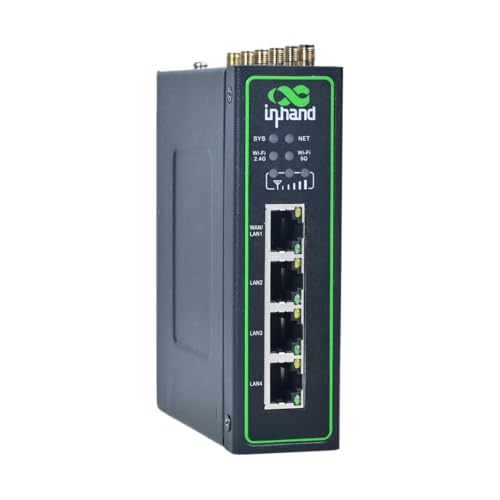


![Zyxel Wireless N300 VDSL2 4-Port Gateway with USB, Annex A / POTS [VMG1312-B10D]](https://m.media-amazon.com/images/I/31fKtmLHGdL._SL500_.jpg)

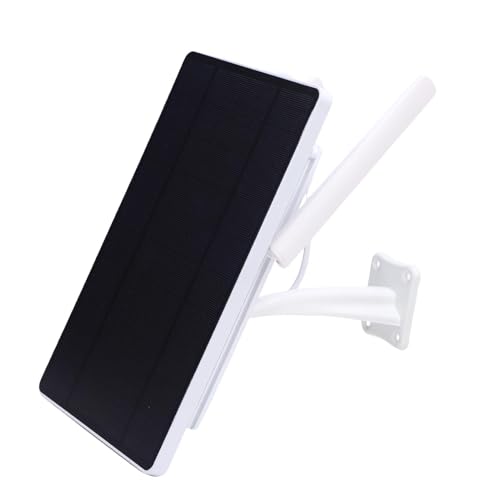


![Zyxel WiFi 6 AX1800 VDSL2 5-Port Super Vectoring Gateway [DX3301-T0-EU02V1F]](https://m.media-amazon.com/images/I/21DQQm+voiL._SL500_.jpg)


What Are Modems and Gateways?
A modem is a device that connects your home or office network to your internet service. It communicates with the broadband line or service connection and helps bring internet access into the property.
A gateway is usually a combined device that may include modem, router, firewall and wireless networking features in one unit where listed. In many homes, the gateway is the main box that connects to the internet and shares that connection with computers, phones, tablets, consoles and smart devices.
The exact features vary by product, so compatibility with your broadband provider, connection type and network needs should always be checked carefully.
What Modems and Gateways Are Used For
Modems and gateways are used for broadband internet access, home networking, small office connectivity, WiFi distribution, wired Ethernet connections, gaming, streaming, video calls, smart home devices and general online activity.
For a simple home setup, a gateway may provide everything needed in one unit where compatible. For more advanced users, a separate modem and router setup may offer more control, depending on the equipment and service.
They can also be useful when replacing a provider supplied unit, building a more organised network, adding business features or supporting a larger number of connected devices where listed.
How To Choose The Right Modem Or Gateway
Start with your broadband connection type. Cable, DSL, fibre and mobile broadband setups may need different equipment. A device that suits one service may not work with another, so compatibility should be checked before buying.
Next, check provider support. Some internet service providers require approved or specific equipment. Others may allow third party devices only under certain conditions. Always check your provider guidance before replacing a modem or gateway.
Then think about your network needs. A small flat with a few devices may not need the same features as a busy household, home office or small business. Device count, wired ports, WiFi coverage, speed support and security features where listed can all matter.
Key Features To Compare
Connection compatibility is the first feature to compare. The modem or gateway must support the type of broadband service you use where listed.
Speed support is also important. A device should be suitable for your internet plan and the devices in your home or office. Real speeds can depend on the broadband service, provider, cabling, device limits, wireless signal and network traffic.
WiFi features may matter if the gateway includes wireless networking where listed. Coverage, wireless standards, antenna design and band support can affect how practical it feels in everyday use.
Wired Ethernet ports are useful for desktop PCs, games consoles, smart TVs, network storage and office equipment. Check port number and speed support where listed.
Security features, app control, guest networks, parental controls, firewall functions, VPN support, management tools and firmware updates may also be worth comparing depending on the product.
Modems Compared With Gateways
A modem usually focuses on connecting to the internet service. It may need to be paired with a router to share that connection across multiple devices.
A gateway usually combines modem and router functions in one device where listed. It can be more convenient for users who want fewer boxes, fewer cables and a simpler setup.
The trade off is flexibility. A separate modem and router can give more upgrade options, while a gateway can be simpler and tidier. The best choice depends on your broadband service, technical confidence and network requirements.
Gateways Compared With Routers
A router manages traffic between devices on your network and may provide WiFi and Ethernet connections. However, it may not connect directly to the broadband line unless it has modem features.
A gateway often combines the broadband connection function with router features where listed. This can make it the main device for internet access and local networking.
If you already have a working modem, a router may be the product you need. If you need one device to connect to the internet service and share the connection, a gateway may be more suitable where compatible.
Provider Supplied Equipment Compared With Replacement Devices
Provider supplied equipment is usually designed to work with the internet service straight away. It can be convenient and may be supported directly by the provider.
Replacement modems and gateways may offer different features, extra ports, different wireless options or more control where listed. However, they must be compatible with the provider and service.
The key trade off is support against flexibility. Provider devices may be simpler for help and setup, while replacement devices may suit users who want more specific networking features.
Beginner Regular User And Experienced User Guidance
Beginners should focus on compatibility first. Check the broadband type, provider requirements and whether the device is clearly suitable for the service before comparing extra features.
Regular users may want to compare WiFi coverage, Ethernet ports, setup method, device management, app controls and how easily the unit fits into the home or office layout.
Experienced users often look more closely at bridge mode support where listed, firewall options, routing features, VPN compatibility, guest networks, firmware control, port forwarding and integration with separate access points or switches.
Use Cases By Setup
For home internet, a compatible modem or gateway can support phones, laptops, smart TVs, tablets, consoles, speakers and other connected devices.
For home offices, reliable wired ports, strong wireless coverage and stable video call performance may be important. Placement and cable routing also matter.
For gaming, wired Ethernet support, low network congestion and suitable router features where listed may be useful. Performance still depends on the broadband service and wider setup.
For streaming, good network coverage and suitable speed support can help, but the internet plan, device support and home layout will also affect results.
For small offices, gateways with business focused management or security features where listed may be worth comparing. Device count and wired network needs are especially important.
For smart home setups, WiFi coverage, guest networks and the ability to handle multiple connected devices may matter depending on the product.
Fit Ports And Compatibility
Modem and gateway compatibility depends on the broadband service, connection socket, provider rules and device features. A unit may look suitable but still not work with a specific provider or line type.
Check whether the product supports cable, DSL, fibre, mobile broadband or another connection type where listed. Also check whether it needs a separate optical network terminal, router, SIM card, modem or other service equipment.
Ethernet ports, telephone ports, coaxial inputs, DSL ports, USB ports and power connections can vary by product. Always compare the ports with your current setup before buying.
If you are replacing existing equipment, note the model, connections and service type before choosing a new device.
Speed Coverage And Real World Performance
Modem and gateway performance depends on more than the device itself. Your broadband plan, provider network, line quality, router placement, connected devices, walls, interference and cables can all affect real world results.
A faster gateway will not make the broadband service faster than the plan allows. However, suitable equipment can help the network make better use of the connection where compatible.
WiFi coverage can vary by building layout. Thick walls, distance, neighbouring networks, appliances and router placement can all affect signal strength.
For larger homes or difficult layouts, you may also need access points, mesh compatible products, range extenders or wired network connections where suitable.
Security And Network Management
Security features are important for internet connected equipment. Some modems and gateways may include firewall features, password controls, guest networks, device management or parental controls where listed.
Change default passwords where instructed and follow the setup guidance provided with the product. Keeping firmware updated where available can also help maintain security and compatibility.
Guest networks can be useful for visitors, smart devices or shared spaces where listed. Parental controls or scheduling tools may be useful for families depending on the product.
For small businesses, management features, remote access settings and network security should be considered carefully.
Installation And Setup Considerations
Setting up a modem or gateway can vary depending on the provider and product. Some devices may be simple to connect, while others may need provider activation, account details, configuration settings or app based setup where listed.
Before disconnecting old equipment, make a note of existing cables, sockets, WiFi names and any provider details needed. This can make setup easier if you need to reconnect the old unit temporarily.
Place the gateway in a sensible location where it can receive ventilation and provide good WiFi coverage. Avoid hiding it behind thick furniture, inside metal cabinets or near sources of interference where possible.
If you are unsure about provider settings or activation, check with your internet provider before buying or installing.
Cable Routing And Placement
Placement can affect both performance and safety. A modem or gateway should usually sit in a dry, ventilated area with enough space around it for airflow.
Cables should be routed neatly and safely. Avoid stretching network cables, power cables or broadband cables across walkways or under heavy furniture.
For wired devices, Ethernet cables should reach comfortably without pulling on ports. For desks and offices, cable clips, ties and trunking may help keep the setup tidy.
If the device has antennas where listed, place it so they are not blocked by clutter, metal objects or thick walls where possible.
Safety And Practical Considerations
Modems and gateways connect to mains power and networking lines, so they should be used according to the product instructions. Use only the correct power adapter supplied or clearly compatible where listed.
Keep networking equipment away from liquids, damp areas, excessive dust and heat. Do not cover the unit with papers, fabric or other objects, as it needs ventilation.
If a device becomes unusually hot, smells, sparks, buzzes loudly or behaves unpredictably, stop using it and seek appropriate advice.
During electrical storms or service faults, follow the safety guidance from the product instructions and your provider.
Care Maintenance And Storage
Modems and gateways are usually low maintenance, but they should be kept clean, dry and properly ventilated. Dust around vents can affect heat management, so light cleaning may be useful where suitable.
Check cables occasionally for damage, loose connections or strain. A poor cable connection can cause dropouts or slow performance.
If you replace a device, store old equipment and cables only if they may be needed for backup, returns or troubleshooting. Keep spare leads labelled so they are not confused with incompatible power adapters.
Follow manufacturer or provider guidance for firmware updates, restarts and maintenance where available.
Useful Accessories To Consider
Useful accessories for modems and gateways may include Ethernet cables, network switches, wireless range extenders, access points, powerline adapters, cable clips, cable ties, surge protected extension leads and network adapters where compatible.
For home offices, a switch can add more wired ports where suitable. For larger homes, access points or range extenders may help with coverage depending on the layout.
For tidy setups, cable management accessories can help keep power leads, Ethernet cables and broadband cables safer and easier to manage.
Why Buy From YPC?
At YPC, we understand active lifestyles and the need for practical products that work in real use. Modems and gateways should be chosen for broadband compatibility, network needs, setup requirements and the way the connection will actually be used.
YPC brings together a wide range of computer, electronics and lifestyle products so you can compare available modems and gateways by connection type, features, ports and practical suitability. Browse the Modems and Gateways category to compare the range and choose the right networking equipment for home internet, office use and connected devices.
FAQs
What is a modem used for?
A modem is used to connect your home or office network to an internet service. It communicates with the broadband connection and helps bring internet access into the property.
What is a gateway in networking?
A gateway is usually a combined networking device that may include modem, router, WiFi and firewall functions in one unit where listed. It can connect to the internet and share that connection with compatible devices.
What is the difference between a modem and a gateway?
A modem usually connects to the internet service, while a gateway often combines modem and router functions. A gateway may provide WiFi and wired network ports as well where listed.
Do I need a modem or a router?
This depends on your broadband setup. Some services need a modem and a router, while others use a combined gateway. Check your provider requirements before buying.
Will any modem work with my broadband provider?
No. Modem compatibility depends on the provider, broadband type and service requirements. Always check provider support and product details before choosing.
Can a gateway improve WiFi coverage?
A gateway may improve coverage if it has stronger or more suitable wireless features than your current unit where listed. Coverage also depends on placement, building layout, interference and connected devices.
What should I check before buying a modem or gateway?
Check broadband type, provider compatibility, speed support, ports, WiFi features, setup method, power supply, security features and whether the device suits your home or office layout.
Why does my modem or gateway keep disconnecting?
Disconnections can be caused by provider issues, line faults, poor signal, old cables, overheating, outdated firmware, incorrect settings or device faults. Check connections, placement, provider status and product guidance.
 Getting ready for Summer? View our Home and Garden Products

Heading outdoors this winter? Take a look at our Outdoor Clothing.