Quick Summary
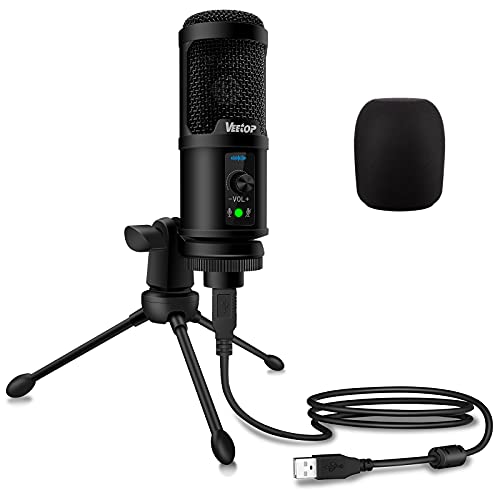
The Garnirise USB Microphone is a mini studio recording mic for PC and Mac desktop and laptop use. It is a USB microphone 2.0 with a stated effective distance of 2 metres, and it is described as lightweight and easy to carry.
The microphone is also described as needing no driver and being suitable for Skype, chat, recording and YouTube on computers with a USB interface.
Who It Is Best For
This microphone suits buyers looking for a compact USB mic for desktop or laptop use, particularly where simple plug-in use and portability matter. It is also relevant if you want a mic for the stated uses of Skype, chat, recording or YouTube.
Key Details
| Detail | Verified information and buyer relevance |
|---|---|
| Brand | Garnirise. |
| Product type | USB microphone for PC and Mac desktop and laptop use. |
| Connection | USB microphone 2.0, so it is intended for computers with a USB interface. |
| Effective distance | 2 metres, which gives a stated operating distance to consider when positioning it. |
| Setup | No driver is needed according to the description, which reduces setup steps on supported Windows PC use. |
| Portability | Mini design and lightweight, which makes it easier to carry. |
| Stated uses | Skype, chat, recording and YouTube. |
Why Buyers Choose It
- The stated no-driver setup supports straightforward use on compatible systems.
- The 2 metre effective distance gives a clear positioning reference for desktop use.
- The mini, lightweight design is useful if you want a mic that is easy to move between places.
- The listed uses include Skype, chat, recording and YouTube, which helps with choosing it for a similar task.
What To Know Before You Buy
Check that your computer has a USB interface before ordering, as that is the stated connection type. The microphone is described for PC and Mac desktop and laptop use, so it is worth confirming that your device matches that setup. The 2 metre effective distance is the only stated range detail, so position the mic with that in mind.
There is also a practical system check for Windows PC use, where no driver is needed according to the description.
Common Buyer Questions
Does it need software or a driver?
No driver is needed according to the description, so setup is described as simple on Windows PC use.
What devices is it for?
It is described for PC and Mac desktop and laptop use with a USB interface.
What is the stated effective distance?
The stated effective distance is 2 metres, which is useful when planning where to place the microphone.
What is it meant to be used for?
The listed uses are Skype, chat, recording and YouTube.
Final Buying View
If you want a compact USB microphone for PC or Mac desktop and laptop use, this Garnirise model is positioned around simple setup and a stated 2 metre effective distance. Check the USB interface requirement and compare the stated use cases with your own setup before ordering.