Quick Summary
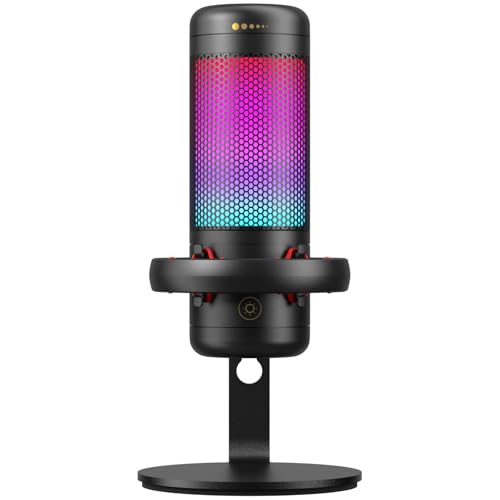
The MAONO PD100XS White Gaming Microphone with Boom Arm is a podcast microphone with XLR and USB connectivity, built for streaming, recording, chatting and content creation. It includes software support, a mute button, gain control and RGB lighting, with USB mode used for the noise reduction and lighting adjustments mentioned.
The microphone is presented as a white PC mic for gaming setups, with use described for PC, PS4 and PS5. If you are comparing it for a desk-based setup, check the connection method you need and whether you want the boom arm included in the bundle.
Who It Is Best For
This is aimed at buyers who want one microphone for gaming voice, podcasting, live streaming and vocal recording. It will also suit anyone who wants either USB convenience or XLR connection for use with an audio interface or mixer.
Key Details
| Detail | Verified information and buyer relevance |
|---|---|
| Brand and model | MAONO PD100XS White, helping you check the exact version before ordering. |
| Connection options | XLR and USB connectivity are stated, so you can match the microphone to your setup. |
| Controls | Mute button and gain control are included for quick adjustment during use. |
| Software support | MAONO LINK software is mentioned for noise reduction and RGB adjustment in USB mode. |
| Lighting | RGB lighting is included with 3 modes and 9 colour options in USB mode. |
| Use cases | Gaming, streaming, recording, chatting, podcasting and YouTube content creation are all mentioned uses. |
| Platform mentions | PC, PS4 and PS5 are named in the product title and description. |
Why Buyers Choose It
- XLR and USB connectivity give you a choice between interface or mixer use and direct computer connection.
- The mute button and gain control offer quick on-mic adjustments during streaming or recording.
- RGB lighting with 3 modes and 9 colour options lets you match the microphone to a gaming desk setup in USB mode.
- MAONO LINK software is stated for noise reduction and lighting control, but these functions are described for USB mode only.
How It Works
- Choose either the USB connection or the XLR connection depending on your setup.
- Use USB mode if you want to access the stated MAONO LINK noise reduction and RGB controls.
- Use the mute button to silence the microphone when needed.
- Adjust gain control to change the input level during use.
- If using XLR, connect it to a gaming audio interface or mixer as stated.
Real World Use
In practical use, this microphone fits a desk-based gaming or content creation setup where the boom arm positions the mic close to the speaker. The white finish and RGB lighting are intended to complement a PC gaming rig, while USB mode adds on-device software control for lighting and noise reduction.
What To Know Before You Buy
Confirm whether you want USB or XLR connection before ordering, as the microphone supports both. The RGB and noise reduction functions mentioned are for USB mode only, so check that this matches how you plan to use it. Also review the exact White PD100XS variant and the included boom arm before purchase.
Common Buyer Questions
Can I use this with a PC?
Yes. PC use is mentioned in the product title and description.
Does it work with PS4 and PS5?
Yes. PS4 and PS5 are named in the product title.
Can I use the RGB lighting with any connection?
No. The RGB features are stated for USB mode only.
What controls are included?
A mute button and gain control are both stated.
Final Buying View
If you want a white gaming microphone with both USB and XLR connectivity, the MAONO PD100XS offers a clear set of stated controls and software features. Check the connection type, USB-only RGB functions and the exact White variant before you choose.
Key Details
| Detail | Verified information and buyer relevance |
|---|---|
| Audio settings stated | 40Hz-16KHz frequency response and 24-bit/48kHz sampling rate are listed, so you can compare the recorded audio range and digital format. |
| Noise reduction | Noise reduction is mentioned with a customised dynamic microphone core and MAONO LINK software adjustment in USB mode. |