Quick Summary
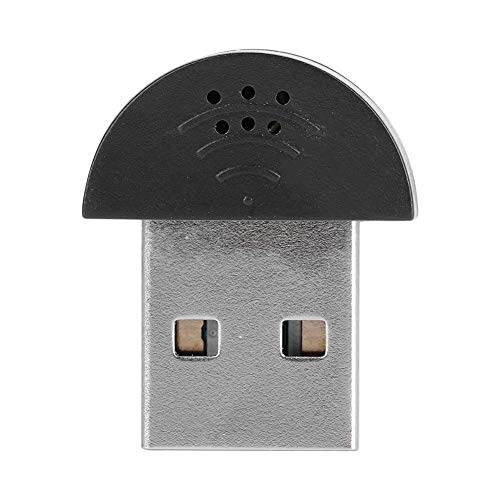
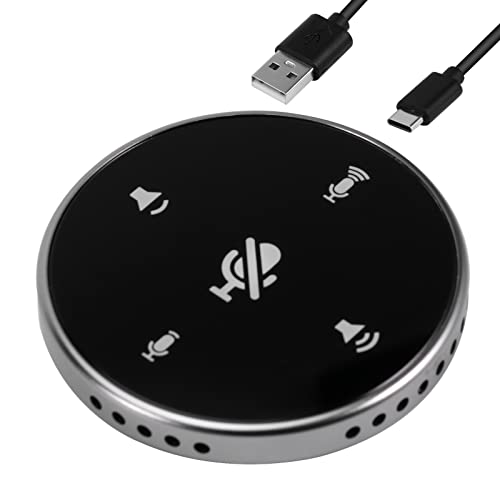
This conference microphone is a USB condenser mic with a mute button and 360° omnidirectional pickup. It is described for online meetings, classes, video calls and other conference-style use, with plug and play operation through a USB port.
The compact desktop design and simple one-press mute and unmute control make it straightforward to set up for meeting use on a Mac or PC.
Who It Is Best For
This microphone suits buyers who want a USB desktop mic for one-to-one or small-group conference calls, online classes, interviews, podcasting, home studio recording, video chat and similar uses. It is also aimed at people who prefer a simple plug and play setup without extra software installation.
Key Details
| Detail | Verified information and buyer relevance |
|---|---|
| Product type | Conference microphone with mute button, positioned for meeting and call use. |
| Pickup pattern | 360° omnidirectional pickup for sound collection from around the microphone. |
| Connection | USB port connection with plug and play use on Mac or PC. |
| Mute control | One-press mute and unmute button for quick audio control during calls. |
| Pickup distance | Stated pickup distance of 10 feet, which is relevant when planning desk placement. |
| Intended uses | Online meeting, Zoom, Team Meeting, video chatting, interviews, podcasting, home studio recording, YouTube, Twitch, Skype and FaceTime. |
Why Buyers Choose It
- 360° omnidirectional pickup means it is intended to collect sound from around the microphone rather than from a single direction.
- USB plug and play use means there is no extra driver or software installation mentioned for basic setup.
- The mute button gives a direct way to switch audio off and on during a call.
- The compact design is stated to be easy to transport in a pocket or business bag.
How It Works
- Connect the microphone to a Mac or PC using the USB port.
- Use it with plug and play setup, with no extra driver or software installation mentioned.
- Press the mute button once to mute or unmute during use.
- Position it with the stated 10 feet pickup distance in mind when arranging a desk setup.
Real World Use
The microphone is described for office and home conference use, and also for meetings, interviews, podcasting, home studio recording, video chats, seminar use, remote training and business negotiations. The compact shape also makes it easier to move between locations when needed.
What To Know Before You Buy
Check that you want a USB conference microphone rather than another type of microphone, and review the stated 10 feet pickup distance against your intended desk layout. If you need quick call control, the mute button is a useful feature. The listed uses cover meetings and a range of recording or chat scenarios, so confirm the variation matches your own setup before ordering.
Common Buyer Questions
Does it need extra software?
No, it is described as plug and play with no software installation needed.
Can it be used on a Mac or PC?
Yes, it is described as working by plugging into a Mac or PC USB port.
Is there a mute button?
Yes, it has a one-press mute and unmute button.
What sort of calls is it for?
It is described for conference calls, online meetings, video chats and similar uses.
Final Buying View
If you want a USB conference microphone with 360° omnidirectional pickup and simple mute control, this model covers the main meeting and call uses listed. Check the USB connection and the stated pickup distance against your workspace before choosing.