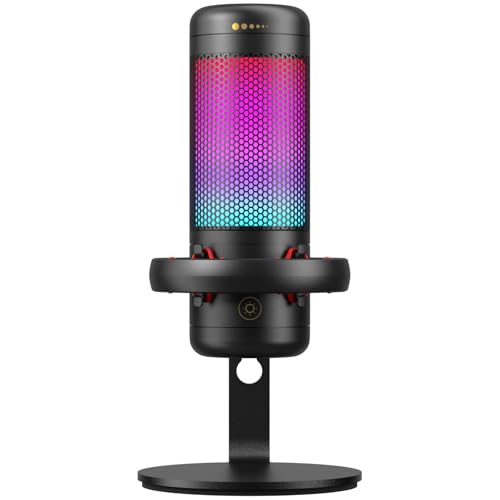
Quick Summary
The Shure MV7+ Podcast Microphone is a podcasting, streaming and recording microphone with USB-C and XLR outputs, an LED touch panel and Auto Level Mode. It also includes a digital pop filter, a live denoiser and onboard reverb settings for Plate, Hall and Studio.
The black finish and integrated yoke make it easier to position on standard 5/8"-27 threaded stands or booms, while the LED panel can be used as an audio level meter or set to a pulse effect.
Who It Is Best For
This microphone suits buyers who want one microphone for podcasting, streaming and recording, and who need the option of either USB-C or XLR connection. It also suits anyone who wants the added control of the LED panel, Auto Level Mode and onboard reverb settings.
Key Details
| Detail | Verified information and buyer relevance |
|---|---|
| Product | Shure MV7+ Podcast Microphone, clearly identified for podcasting, streaming and recording. |
| Colour | Black finish. |
| Outputs | USB-C and XLR outputs for different recording setups. |
| LED panel | Multi-colour LED touch panel with 16.8 million hues, level meter use and pulse effect option. |
| Mute function | Tap anywhere on the LED panel to mute the microphone quickly. |
| Noise control | Live Denoiser and Voice Isolation Technology are stated to reduce ambient noise. |
| Pop filtering | Digital pop filter is included, with a physical pop filter visible on camera when filming. |
| Auto Level Mode | Updated Auto Level Mode adjusts gain based on distance, volume and spatial detection. |
| Reverb | Onboard reverb settings include Plate, Hall and Studio. |
| App integration | Motiv Mix app integration, compatible with Windows 10 and macOS 12 and higher. |
| Mounting | Integrated yoke for standard 5/8"-27 threaded stands or booms. |
| In the box | 1 MV7+ microphone, 1 USB-C to USB-C cable, 1 3/8" – 5/8" adapter. |
Why Buyers Choose It
- USB-C and XLR outputs give you two connection options, so it suits different recording setups.
- The LED touch panel can act as an audio level meter, which gives a clear visual reference while recording.
- Auto Level Mode adjusts gain based on distance, volume and spatial detection, so the mic has built-in level management.
- Three reverb settings, Plate, Hall and Studio, add onboard effect options for music recordings.
How It Works
- Connect the microphone using USB-C or XLR, depending on your setup.
- Use the LED touch panel to monitor levels, switch to the pulse effect or mute the microphone by tapping the panel.
- Set Auto Level Mode so the microphone adjusts gain using distance, volume and spatial detection.
- Use the app integration to configure the LED touch panel and adjust microphone settings.
- Select one of the reverb settings, if you want Plate, Hall or Studio effects.
Real World Use
The microphone is made for podcasting, streaming and recording, so it fits setups where you want either a simple USB-C connection or an XLR connection into other equipment. The integrated yoke supports positioning on standard 5/8"-27 threaded stands or booms, and the included 3/8" – 5/8" adapter adds another fitting option.
The LED panel can be used as a level meter during recording, while the quick mute function is useful when you need to cut the mic instantly. The included USB-C to USB-C cable means you have one cable in the box to get started.
What To Know Before You Buy
Check whether you want to use USB-C, XLR, or both, as the microphone offers both output types. Confirm your stand or boom uses 5/8"-27 threading, or use the included 3/8" – 5/8" adapter where needed.
Pros: It combines USB-C and XLR outputs with onboard control features for flexible recording setups.
Cons: App integration is only stated as compatible with Windows 10 and macOS 12 and higher.
Common Buyer Questions
Does it have both USB and XLR connection options?
Yes. It has USB-C and XLR outputs.
Can I mute it quickly during use?
Yes. You can mute it by tapping anywhere on the LED panel.
What reverb settings are included?
Plate, Hall and Studio reverb settings are included onboard.
What comes in the box?
1 MV7+ microphone, 1 USB-C to USB-C cable, and 1 3/8" – 5/8" adapter.
Final Buying View
If you want a podcast microphone with USB-C and XLR outputs, LED touch control and onboard sound-shaping features, the MV7+ gives you those verified options in one unit. Check the connection method, mounting thread and app compatibility before you choose.