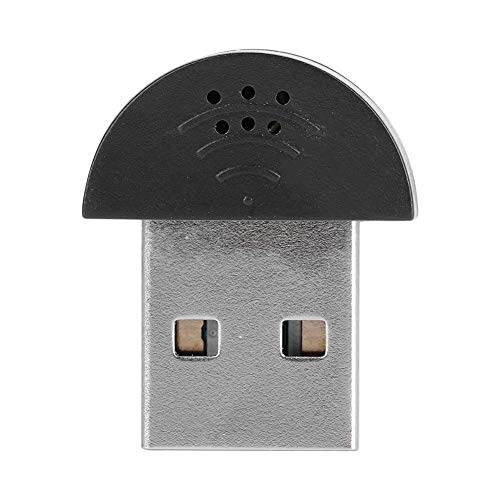
Quick Summary
The TONOR TM20 is a USB conference microphone for online meetings, teaching and distance learning. It is an omnidirectional PC condenser mic with a mute button, and the built-in indicator light shows working or mute status.
The mic is intended for use with Zoom, Skype, GoToMeeting, WebEx, Hangouts and Fuze, and it is described as plug and play for Windows and macOS. The pickup pattern is stated as omnidirectional with a 360° pickup range.
Who It Is Best For
This microphone suits people who need a USB mic for calls, classes or group discussions on a computer. It is aimed at laptop and desktop use, with a simple plug-in setup and one-touch mute control.
Key Details
| Detail | Verified information and buyer relevance |
|---|---|
| Brand | TONOR, helping identify the exact product. |
| Model | TM20, which is the stated product model. |
| Product type | USB conference microphone for computer use. |
| Pickup pattern | Omnidirectional, with a stated 360° pickup range. |
| Connection | USB plug and play for laptop or desktop use. |
| Compatibility | Compatible with Windows and macOS. |
| Mute control | Built-in mute button with indicator light showing working or mute status. |
| Intended use | Online meeting, teaching and distance learning, with Zoom, Skype, GoToMeeting, WebEx, Hangouts and Fuze mentioned. |
| Included sound feature | Built-in noise reduction technology is stated to reduce noise and echo. |
Why Buyers Choose It
- The omnidirectional pickup is stated to capture sound from 360°, which suits shared conversations around the microphone.
- The USB plug and play setup means there is no driver software requirement.
- The mute button and status light make it easier to check whether the mic is live during a call.
How It Works
- Connect the TM20 to a laptop or desktop by USB.
- Use it with a compatible Windows or macOS computer.
- Press the mute button when you want to mute the microphone.
- Check the indicator light for status, with blue for working and red for mute.
Real World Use
The microphone is set up for computer-based meetings, online teaching and distance learning. Its wide pickup range is useful when voices are coming from more than one person around the mic, and the mute control gives a quick way to pause audio during a call.
What To Know Before You Buy
Confirm that you want a microphone rather than a speaker, as that distinction is stated clearly. Check that your device has USB support and that you are using a Windows or macOS computer. If you need a mic for shared room use, the stated omnidirectional pickup and 5m range are the main fit points to review.
Common Buyer Questions
Is the TONOR TM20 a speaker?
No. It is a microphone.
Does it need driver software?
No. It is described as plug and play.
What computers does it work with?
It is compatible with Windows and macOS.
How do I mute it?
Use the built-in mute button, and the indicator light shows working or mute status.
Final Buying View
The TM20 is a straightforward USB conference microphone for online meetings, classes and chat on a computer. Check the USB connection, computer system and the microphone versus speaker distinction before ordering.