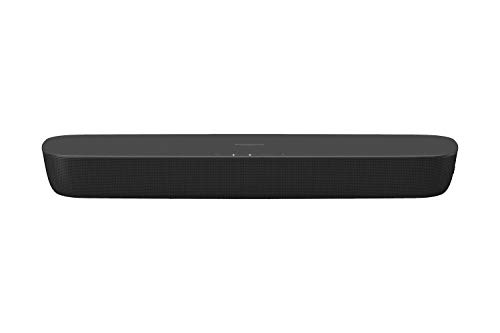
Quick Summary
The ULTIMEA Poseidon D80 Boom is a 7.1 soundbar system with a wireless subwoofer, four wired surround speakers and Dolby Atmos support. It is presented as a 2026 model and includes 4K HDMI with eARC, plus optical and AUX inputs for wider connection choice.
The system is built around smart app control and EQ options, so buyers who want more control over listening settings should compare the app features, speaker layout and connection inputs before choosing an offer.
Key Details
| Detail | Verified information and buyer relevance |
|---|---|
| Product type | 7.1 soundbar system for TV use. |
| Model | Poseidon D80 Boom, described as a 2026 model. |
| Subwoofer | Wireless subwoofer included. |
| Surround speakers | 4 wired surround speakers are included. |
| Audio format | Dolby Atmos support is stated. |
| Power | 500W is stated in the product name. |
| Connectivity | 1-in/1-out 4K HDMI with eARC, plus optical and AUX inputs. |
| Control | ULTIMEA Smart App control and OTA upgrades are stated. |
| EQ options | 121 EQ presets are stated, along with 10-band and 6 tailored EQ modes. |
| DTS | DTS decoding is not supported. |
What to Compare Before Buying
- Speaker layout: This system uses a soundbar, wireless subwoofer and 4 wired surround speakers. Compare that layout with the space you have for placement and cable runs.
- Connection options: The main TV connection is 4K HDMI with eARC, with optical and AUX also listed. Check that your TV or source devices have a matching output.
- Control features: App control, OTA upgrades and multiple EQ presets are included. Compare those features with how much customisation you want from a home cinema system.
- Audio format support: Dolby Atmos is stated, while DTS decoding is not supported. Check whether that matters for the films or devices you use most.
Choosing the Correct Version
This is a specific Poseidon D80 Boom version, so the main points to check are the exact model name, the 7.1 speaker layout and the stated connection options. If you want a different speaker count, a simpler setup or DTS support, compare those requirements before selecting a system.
Before You Decide
Confirm that you want a 7.1 system with 4 wired surround speakers and a wireless subwoofer. Check that your TV connection matches the stated 4K HDMI with eARC, optical or AUX inputs. If DTS decoding matters to you, this model is not the right match.
A Simple Home Cinema Setup
A system like this works best when the room layout is planned before installation. Measure where the soundbar, subwoofer and wired surround speakers will sit, then check where the cables need to run before you commit to placement. It also helps to note which input you plan to use on the TV first, so the main setup path is clear before the speakers are positioned.