Quick Summary
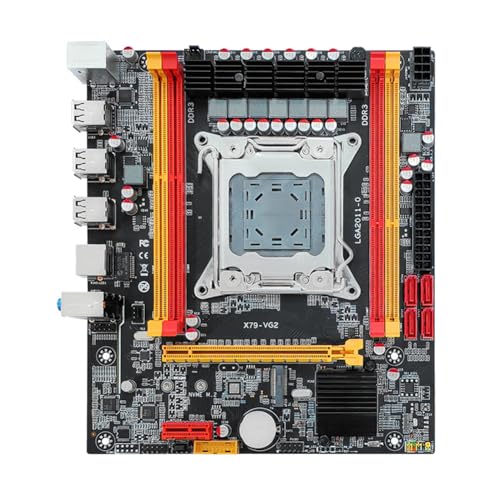
The VBESTLIFE B550M K is an AM4 mATX motherboard with double channel DDR4 support and a stated maximum memory capacity of 64GB. It is presented for 1000 to 5000 series CPUs and includes a range of listed connections such as HDMI, VGA, Gigabit Ethernet, Serial ATA 3.0, NVME M.2, PCIe slots, USB 3.0 and USB 2.0.
For buyers checking a replacement or new build board, the key points are the AM4 socket, DDR4 memory support, and the listed BIOS functions. Review CPU, memory and port requirements carefully before ordering.
Who It Is Best For
This board suits buyers who need an AM4 motherboard for a build using supported 1000 to 5000 series CPUs and DDR4 memory. It is also relevant if you need the listed display, storage and expansion connections in an mATX format.
Key Details
| Detail | Verified information and buyer relevance |
|---|---|
| Brand | VBESTLIFE, which identifies the product line. |
| Model | B550M K, which helps match the exact board version. |
| Socket | AM4 CPU socket for the stated supported CPU range. |
| Supported CPU range | Listed for 1000 to 5000 series CPUs, including examples such as 5600X, 3950X, 5800X, 3700X, 5950X and 3500X. |
| Memory support | Double channel DDR4 with 2 memory slots and a stated maximum of 64GB. |
| Memory speeds | 2133, 2400, 2666 and 3200MHz are listed for compatible DDR4 memory. |
| Connectivity | HD multimedia interface, VGA, Gigabit Ethernet, Serial ATA 3.0, NVME M.2, PCIe 3.0 x16, PCIe 2.0 x1, USB 3.0 and USB 2.0 are listed. |
| BIOS functions | TPM 2.0, secure boot, sleep, XMP, PBO, CPU overclocking, Chinese and English switching, web wake up, power on after power failure, no hard disk boot and fan speed adjustment are listed. |
| Construction | 4 layer PCB and all solid state capacitor are stated. |
Why Buyers Choose It
- The AM4 socket and stated CPU range help buyers match the board to a compatible processor.
- Two DDR4 memory slots with a 64GB stated maximum give a clear memory check before ordering.
- The listed display, storage and USB connections make it easier to compare the board against the rest of a build.
- The BIOS functions listed here are useful for buyers who specifically need those settings and options.
How It Works
Install the board in an mATX system, fit a compatible AM4 CPU, add supported DDR4 memory, and connect storage and peripherals through the listed ports and slots. The BIOS can be entered by pressing the power key and then quickly and continuously pressing the DEL key.
The BIOS-related functions listed include TPM 2.0, secure boot, sleep, XMP, PBO, CPU overclocking, language switching, web wake up, power on after power failure, no hard disk boot and fan speed adjustment.
What To Know Before You Buy
Check that your CPU is within the stated AM4 1000 to 5000 series support before ordering. Confirm that your memory choice is DDR4 and that your total capacity needs fit within the stated 64GB limit. Review the listed ports, slots and BIOS functions to make sure they match your build plan.
The board is described as mATX, so it is worth checking that your case accepts that form factor.
Common Buyer Questions
What CPU range is listed for this motherboard?
It is listed for AM4 CPUs from the 1000 to 5000 series, with examples including 5600X, 3950X, 5800X, 3700X, 5950X and 3500X.
How much memory does it support?
It has 2 memory slots and is listed for double channel DDR4 up to 64GB.
Which ports and slots are listed?
The listed connections include HD multimedia interface, VGA, Gigabit Ethernet, Serial ATA 3.0, NVME M.2, PCIe 3.0 x16, PCIe 2.0 x1, USB 3.0 and USB 2.0.
How do you enter the BIOS?
Press the power key and then quickly and continuously press the DEL key.
Final Buying View
This motherboard is a straightforward option for buyers who need an AM4 mATX board with DDR4 support, a stated 64GB memory limit and the listed connection set. Compare the CPU, memory and case fit carefully before choosing it.