Quick Summary
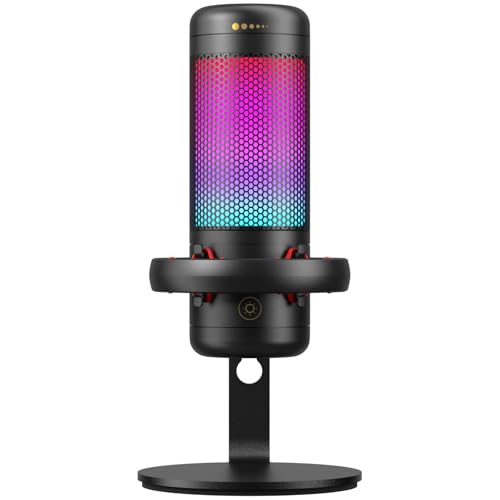
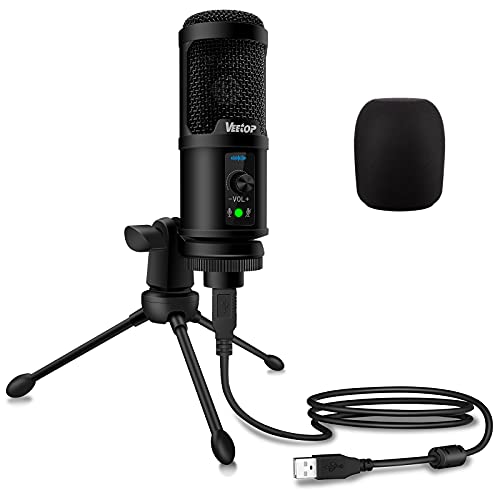
The Veetop conference microphone is a USB computer microphone for video conferencing, meetings, recording, gaming and video chatting. It features 360 degree audio pick-up, a mute button, plug and play use, and a 3.5mm aux jack.
It is noted as not being a speaker or speakerphone, so it is for microphone use rather than audio playback.
Who It Is Best For
This microphone suits buyers who want a simple PC mic for online meetings, Skype, Zoom, gaming or recording. It is also relevant for anyone who wants to sit further from the computer while still being heard, within the stated 10ft/3m maximum distance.
Key Details
| Detail | Verified information and buyer relevance |
|---|---|
| Brand | Veetop, helping identify the exact product listing. |
| Product type | USB computer conference microphone for meetings, calls, gaming and recording. |
| Pick-up pattern | 360 degree audio pick-up for sound from all directions. |
| Maximum distance stated | Up to 10ft/3m, which matters if you plan to sit away from the computer. |
| Mute control | Includes a mute and unmute button for quick control during calls. |
| Audio jack | 3.5mm aux jack for connection to external audio equipment such as earphones, headphones and speakers for monitoring and recording. |
| Connection | Type C to USB 2.0 detachable cable for connection to a computer or laptop. |
| Compatibility | Compatible with Windows XP or above, including Windows Vista, 7, 8 and 10, and Mac OS 7 or above. |
| Construction | Zinc alloy and metal mesh materials, with non-slip pads on the base. |
| Size | Small and compact design for easier carrying and storage. |
Why Buyers Choose It
- 360 degree pick-up means it is intended to capture voices from more than one direction.
- The stated 10ft/3m distance gives some flexibility in seating position during calls.
- The mute button gives a quick way to pause and resume microphone use.
- The 3.5mm aux jack adds monitoring and recording connection options.
- The detachable Type C to USB 2.0 cable supports tidier storage.
How It Works
- Connect the microphone to a computer or laptop using the Type C to USB 2.0 cable.
- The computer or laptop should automatically detect it, with no driver or software installation needed.
- Use the mute button to quickly mute or unmute during use.
- If needed, connect external audio equipment through the 3.5mm aux jack for monitoring or recording.
What To Know Before You Buy
Check that you need a microphone rather than a speaker or speakerphone, because this product is not one. Confirm that your computer or laptop matches the stated Windows or Mac OS compatibility before ordering. Review the 10ft/3m distance guidance and the compact format if you plan to use or carry it away from your desk.
Common Buyer Questions
Is this a speakerphone?
No. It is noted as not being a speaker or speakerphone.
Does it need software or drivers?
No. It is set out as plug and play.
What systems does it work with?
It is compatible with Windows XP or above, including Vista, 7, 8 and 10, and Mac OS 7 or above.
What is the mute control for?
The mute button lets you quickly mute and unmute the microphone during calls or recording.
Final Buying View
This Veetop USB conference microphone is aimed at buyers who need straightforward microphone input for meetings, calls, gaming and recording. The main checks are whether you want a mic rather than a speakerphone, and whether your computer matches the stated compatibility.