

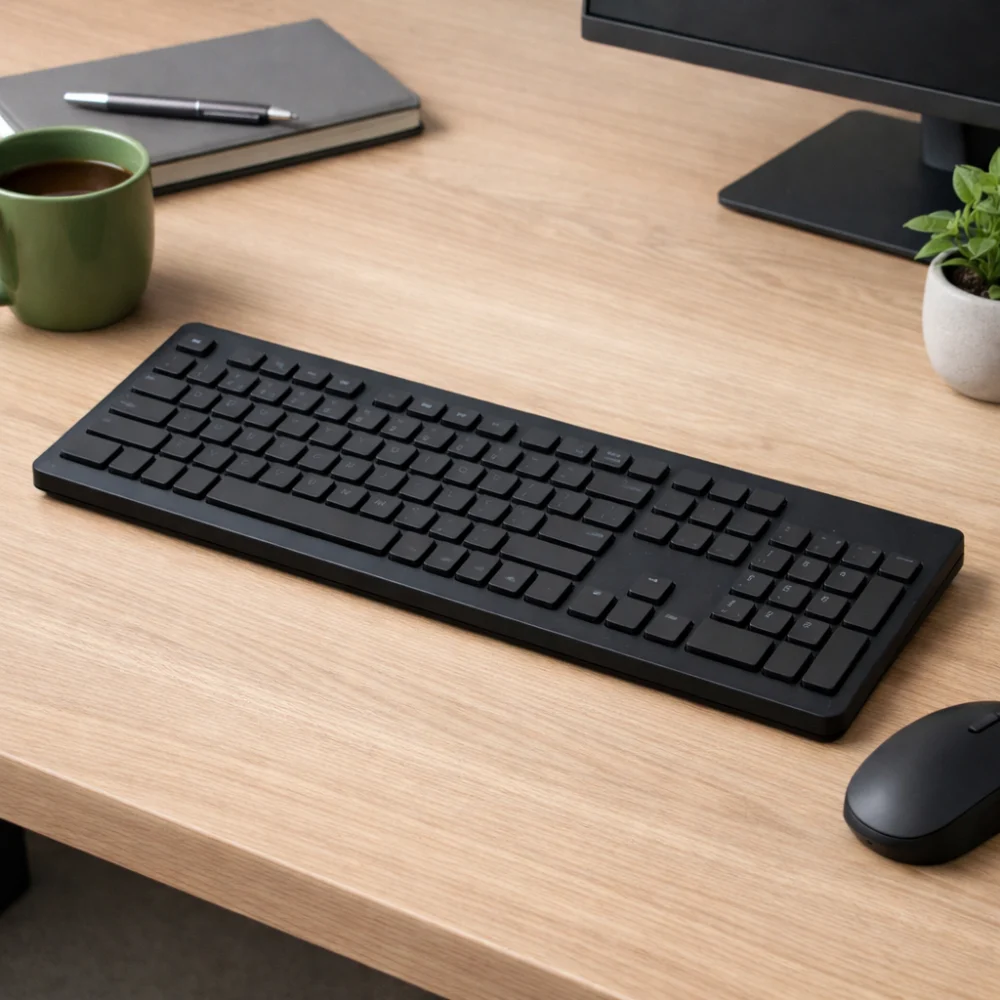
A computer keyboard can be a straightforward replacement or a more considered choice for work, study, gaming or general use. The right option depends on how you type, how much desk space you have and what your computer can connect to.
This guide focuses on the differences that are useful to compare, from layout and connection to key feel and extra controls. Check the details for each individual product, since a category name alone does not confirm its compatibility or features.
What should you prioritise when choosing a computer keyboard?
Start with the layout and language you need, then check that the connection suits your computer. Choose a size that gives you the keys you use without taking more desk space than you want. Key feel, noise and extra controls can help narrow the choice, but their value depends on where and how you use the keyboard. Specifications vary by model, so always check the individual product page before buying.
Compare the key buying factors
| Feature | What it means | Why it matters | What to check |
|---|---|---|---|
| Layout and language | The arrangement of keys and the characters or symbols printed on them. | A familiar layout can make everyday typing and access to punctuation easier. | Look for the intended language and layout, such as UK QWERTY, and check any keys that matter to your work. |
| Size and key selection | Whether the keyboard has a full-size layout, a separate number pad or a more compact arrangement. | A number pad may help with frequent numerical entry; a smaller footprint can leave more desk space. | Compare the key layout and overall dimensions with your desk and normal tasks. |
| Connection | A wired connection or a wireless connection, which may use different connection methods. | Wired models avoid separate keyboard batteries; wireless models reduce the cable running to the computer. | Check the connection method, the computer ports or wireless support it requires, and whether any receiver is included. |
| Key feel and sound | How the keys feel to press and the sound they make during use. | Preference can vary with typing habits, shared spaces and personal comfort. | Review the product description for the key mechanism or feel where specified; do not assume a particular sound or feel from appearance alone. |
| Extra controls and lighting | Additional keys or lighting beyond the basic typing layout. | These may be useful for frequently used commands or a particular setup, but can add features you do not need. | Check what the controls do and whether any stated lighting or software requirements suit your use. |
How to choose the right keyboard
Match the layout to your typing
Layout affects both the position of keys and the characters shown on them. If you regularly type in UK English, check that the keyboard is described as a UK layout rather than relying on a product photo or a broad label such as QWERTY. People who enter figures often may value a separate number pad, while others may prefer a more compact arrangement.
Choose wired or wireless for your setup
A wired keyboard connects directly by cable, so check that the connector can be used with your computer. A wireless keyboard can reduce cable clutter, but check whether it connects by Bluetooth or through a USB receiver and whether your device supports that method. Also review any power requirements and whether a receiver or batteries are included; these details can differ between products.
Consider size before extra features
A full-size keyboard commonly includes a separate number pad, which can be useful for spreadsheets or frequent number entry. A compact model may suit a smaller desk or a setup where portability matters more, but it may omit keys or place them differently. Compare the actual layout and dimensions rather than assuming that all compact or full-size keyboards are identical.
Think about key feel and noise
Key feel is personal, and keyboard mechanisms can differ. Some buyers prefer a lighter, quieter-feeling typing experience, while others may prefer more distinct feedback. Product descriptions can help identify the type when specified, but avoid assuming that a term such as “gaming” guarantees a particular feel, sound or performance.
Check compatibility and additional controls
Confirm that the keyboard’s connection works with the computer or device you intend to use. If you depend on shortcut keys, media controls or other extra functions, check what is provided and whether the product information mentions any operating-system or software requirements. A bundled mouse or other accessory should be assessed separately against your needs rather than treated as proof that the keyboard itself is a better fit.
Keyboard types and variants
- Wired keyboards: A practical choice when a direct cable connection suits the setup and you would rather not manage separate keyboard batteries. The cable and connector may limit placement, so check both.
- Wireless keyboards: Can help reduce cables and may be convenient where the keyboard needs to be moved. Connection method, receiver arrangements and power needs vary, so check each product’s details.
- Full-size keyboards: Often suit buyers who want a familiar, spacious layout and a number pad. They take up more desk space than smaller layouts.
- Compact keyboards: May suit limited desk space or a more portable setup. Check carefully that the keys you rely on are present and arranged as expected.
- Key-mechanism variants: Different mechanisms can change the feel and sound of typing. Compare the stated mechanism where available, and treat terms describing feel as a starting point rather than a guarantee of personal preference.
Which keyboard may suit your needs?
- For everyday typing: Prioritise a familiar layout, a comfortable size and a connection compatible with your computer. Extra controls are secondary unless you know you will use them.
- For frequent number entry: Look for a layout with a separate number pad, then consider whether the added width fits your workspace.
- For a small desk: Compare compact layouts and dimensions. Check that reduced size does not remove keys or functions you use often.
- For a shared or quiet workspace: Pay attention to any stated key-noise information, but remember that descriptions may not capture how a keyboard sounds in your room.
- For gaming or shortcut-heavy use: Check the specific controls, key layout and any software or connection requirements relevant to your setup. A gaming label alone does not establish that a keyboard has a particular feature.
Common buying mistakes to avoid
- Assuming every QWERTY keyboard has the layout you need: Check the language and key arrangement, especially if punctuation or particular symbols are important.
- Choosing by size label alone: Full-size and compact descriptions do not tell you whether a specific key is present. Review the layout image and product details.
- Overlooking the connection: Check your device’s available ports or wireless support before choosing. Do not assume a connector or wireless method will suit every computer.
- Expecting a feature from a category or marketing label: Terms such as “gaming”, “quiet” or “spill-resistant” are not a substitute for checking the individual product’s stated features and limitations.
- Paying attention only to extra features: Lighting and shortcut controls may be useful, but layout, size and compatibility are more fundamental if the keyboard will not otherwise suit your setup.
Suitability and basic care
Choose a keyboard for its intended environment and check any stated limitations, including connection and compatibility requirements. Descriptions such as spill-resistant should not be treated as a guarantee against damage; follow the product information for care and use. Keep cleaning and storage in line with the manufacturer’s guidance, particularly for wireless models with separate power requirements.
A simple buying process
- Decide where you will use the keyboard and which keys or functions you rely on.
- Choose the layout and size that fit your typing habits and available desk space.
- Compare wired and wireless options against your computer’s connections and your preference about cables.
- Narrow the choice using key feel, sound and any extra controls that genuinely matter to you.
- Check the individual product information for its layout, connection, compatibility and stated power or software requirements.
Buyer checklist
- Does the keyboard have the language and layout you need?
- Does its size and key arrangement suit your tasks and workspace?
- Is the wired connector or wireless connection suitable for your computer?
- Have you checked any important key-feel, noise or control details?
- Are any power, receiver or software requirements clear?
- Have you checked the individual product information for limitations and compatibility?
Frequently asked questions
What does UK layout mean on a computer keyboard?
It indicates a keyboard layout intended for UK character and key arrangements. If you rely on particular symbols or punctuation positions, compare the product information and layout image rather than assuming all QWERTY keyboards are the same.
Is a wired or wireless keyboard better?
Neither is best for everyone. A wired model avoids separate keyboard batteries, while a wireless one can reduce cable clutter; choose based on your setup and check the relevant connection requirements.
Should I choose a full-size or compact keyboard?
Consider which keys you use and how much room you have. A full-size layout may be helpful if you use a number pad, while a compact one can take up less space but may arrange or omit some keys.
Are mechanical keyboards always louder?
Sound depends on the particular keyboard and its keys, so the mechanism name alone may not tell you how it will sound in use. Check any noise information provided and consider your environment if sound is an important factor.
Can one keyboard work with every computer?
No single connection or compatibility assumption applies to every setup. Check the keyboard’s connection method and any stated device or operating-system requirements against the computer you plan to use.
Do I need a gaming keyboard for computer games?
Not necessarily; the useful choice depends on the games, controls and features you want. Check the individual product details rather than relying on a gaming label to confirm a particular function.


