

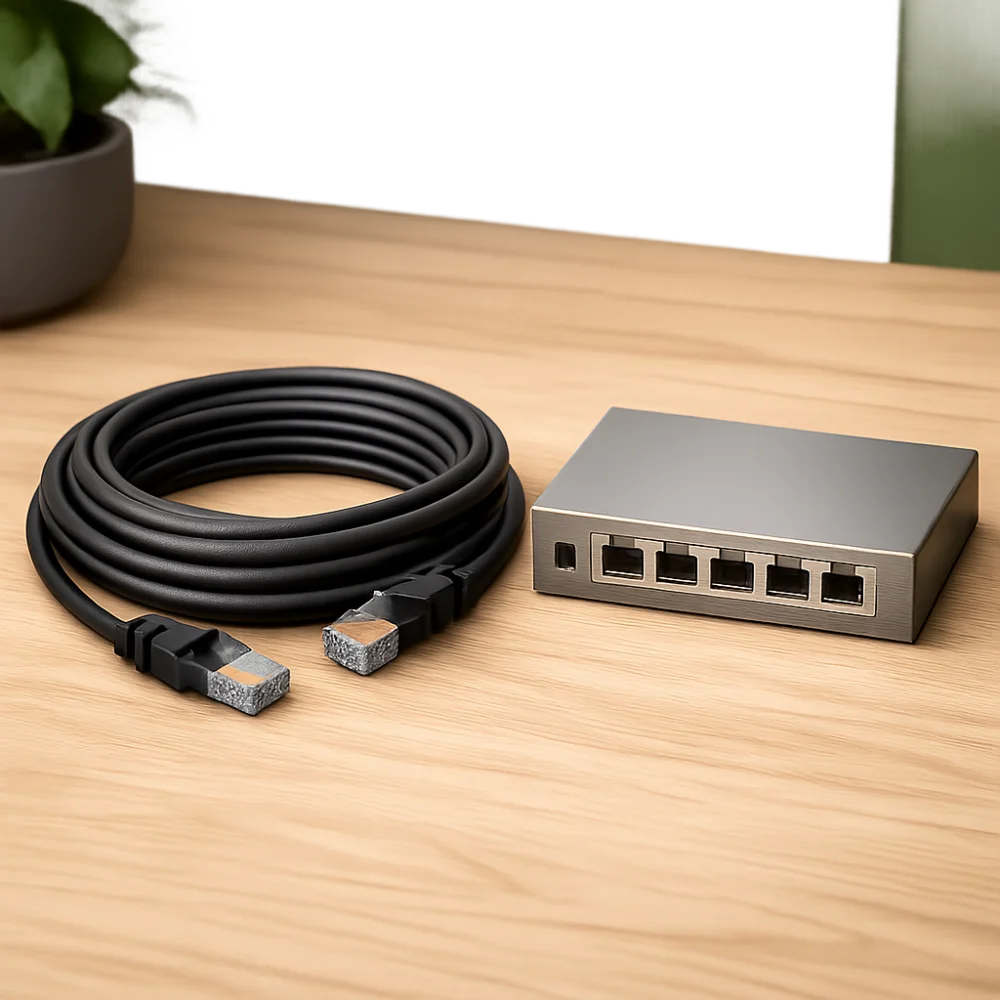
Ethernet cables connect compatible devices to a wired network, while related accessories can help join, route or adapt a cable setup. The right choice depends on the devices and network you are connecting, the route the cable must take and whether you need a cable alone or an accessory too.
This guide explains the main points to compare before buying. Product details can vary, so check that the specific cable or accessory suits your intended connection rather than choosing by a category label alone.
Which Ethernet cable or accessory should you choose?
Start by checking the ports on the devices you want to connect and the cable category they support. Measure the route, including enough slack to position the cable without stretching it. Then compare connector type, cable shape and any accessory requirements. A higher category marking does not upgrade equipment that cannot support it, so compatibility and practical fit matter as much as the marking.
Compare the main buying factors
| Feature | What it means | Why it matters | What to check |
|---|---|---|---|
| Cable category | A classification for the cable’s performance characteristics. | It helps you compare cables, but does not by itself determine the speed of your whole connection. | Check the category marking against the requirements of your connected devices and network equipment. |
| Length | The cable’s stated end-to-end length. | A cable that is too short may not reach; excess length can be awkward to route and store. | Measure the actual route and allow practical slack at each end. |
| Connector | The plug fitted to each end of the cable, or the connection supported by an accessory. | The cable must connect to the relevant ports without relying on an unsuitable adapter. | Check the connector description and the ports on both devices. |
| Shape and construction | Cables may have different profiles and constructions, such as flat or round. | The shape can affect how a cable fits along a route and how easy it is to manage. | Consider the path, bends, available space and the product’s stated use. |
| Accessory type | An item such as a coupler, adapter or cable-management accessory. | It may help with a specific connection or routing need, but cannot make incompatible connections compatible. | Confirm the connections it supports and whether it suits the cable and devices in your setup. |
What to check before choosing
Cable category and network compatibility
Category markings such as Cat 5e, Cat 6 or Cat 8 identify different cable classes; they are not a promise of a particular internet speed. The result depends on the capabilities of the connected devices and other network equipment as well as the cable. Choose a category that meets your equipment’s requirements without assuming that the highest number is automatically the best fit.
Specifications vary by model, so always check the individual product page before buying.
Length and route
Measure the path between connection points rather than estimating the straight-line distance. Include the route around furniture or along edges, plus enough slack to connect and position the cable comfortably. Avoid buying a length that leaves the cable stretched, while remembering that a much longer cable may be harder to keep tidy.
Connectors and accessories
Check that the cable plugs match the ports on both ends of the connection. For an accessory, compare the connection types it accepts and provides with the cable and equipment you already have. A coupler or adapter can address a particular connection need, but adding a join also adds another component to the setup.
Shape, flexibility and routing
A flat cable may suit a narrow route where its profile is useful; a round cable may suit a different routing preference. Neither shape is automatically right for every setup. Check the product description for its stated construction and consider where it will sit, how it must bend and whether the route could pinch or strain it.
Common cable and accessory types
- Patch cables: Finished cables with connectors at both ends, commonly chosen to connect nearby network equipment or devices. Check the length and connectors for your setup.
- Flat or round cables: These describe the cable’s physical shape rather than guaranteeing a particular network result. Choose based on the route and how you plan to manage the cable.
- Couplers and adapters: These can join cables or provide a different connection arrangement where the supported connections match your needs. Check compatibility carefully before relying on one.
- Cable-management accessories: Items such as clips may help guide a cable along a route. Confirm that the accessory suits the cable and the surface or location where it will be used.
Choose for your setup
- Connecting nearby devices: A suitable patch cable may keep the connection simple. Prioritise the right connector and a length that reaches without leaving excessive slack.
- Routing along a tight or visible path: Compare cable shapes and stated flexibility, then check that the route will not press or pull on the cable.
- Replacing an existing cable: Note its connector type, length and category marking before selecting a replacement. A similar-looking plug alone does not confirm that every requirement matches.
- Extending or adapting a connection: Identify exactly what needs to connect, then check that the accessory supports those connections. Consider whether a single cable of a suitable length would be a simpler option.
Mistakes and misunderstandings to avoid
- Choosing by the highest category number alone: A higher marking does not make connected equipment support capabilities it does not have. Match the cable to the requirements of the whole connection.
- Guessing the length: A route may take a less direct path than expected. Measure it and allow sensible slack before choosing.
- Assuming all plugs or accessories fit: Similar-looking connection descriptions do not guarantee compatibility. Check the stated connector types and the ports you need to join.
- Picking a cable shape for appearance alone: The route, bends and space available can matter more than appearance. Consider how the cable will be placed and managed.
- Adding a coupler without checking the alternative: An extra join may be useful, but it brings another connection point. Compare it with using one cable that reaches the required distance.
Safety and suitability
Choose products for the intended indoor or other stated use, and follow the product information for placement and suitability. Keep the route appropriate to the space and avoid a setup that leaves cables where they could be pulled, pinched or become an obstruction.
Care, storage and cable management
Good cable management helps keep a setup orderly and reduces avoidable strain. When the cable is not in use, store it without tight kinks or sharp bends, and avoid pulling it by the connector. Check any clips or other management accessories are suitable for both the cable and the place they will be fitted.
A simple buying process
- Identify the devices and ports you need to connect.
- Check the cable category and connector requirements for that connection.
- Measure the route and decide whether cable shape or an accessory matters.
- Compare the relevant details and trade-offs, including whether an added join is necessary.
- Read the individual product information to confirm the cable or accessory suits your intended setup.
Buyer checklist
- Have I checked the ports and connector types at both ends?
- Does the cable category meet the requirements of my equipment?
- Have I measured the route and allowed suitable slack?
- Will the cable shape and construction suit the route?
- If I need an accessory, have I confirmed that it supports the connections involved?
- Have I checked the individual product information for intended use and compatibility?
Frequently asked questions
Does a higher Ethernet cable category always mean a faster connection?
No. A cable category describes the cable class, but the connection also depends on the connected devices and network equipment. Check the requirements of the full setup rather than choosing by category number alone.
How do I work out what cable length I need?
Measure the route the cable will actually follow, including turns and the distance to each port. Leave enough slack to connect the devices without stretching the cable, but consider how you will manage any extra length.
Are flat Ethernet cables suitable for every route?
No single shape is ideal for every setup. A flat profile may be convenient for some routes, while the cable’s bends, placement and stated construction still need to suit the intended use.
Can I join two Ethernet cables with a coupler?
A coupler may be suitable when its connections match the cables and devices involved. Check the product details carefully, and consider whether one cable of a suitable length would be a simpler arrangement.
Do Ethernet cables need accessories?
Not always. A finished cable with suitable connectors may be all a direct connection requires; accessories are relevant when you have a specific joining, adapting or cable-management need.
Can I use the same cable with different network devices?
That depends on the ports and requirements of the devices being connected. Check the connector and category details for the cable against the intended connection before reusing it.


