

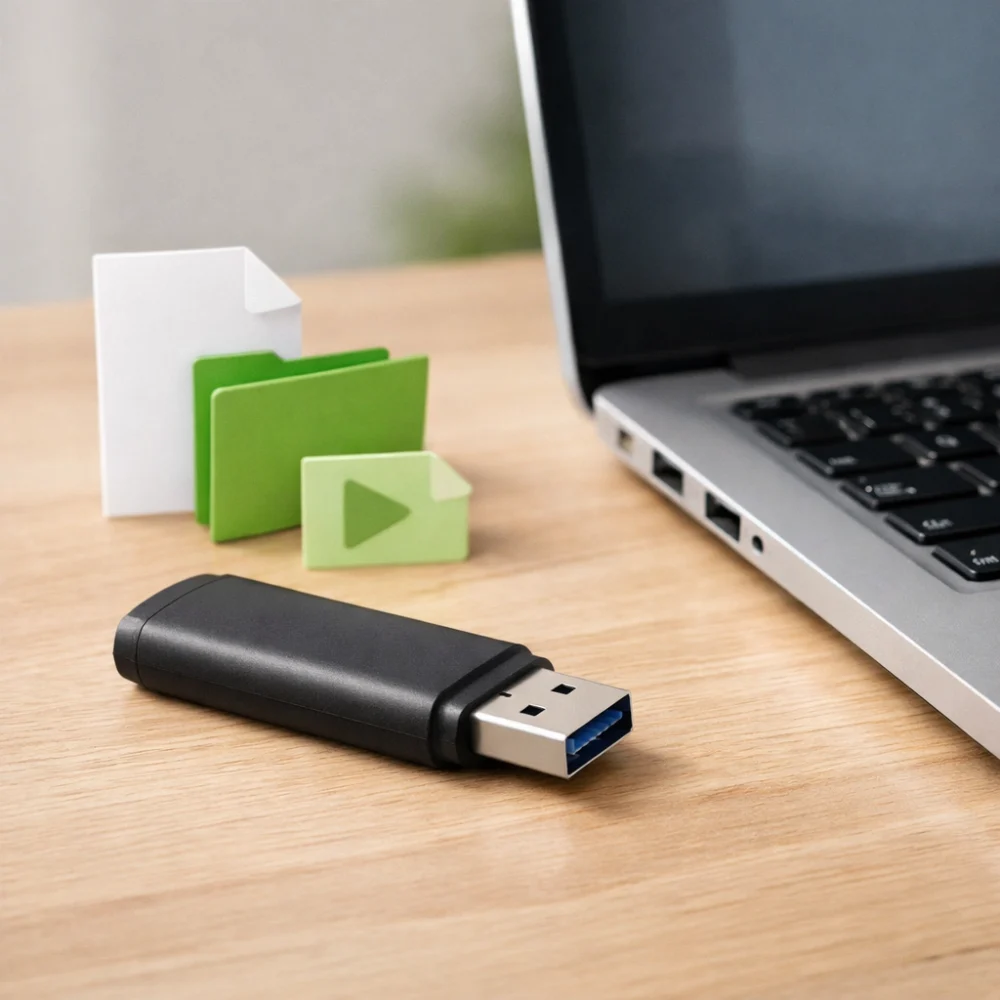
A USB flash drive is a compact way to carry files between compatible devices or keep a separate copy of selected documents and media. The right choice depends on what you plan to store, which ports your devices have and how often you will move files.
Capacity, connection type and real-world transfer performance are easy to confuse. This guide explains how to compare them, along with practical differences in design and the checks that can prevent an inconvenient mismatch.
Which USB flash drive should you choose?
Start with the files you need to carry and the devices you will connect to. Choose enough capacity for those files, then confirm that the connector fits and is supported by each device. If you regularly transfer large folders, compare the drive’s stated speed information as well as the ports on your devices. A compact or multi-connector design can be convenient, but the best fit is the one that suits your devices and handling preferences.
Compare the main buying factors
| Feature | What it means | Why it matters | What to check |
|---|---|---|---|
| Capacity | The amount of data the drive is intended to hold. | It affects how many files you can carry, and larger files can use space quickly. | Estimate the size of your files and leave room for future additions. |
| Connector | The physical plug, such as USB-A or USB-C. | A drive needs a suitable connection for the device you intend to use. | Check the ports on each device and whether any adapter would be needed. |
| USB standard and stated speed | The interface and any transfer-rate information provided for the drive. | Transfer performance can matter when moving large or numerous files. | Check the drive’s stated read and write information, if provided, and the capabilities of the host device. |
| Physical design | For example, a cap, swivel cover, retractable connector or compact body. | Design affects how the drive is handled and carried, but does not establish performance. | Consider the risk of misplacing a removable cap, the mechanism and the available space around ports. |
| Device and file compatibility | Whether the drive’s connection and file format work with your intended devices. | Some devices have specific connection, capacity or file-format requirements. | Check the device documentation and the drive information for any stated requirements. |
What to consider before you buy
Capacity for the files you carry
Think about the size and number of the files you expect to keep on the drive. Documents and a small set of files have different storage needs from large media files or repeated transfers of work folders. Avoid choosing by capacity alone: a drive with ample space is not useful if it cannot connect to your device or its format is unsuitable.
Connector fit and device support
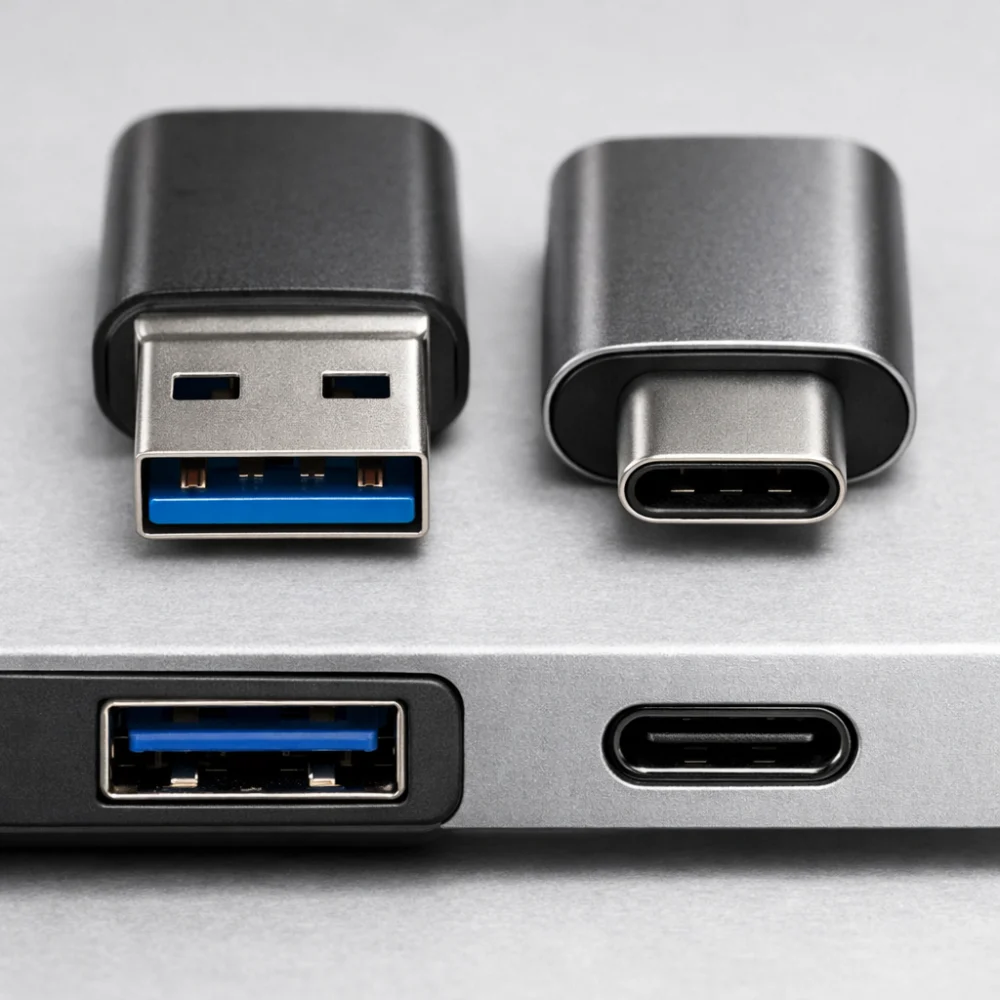
USB-A and USB-C are different connector shapes, so check the ports on the computers, tablets or other devices you plan to use. A dual-connector drive may reduce the need to carry an adapter, but confirm that both ends suit your devices and that the devices support using a flash drive. Also consider whether a wide or bulky drive body could crowd neighbouring ports.
Specifications vary by model, so always check the individual product page before buying.
Connector shapes can help you check physical fit, but the device’s supported connections and functions matter too.
Transfer speed and the devices involved
When speed matters, look beyond a USB generation label and read the drive’s stated performance details, if supplied. Advertised figures may describe particular conditions; actual transfers can vary with the drive, the device and the files being moved. Small files and large files may behave differently, so do not assume a headline figure guarantees a particular result in everyday use.
Construction and carrying preferences
A cap, swivel cover or retractable design changes how the connector is covered or accessed. These are handling preferences rather than proof of protection or durability. If you carry the drive loose in a bag or use it often, consider whether its shape is easy to grip and whether any separate cap is likely to be misplaced.
Format and intended devices
Computers and other devices may have different requirements for recognising a drive or working with its files. If you intend to move files between unlike devices, check their documentation for supported connection types, file systems and capacity limits. Do not assume a drive will work with every device simply because the connector fits.
Common USB flash drive types
- Single-connector drives: These have one connector type and can suit buyers whose devices share that port. Their limitation is that they may not connect directly to a device with a different port.
- Dual-connector drives: These provide more than one connector type and may be useful when moving files between devices with different ports. Check that the specific connectors match your devices; extra connectors do not guarantee support on every device.
- Covered or retractable designs: Caps, swivels and retracting mechanisms offer different ways to cover or expose the connector. Consider the handling trade-off and do not treat the design as a stated water, dust or impact rating.
- Multipacks: Several drives in one pack can suit buyers who want separate drives for different purposes or people. Check the capacity and details of each included drive rather than assuming every pack contains identical options.
Choose for the way you will use it
- Occasional document transfers: Prioritise the capacity you need, a connector that fits your devices and a design that is easy to keep track of. Very high speed claims may matter less if transfers are infrequent.
- Moving larger files regularly: Compare stated read and write performance and confirm that the devices you use can make use of the drive’s interface. A faster-sounding specification alone does not guarantee faster transfers in every setup.
- Moving files between devices with different ports: A dual-connector option may be convenient. Verify both connector types and the file compatibility of the devices involved.
- Keeping separate sets of files: A multipack may offer a convenient way to separate uses. Check the specification of each drive and keep another copy of important files where loss of the drive would matter.
Mistakes and misunderstandings to avoid
- Choosing capacity without checking device requirements: More space does not resolve a connector or file-format mismatch. Check the intended devices as well as the amount of storage you need.
- Assuming a connector fits every device: Port shape is only one part of compatibility. Confirm that the device supports using a flash drive and check relevant file and capacity requirements.
- Comparing speed labels as if they tell the whole story: Interface names and stated rates do not guarantee the same results across devices and file types. Compare the available drive details and consider the host device too.
- Treating a cover or metal-looking finish as protection: Appearance and mechanism do not establish a protection rating. Look for explicit product information if a particular level of protection is important.
- Using one drive as the only copy of important files: A small portable drive can be misplaced or become unusable. Keep another copy of files that would be difficult to replace.
Suitability and data considerations
Confirm that the drive is suitable for the devices and files involved, particularly if it will be used with equipment other than a computer. If the drive is intended for sensitive information, check whether any security or encryption feature is explicitly described and what devices or software it requires; do not assume such a feature is included. A flash drive is portable storage, not a guarantee that data will remain available, so keep separate copies of important files.
Care, storage and everyday handling
Choose a design you can store and carry without putting unnecessary strain on its connector or mechanism. Keep track of any removable cap, and follow the product information for care or storage where it gives specific advice. Do not assume that a covered connector makes a drive waterproof or suitable for harsh conditions.
A practical buying process
- List the devices you will use and check their available ports and stated requirements.
- Estimate the capacity needed for the files you intend to carry.
- Choose a connector type that fits those devices, considering a multi-connector design only if it is useful.
- If transfer speed matters, compare the stated performance details and the capabilities of your devices.
- Weigh physical design and pack size against how you will carry or separate the drives.
- Review the individual product information for compatibility, specifications and any stated limitations before deciding.
Buyer checklist
- Does the connector match the ports on the devices you plan to use?
- Have you checked that those devices support flash drives and the relevant file format?
- Is the capacity suitable for the files you expect to carry?
- Are the stated speed details relevant to your devices and typical transfers?
- Does the physical design suit how you will carry and handle the drive?
- Have you checked the details of each drive in a multipack, if applicable?
- Will you keep another copy of files that would be hard to replace?
Frequently asked questions
How much capacity do I need?
It depends on the number and size of the files you plan to carry. Estimate your current needs and allow some room for additions, especially if you regularly move large files. Check the product information for the drive’s stated capacity.
Is USB-A or USB-C better?
Neither connector is best for every buyer; the useful choice is the one supported by your devices. Check the physical ports and device documentation. A dual-connector design may suit mixed devices if its connectors match them.
Will a flash drive work with a phone or tablet?
It depends on the device’s ports, supported connections and file-handling capabilities. Check the device documentation and the drive’s information before buying. A connector that physically fits does not by itself confirm compatibility.
Does a newer USB standard always mean faster transfers?
Not necessarily. The drive, host device, connection and files being transferred can all affect results. Compare the stated drive performance and consider the supported capabilities of the devices you will use.
Can I use one drive with different operating systems?
It may be possible, but file-system support can differ between devices and operating systems. Check the requirements for each device you intend to use, particularly if you plan to move the same files between them.
Are flash drives suitable as the only backup?
They are portable storage, but relying on one copy leaves you dependent on that single drive. Keep separate copies of important files using a storage arrangement suited to your needs.


