

USB Flash Drives
USB flash drives are compact storage devices used to save, carry and transfer files between compatible computers and other devices. Whether you need a memory stick for work documents, school files, photos, music, videos, backups or everyday file sharing, the right USB flash drive can make moving data much easier.
This category can include USB memory sticks, USB flash drives, USB A drives, USB C drives, dual connector drives, compact drives, high capacity drives and portable storage accessories, depending on the products listed. Features vary by item, so always check capacity, connector type, speed guidance, compatibility, security features where listed and intended use before buying.
- USB Flash Drives
ABLAZE 8GB USB Stick 5 Pack Metal USB 2.0 Flash Drives with Keyrings
Original price was: £21.99.£15.99Current price is: £15.99. *View On Amazon* - USB Flash Drives
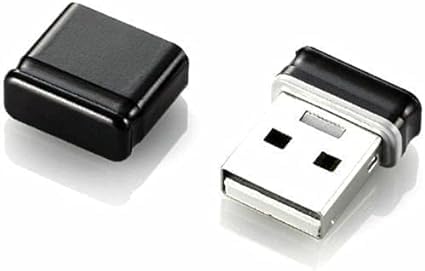
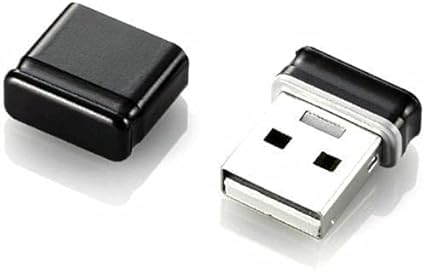
Mini USB 2.0 Flash Drive Memory Stick Fold Storage USB Black 16 GB
£8.99 *View On Amazon* - USB Flash Drives
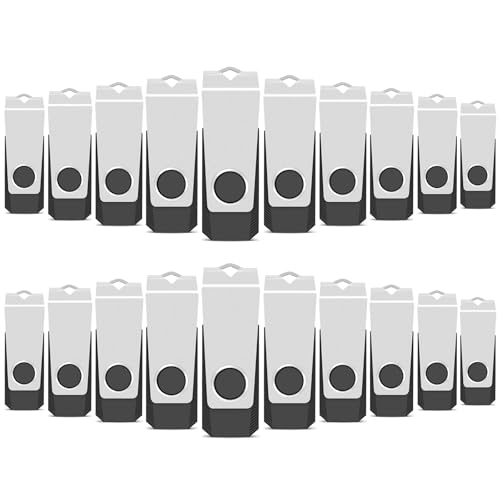
AreTop 16GB USB 2.0 Flash Drive 20 Pack with Lanyard and LED Indicator
£69.99 *View On Amazon* - USB Flash Drives
Toshiba by Kioxia TransMemory U301 16 GB USB 3.0 USB Flash Drive
Original price was: £9.20.£5.88Current price is: £5.88. *View On Amazon* - USB Flash Drives
HP x796w USB 3.1 Flash Drive 64GB Push and Pull Design Metallic Finish
£22.00 *View On Amazon* - USB Flash Drives
SanDisk Ultra 32GB USB Dual Drive USB 3.0 Up to 150MB/s Read FFP
£17.99 *View On Amazon* - USB Flash Drives
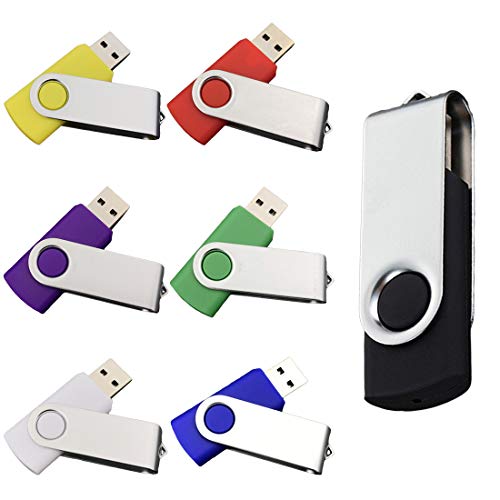
AreTop 8GB USB Flash Drive 5-Pack, Metal, Multicoloured, USB 2.0, with 5 Ropes
£18.99 *View On Amazon* - USB Flash Drives
Integral 128GB XPression USB 3.2 Drive in Hummingbird Design
£11.69 *View On Amazon* - USB Flash Drives
Transcend JetFlash 790 256GB USB 3.0 Flash Drive White TS256GJF790W
£50.78 *View On Amazon* - USB Flash Drives
GIGASTONE 32GB 5-Pack V10 USB 2.0 Flash Drive, Capless Retractable Design
£25.98 *View On Amazon* - USB Flash Drives
TEWENE USB 2.0 Flash Drive 2GB 20-Pack with Lanyards and Stickers
£48.99 *View On Amazon* - USB Flash Drives
Hama 181053 Classic USB Flash Drive 64 GB USB Type-A 3.0 Silver
£12.10 *View On Amazon*








What Are USB Flash Drives?
USB flash drives are small portable storage devices that connect to a compatible USB port. They use flash memory to store files without needing a separate power supply for normal use.
They are often called memory sticks, thumb drives or USB drives. They are popular because they are small, easy to carry and useful for transferring files quickly between compatible devices. The exact speed, capacity, connector type and build design can vary widely by product.
What Are USB Flash Drives Used For?
USB flash drives are used for storing and moving files such as documents, spreadsheets, presentations, photos, videos, music, software installers and study materials. They can also be useful for transferring files between home, school, college, work and travel devices.
For everyday users, a USB flash drive can be a simple way to keep important files portable. For students, it can help move coursework between computers. For office use, it may be useful for presentations, shared documents and quick file handovers. For photographers, creators and media users, larger capacity options may be useful where suitable.
A USB flash drive can also be part of a backup routine, although it should not be treated as the only copy of important files.
How To Choose The Right USB Flash Drive
Start by checking the device you want to use it with. Older computers may use USB A ports, while newer laptops, tablets and phones may use USB C ports where compatible. Some flash drives may include more than one connector where listed.
Next, choose a suitable capacity. A smaller drive may be enough for documents and simple files, while larger files such as photos, videos and software can need much more space. Think about what you will store now and what you may need to store later.
Speed is also worth comparing. Some USB flash drives may offer faster read and write speeds where listed, which can help when moving larger files. For basic documents, speed may matter less. For videos, photo libraries or frequent transfers, it can become more important.
Key Features To Compare
Capacity is one of the most important features to compare. Product listings may show different storage sizes, but usable space can vary depending on formatting and system use.
Connector type is also critical. USB A, USB C and dual connector designs are not the same. Choose a drive that matches the devices you plan to use, or check whether an adapter may be needed where suitable.
Transfer speed can vary by drive and device. A faster drive may still be limited by the USB port, computer, file type or system being used. Always compare the listed speed guidance with your real use needs.
Other useful features to compare include cap design, retractable connector, keyring loop, metal casing, compact size, password protection where listed, encryption where stated, device compatibility, operating system support and whether any software is included.
USB Flash Drives Compared With External Hard Drives
USB flash drives are small, light and easy to carry. They are useful for quick transfers, small backups, work files, school documents and portable storage.
External hard drives are usually larger and may offer more storage capacity depending on the product. They can be better suited to bigger backups, large media libraries or long term file storage where suitable.
The main trade off is portability versus storage volume. A USB flash drive is easier to keep in a pocket or bag, while an external drive may be more practical when you need much more space.
USB Flash Drives Compared With External SSDs
External SSDs are portable storage drives that may offer faster performance and larger storage options where listed. They can be useful for creative work, large file transfers and more demanding storage needs.
USB flash drives are usually smaller and simpler. They are often more convenient for quick document transfers, everyday files and carrying a few important items between devices.
The main choice is simple convenience versus higher performance portable storage. A USB flash drive is ideal for easy carrying, while an external SSD may be better for heavier file use.
USB Flash Drives Compared With Memory Cards
Memory cards are commonly used in cameras, drones, phones, tablets and other devices where compatible. They are small and often need a card slot or reader to connect to a computer.
USB flash drives connect directly to a USB port where compatible. This can make them easier for file transfer between computers, laptops and some other devices.
The main trade off is device use. Memory cards are often better inside cameras and similar equipment, while USB flash drives are usually more convenient for general computer file transfer.
USB Flash Drives Compared With Cloud Storage
Cloud storage can be useful for accessing files across devices through an internet connection. It can also support sharing, syncing and remote access where the service allows.
USB flash drives do not rely on internet access for normal file transfer between compatible devices. They can be useful when working offline, moving files quickly or carrying data physically.
The main choice is online access versus physical control. Cloud storage is useful for remote access and sharing, while a USB flash drive is useful for offline portability and simple local transfers.
Guidance For Beginners, Regular Users And Experienced Users
Beginners should focus on connector compatibility, enough storage capacity and a simple design that is easy to use. A straightforward USB flash drive can be enough for documents, photos and everyday file movement.
Regular users may want to compare transfer speeds, casing durability, connector protection and whether the drive suits work, study or travel use. If you use a drive often, small design details can matter.
Experienced users may look more closely at speed ratings, file system formatting, USB generation support, security software where listed, bootable drive use where suitable and compatibility across different operating systems.
Use Cases By User Type
For home users, USB flash drives can be useful for family photos, household documents, music files, scanned paperwork and moving files between computers.
For students, they can help store coursework, presentations, revision files and project documents. A compact drive that fits easily in a pencil case, bag or keyring can be practical.
For office users, USB flash drives can help with presentations, meeting files, document transfer and temporary storage where workplace rules allow.
For photographers and media users, larger capacity drives may be useful for moving images, videos and project files, depending on file size and transfer needs.
For travel, a USB flash drive can hold copies of documents, travel files, photos or media, but sensitive information should be stored carefully and protected where suitable.
Fit, Compatibility And Connection Types
Compatibility should always be checked before buying. A USB flash drive must match the port on the device you want to use. USB A is the traditional rectangular connector, while USB C is smaller and reversible.
Some drives may include both USB A and USB C connectors where listed, which can be useful if you move files between older and newer devices.
Device support can vary. Some tablets, phones, smart TVs, car audio systems and consoles may only support certain formats, capacities or file systems where listed by the device. Always check the device guidance before assuming a USB flash drive will work.
Speed, Capacity And File Type Considerations
File size has a big effect on how much storage you need. Documents and spreadsheets may use little space, while high resolution photos, videos, games and software installers can use much more.
Transfer speed matters most when moving large files or many files at once. A faster drive may help where both the drive and device support the required speed, but performance can still vary in real use.
If you plan to use the drive for videos, large folders or regular backups, compare capacity and speed guidance carefully. For simple documents, a basic compatible drive may be enough.
Security And Privacy Considerations
USB flash drives are easy to carry, which also means they are easy to lose. If you store sensitive files, look for security features such as password protection or encryption where listed.
Do not store private, business critical or personal data on an unprotected drive unless you are comfortable with the risk. For important files, keep another backup in a safe place.
Be careful when using unknown USB drives or plugging your drive into public or shared computers. Files and devices can be exposed to security risks, so use trusted computers where possible.
Safe Use And File Management
Always save and close files before removing a USB flash drive. Where your operating system offers an eject or safely remove option, use it before unplugging the drive to reduce the risk of file corruption.
Avoid removing the drive while files are still transferring. Wait until the copy process is fully complete.
Keep files organised with clear folder names. This makes the drive easier to use and helps avoid deleting the wrong files. If the drive is used for work or study, regular housekeeping can keep it tidy.
Care, Cleaning And Maintenance
USB flash drives should be kept clean, dry and protected from knocks. Avoid exposing them to water, heat, dust, rough handling or heavy pressure.
Protect the connector where possible. Caps, retractable designs or swivel covers may help where listed, but they should still be handled carefully.
If a USB drive becomes physically damaged, unusually hot, unreliable or repeatedly fails to read, stop using it for important files. Copy the data elsewhere if possible and replace the drive where needed.
Storage And Transport Tips
Store USB flash drives somewhere safe and easy to remember. A drawer, tech pouch, desk organiser or keyring can help reduce the chance of losing them.
If carrying a drive in a bag, keep it away from loose keys, coins and sharp items that may damage the casing or connector. A small pouch or protective case can be useful where suitable.
Label drives if you own more than one. This helps separate work files, study files, photos, backups and temporary transfer drives.
Useful Accessories To Consider
Useful accessories may include USB hubs, USB C adapters, card readers, external hard drives, external SSDs, laptop bags, tech pouches, cable organisers and backup storage.
For regular use, a USB hub may help if your computer has limited ports where compatible. For larger backups, an external drive may be more suitable than relying only on a flash drive.
Why Buy From YPC?
At YPC, we understand active lifestyles and the need for practical products that work in real use. USB flash drives can vary by capacity, connector type, speed guidance, size, casing, security features, compatibility and intended use, so it helps to compare the details carefully before choosing.
YPC makes it easier to browse USB flash drives in a practical way, with options that can be compared by listed features, device needs and storage goals. Whether you are buying for work, study, travel, file transfer, backups or everyday computer use, you can browse and compare USB flash drives at YPC to find suitable options for your setup.
FAQs
What is a USB flash drive?
A USB flash drive is a small portable storage device that connects to a compatible USB port. It is used to store, carry and transfer files between devices.
What is the difference between a USB flash drive and a memory stick?
The terms are often used to describe the same type of product. Both usually refer to a small USB storage device used for files and transfers.
What capacity USB flash drive do I need?
Choose capacity based on the files you want to store. Documents need less space, while photos, videos, software and large folders may need a higher capacity drive.
What is the difference between USB A and USB C flash drives?
USB A is the older rectangular connector, while USB C is smaller and reversible. Choose the connector that matches your computer, tablet, phone or device.
Are USB flash drives good for backups?
They can be useful for small backups and file copies, but important files should not be stored on only one USB drive. Keep another backup in a separate safe location.
Do USB flash drives work with phones and tablets?
Some may work with compatible phones and tablets where the connector, file system and device support allow it. Check both the drive and device details carefully.
Are faster USB flash drives worth it?
A faster drive may be useful if you move large files or many files often. For simple documents, speed may matter less than capacity and compatibility.
Can USB flash drives be password protected?
Some USB flash drives may include password protection or encryption software where listed. Check the product details if security is important.
Why does my USB flash drive show less storage than advertised?
Usable space can appear lower because of formatting, file system overhead and the way storage is calculated by devices. This is common with many storage products.
How do I safely remove a USB flash drive?
Close any open files first, then use the eject or safely remove option where your operating system provides one. Wait until transfers are complete before unplugging the drive.
 Getting ready for Summer? View our Home and Garden Products

Heading outdoors this winter? Take a look at our Outdoor Clothing.
