

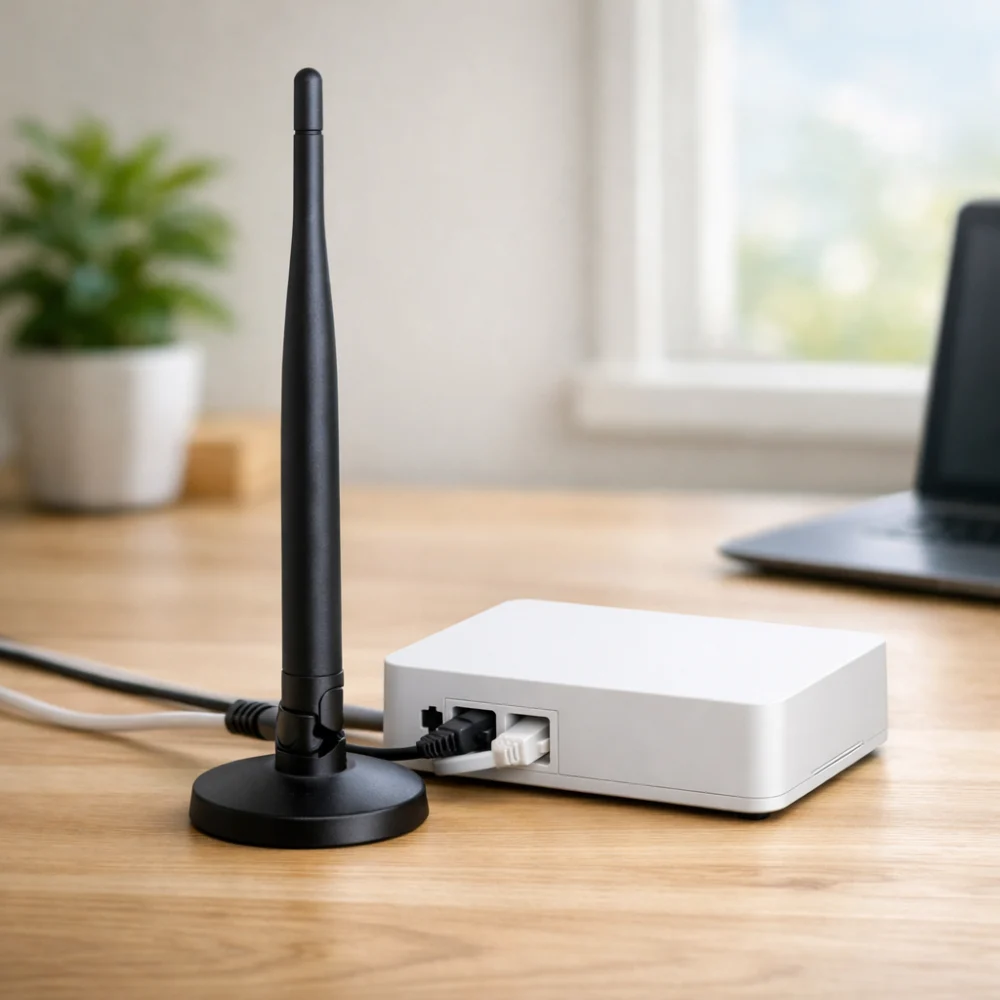
A WiFi antenna can be an external replacement or an addition for compatible networking equipment. Choosing one means matching it to the device and the wireless bands you use, as well as deciding where its signal needs to go.
Listings can also include antennas for mobile broadband equipment or television reception, which are not interchangeable with WiFi antennas. Check the intended use and the device’s own connection details before comparing claims or styles.
Which WiFi antenna should you choose?
Start with the exact device and confirm that it supports an external antenna. Match the antenna’s supported frequency bands and connector to the device, then choose an antenna pattern that suits the area you want to cover. A higher gain figure is not automatically better: a more focused pattern may suit one direction but be less suitable for coverage around a room. Check the individual product information for each point before buying.
Compare the main buying factors
| Feature | What it means | Why it matters | What to check |
|---|---|---|---|
| Intended radio system | The equipment and signal the antenna is designed to serve. | WiFi, mobile broadband and television reception use different systems and are not interchangeable. | Look for explicit compatibility with your device type and its WiFi bands. |
| Frequency bands | The radio frequencies the antenna is designed to work with. | An antenna that does not cover the bands used by your equipment may not be a suitable match. | Compare the stated bands with the device documentation; do not rely on terms such as dual-band alone. |
| Connector | The physical connection between the antenna and device. | Similar-looking connectors can differ, including in type or gender. | Check the exact connector on both items and whether any adapter is specified as compatible. |
| Antenna pattern and gain | The pattern describes how the antenna radiates or receives; gain describes how that pattern is concentrated. | An all-around pattern and a more directional pattern suit different coverage needs. | Check the stated pattern and gain, and consider whether the area is in one direction or spread around the equipment. |
| Number of antennas and ports | Some equipment and antenna setups use more than one antenna connection. | The right number and arrangement depend on the device, not simply on the antenna bundle. | Confirm how many ports the device has and what arrangement its documentation requires. |
| Cable and mounting | Some antennas have a cable or a base intended to make positioning easier. | Placement flexibility may help, but cable length and mounting options can limit where the antenna can go. | Check the supplied cable details, base type and whether the intended mounting location is suitable. |
What to check before choosing
Confirm the device can use an external antenna
Some routers and network devices have external antenna ports; others use internal antennas or have a different connection arrangement. Check the exact device model’s documentation and inspect the stated port type. A connector adapter is not a substitute for confirming that the antenna supports the right frequency bands and radio system.
Match the frequency bands
Compare the antenna’s stated frequency coverage with the WiFi bands supported by your equipment. Terms such as dual-band or tri-band are not enough on their own: check which frequencies are actually specified. If the equipment also connects to a mobile network, distinguish its cellular antenna connection from its WiFi antenna connection.
Choose a pattern for the coverage you need
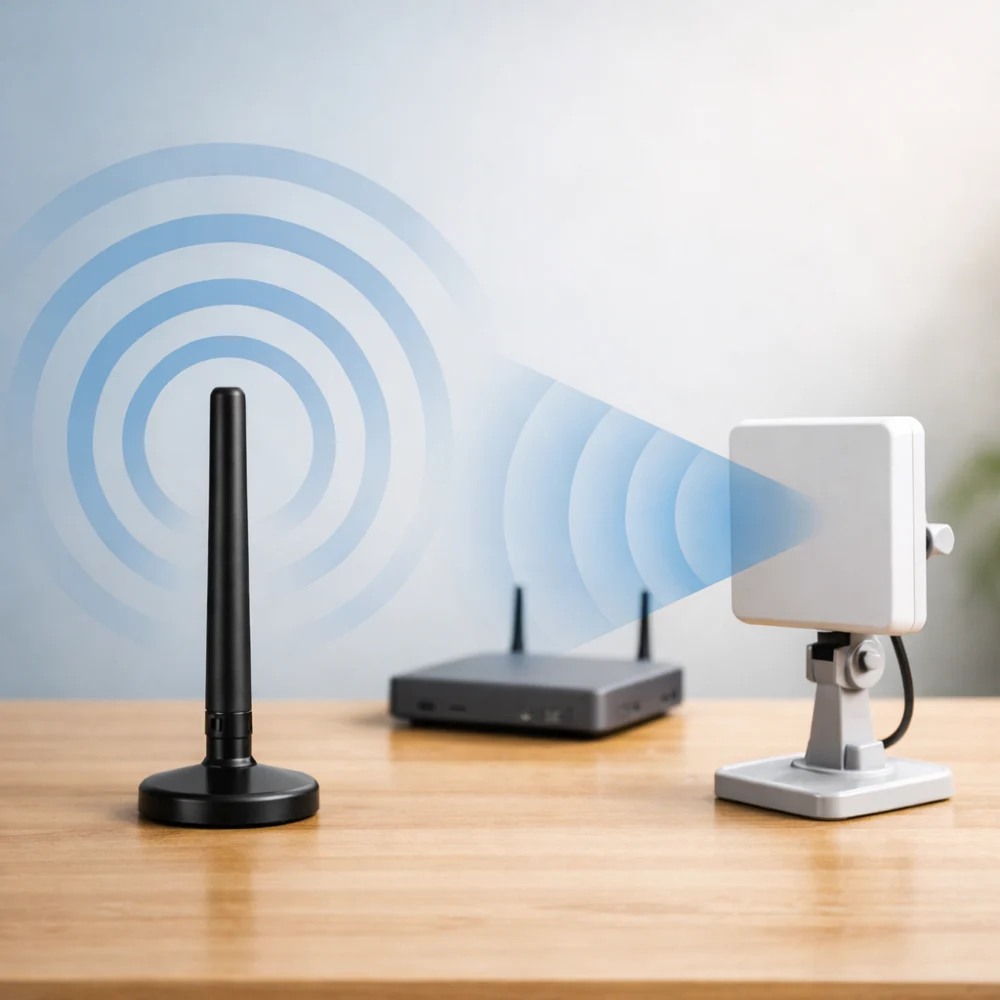
An omnidirectional antenna is intended to serve a broader area around it, while a directional design concentrates reception or transmission more towards a particular direction. A directional antenna may suit a known location to serve, but it can be less appropriate when devices are spread around the room. Consider the layout and intended coverage rather than treating one pattern as universally superior.
Read gain in context
Gain figures, often shown in dBi, describe how an antenna concentrates its pattern; they do not promise a particular speed or a larger usable range in every setting. A higher figure can involve a more focused pattern, so compare the gain with the stated antenna type and your intended coverage. Specifications vary by model, so always check the individual product page before buying.
Check connectors, ports and cable details
RP-SMA, SMA and TS9 are examples of connector types that may appear in listings, but their presence in a title does not establish compatibility with your equipment. Confirm the exact connector and any required adapter against the device documentation. If a cable is included, consider whether its length and mounting arrangement suit your intended location.
Common antenna types and variations
- Omnidirectional whip or stubby antennas: These may suit a setup needing coverage in several directions. Their pattern and supported bands still need to match the device and location.
- Directional panel antennas: These may suit a setup where coverage is needed in a particular direction. They require more attention to the intended direction and may be less suitable for devices spread around the antenna.
- Antennas with a base and cable: A separate base can offer more choice about where the antenna sits. Check the mounting method, cable details and connection type rather than assuming every base or cable fits every device.
- Multi-antenna or MIMO arrangements: These are intended for equipment with a matching antenna arrangement. Check the device’s number of ports and requirements rather than choosing by antenna quantity alone.
Choose for your setup
| Your situation | What to prioritise | Main trade-off |
|---|---|---|
| Replacing an antenna on a WiFi router | Exact connector, supported WiFi bands and the router’s antenna requirements. | A physically compatible connection still needs the right frequency coverage and pattern. |
| Trying to serve devices in different directions | A pattern intended for broader, around-the-antenna coverage. | A broad pattern may not concentrate coverage towards one distant or specific location. |
| Trying to serve a particular direction | A directional design, with a suitable mounting position and cable arrangement. | Its more focused pattern may not suit devices located elsewhere around it. |
| Using a mobile broadband router | Confirm whether the port is for WiFi or for the mobile network, then match the antenna to that connection. | A cellular antenna and a WiFi antenna serve different radios, even when both relate to the same router. |
| Unsure whether an antenna listing is relevant | Check the stated purpose, bands, connector and compatible equipment. | A television aerial or cellular antenna is not made suitable for WiFi simply by being described as an antenna. |
Mistakes and misunderstandings to avoid
- Assuming any antenna will fit: Check whether the device has an external antenna port and match the connector exactly.
- Choosing by gain alone: Compare gain with the antenna pattern and the area you need to serve; a larger number is not a universal improvement.
- Confusing WiFi with mobile broadband: A router can use both WiFi and a mobile connection, but those radios may have separate antenna ports. Check which connection the antenna is intended for.
- Relying on a product title: Terms such as “5G”, “dual band” or a connector name do not establish suitability for a particular WiFi device. Confirm details in the product information and device documentation.
- Expecting an antenna to resolve every connection issue: An antenna affects the wireless link it is designed for; it cannot guarantee better internet service or overcome every limitation of the network, equipment or surroundings.
Safety and suitability
Choose an antenna for its stated indoor or outdoor use and intended mounting method. If it is to be positioned outside, check the product information for its suitability for that environment and follow the manufacturer’s guidance. Do not assume that a model is weather-resistant or suitable for a particular mounting position unless this is stated.
Care, storage and ongoing use
Before buying, consider whether the antenna and any cable can be stored and positioned without being bent, strained or left where they could be damaged. Follow the product’s own care and storage guidance, which can differ between models. If a setup depends on an adapter or detachable cable, keep the relevant connection details with the device information for future reference.
A practical buying process
- Identify the exact device and confirm that it supports an external antenna.
- Work out whether you need an antenna for WiFi, mobile broadband or another system.
- Match the supported frequency bands, connector and number of antenna ports.
- Choose a pattern and mounting arrangement that suit the area you want to cover.
- Compare the stated gain, cable and base details, then check the individual product information for compatibility and intended use.
Buyer checklist
- Does the device support an external antenna?
- Is the antenna designed for the correct radio system and supported frequency bands?
- Does its connector match the device, including connector type and gender?
- Does its antenna pattern suit the coverage area?
- Does the number of antennas match the device’s stated requirements?
- Are the cable, base and intended mounting location suitable for your setup?
- Have you checked the specific product information rather than relying on a title or headline claim?
Frequently asked questions
Will any WiFi antenna work with any router?
No. The router needs to support an external antenna, and the antenna must suit its connector, frequency bands and antenna arrangement. Check the documentation for the exact router.
Is a WiFi antenna the same as a 4G or 5G antenna?
Not necessarily. A 4G or 5G antenna is intended for a mobile-network connection, while a WiFi antenna serves the router’s WiFi radio. A device that uses both can have separate connections for these purposes.
Does a higher-gain antenna always give better coverage?
No. Gain relates to how the antenna’s pattern is concentrated, so the result depends on the pattern and where coverage is needed. Compare the stated antenna pattern and gain with the layout rather than judging by the figure alone.
What is the difference between an omnidirectional and directional antenna?
An omnidirectional design is intended to cover a broader area around the antenna. A directional design focuses more towards a particular direction, which may suit a specific coverage path but be less suitable for devices spread around it.
Can I use a television aerial as a WiFi antenna?
No: a television aerial is designed for television reception, not as a WiFi antenna. Check that a listing explicitly identifies the wireless system and equipment it is designed to suit.
Will adding an antenna guarantee faster internet?
No. An antenna does not guarantee a particular internet speed or resolve every cause of a slow connection. Its suitability depends on the equipment, wireless bands, antenna pattern and the particular connection involved.


