
WiFi Antennas
WiFi antennas are networking accessories designed to help compatible routers, desktop PCs, wireless adapters and network devices send or receive wireless signals more effectively. They can be useful when setting up home offices, gaming PCs, desktop computers, routers, access points and other compatible wireless equipment, depending on the product and device support listed.
The right WiFi antenna should match your device, connector type, wireless standard and setup goal. Compatibility, antenna style, placement, direction, gain information where listed and intended use are all worth checking carefully before buying.
-
WiFi Antennas
Cudy LT500 Outdoor Unlocked Dual Band 4G LTE Cat4 Modem Router with SIM Card Slot, 1200Mbps, IP65, Detachable Antennas, PoE Adapter Included, VPN
Original price was: £89.90.£79.90Current price is: £79.90. *View On Amazon* -
WiFi Antennas
Cudy LT500D AC1200 Unlocked 4G LTE Modem Router with SIM Card Slot
Original price was: £69.90.£57.90Current price is: £57.90. *View On Amazon* -
WiFi Antennas
MERCUSYS ME50G AC1900 WiFi Extender Booster with Ethernet Port, EasyMesh, Access Point, Repeater, High-Gain Antennas, UK Plug
Original price was: £26.99.£24.99Current price is: £24.99. *View On Amazon* -
WiFi Antennas
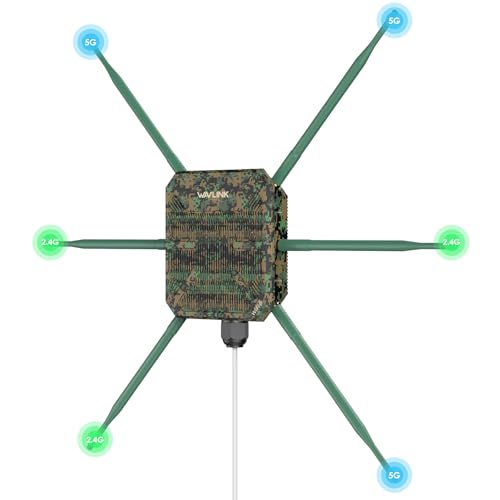
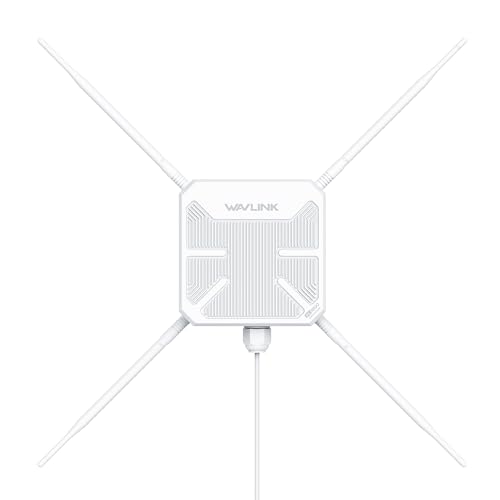
WAVLINK AC1200 Outdoor WiFi Access Point with Gigabit WAN/LAN
£139.99 *View On Amazon* -
WiFi Antennas
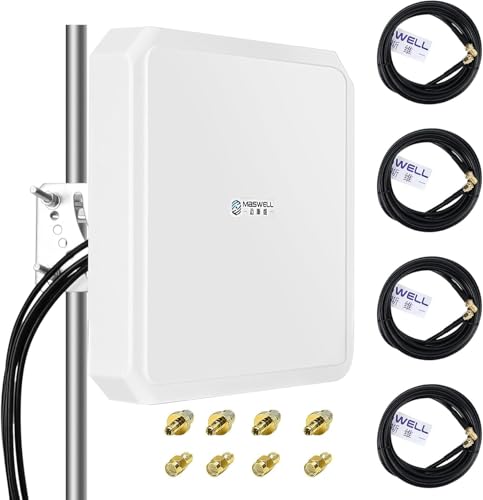
Maswell 5G Outdoor Antenna 4X4 MIMO 600-8000MHz with 4X SMA-Male and TS9
£159.99 *View On Amazon* -
WiFi Antennas
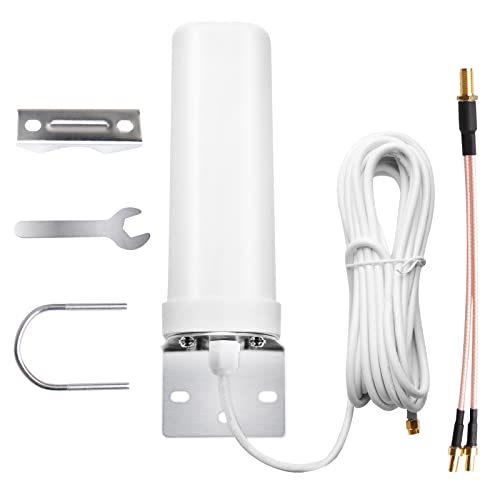
Maswell Outdoor 5G Antenna 2X2 MIMO, 6 dBi, 600-8000MHz, 2m Cable, SMA-Male/TS9/RP-SMA
Original price was: £99.99.£59.99Current price is: £59.99. *View On Amazon* -
WiFi Antennas
WiTi J-Pole Mounting Bracket for Wireless WiFi Bridge Installation
£14.99 *View On Amazon* -
WiFi Antennas
Eightwood WiFi Antenna 2.4/5GHz 3dBi RP-SMA Male Antenna, 2 Pack
£8.99 *View On Amazon*









What Are WiFi Antennas?
WiFi antennas are components that help transmit and receive wireless network signals. Some are built into devices, while others are external and can be attached, adjusted or replaced where the device allows it.
Products in this category may include router antennas, desktop PC antennas, wireless adapter antennas, magnetic base antennas, extension antennas, directional antennas, omnidirectional antennas and replacement antennas, depending on the products listed.
Some WiFi antennas are designed for general wireless coverage, while others are intended to focus signal in a particular direction where suitable. Features vary widely, so it is important to check each product description carefully before buying.
What Are WiFi Antennas Used For?
WiFi antennas are used to support wireless networking between devices and a router, access point or wireless adapter. They can be useful for improving placement flexibility, replacing damaged antennas, supporting a desktop PC wireless card or helping a router or adapter work better in a specific setup where compatible.
For desktop computers, an external antenna can help position the receiving point away from the back of the PC case, which may be tucked under a desk or against a wall. For routers and access points, adjustable antennas can help with placement and signal direction, depending on the product and home layout.
They can also be useful in workshops, offices, gaming rooms, study spaces and media setups where wireless connectivity matters.
How To Choose The Right WiFi Antenna
Start by checking compatibility with your device. The antenna must use the correct connector and be suitable for the router, adapter, motherboard or wireless card you want to use. Similar looking antenna connectors may not be the same, so check the product details carefully.
Next, think about what you want the antenna to do. If you need general coverage around a room or home, an omnidirectional antenna may be suitable where compatible. If you need to focus signal towards a specific area or device, a directional antenna may be worth considering where listed.
Placement is also important. An antenna that can be moved onto a desk or shelf may work better than one hidden behind a metal computer case. Extension cables, magnetic bases or adjustable stands where listed can help with positioning.
Do not assume that a higher gain number always solves the problem. Real wireless performance depends on the device, router, walls, distance, interference, broadband speed and antenna placement.
Key Features To Compare
When comparing WiFi antennas, look at connector type, frequency support where listed, WiFi standard compatibility, antenna gain information where stated, cable length, base type, directionality, size and device suitability.
Connector type is one of the most important details. Some antennas may use screw on connectors such as SMA or RP SMA where listed, while others may use different fittings. A connector that looks close may still not fit or work correctly.
Antenna style also matters. A simple screw on antenna can be compact and tidy, while a desktop antenna with a cable may allow better positioning. A magnetic base can be useful on suitable surfaces where listed, but it must still be placed safely and correctly.
Cable length can help with positioning, but very long cable runs may not always be ideal depending on the product and signal requirements. Choose a length that lets you place the antenna sensibly without creating clutter.
WiFi Antennas Compared With Range Extenders Mesh Systems And Better Routers
A WiFi antenna is a device level accessory. It may help a compatible router, adapter or wireless card send or receive signal more effectively, but it does not create a full new network by itself.
A WiFi range extender is used to repeat a wireless signal into another area of the home where suitable. It can help in some coverage gaps, but setup and placement still matter.
A mesh WiFi system uses multiple units to spread wireless coverage around a home or workspace. This may be more suitable for larger properties, thick walls or multi floor layouts where a single router struggles.
A better router may help if the existing router is old, poorly placed or unable to handle the number of devices in the home. However, if only one desktop PC has weak reception, a compatible external antenna may be a simpler option.
The right choice depends on whether the problem is with one device, one room or the whole property.
Guidance For Beginner Regular And Experienced Users
Beginners should focus on compatibility first. Check the device model, connector type and whether the antenna is intended for routers, desktop PCs, adapters or another specific use. A simple replacement antenna may be enough if the original antenna is damaged.
Regular users may want to compare antenna placement, base style, cable length and whether the antenna suits a home office, gaming PC or media setup. A practical design that is easy to position can matter more than technical numbers alone.
Experienced users may look more closely at frequency support, directional patterns, gain, router placement, access point setup, channel planning and wired backhaul options where relevant. These details can matter more in larger networks or more complex homes.
Use Cases By Device And Setup
For desktop PCs, WiFi antennas can be used with compatible wireless cards or motherboard WiFi connections. A desk mounted antenna may help move reception away from the rear of the computer case where suitable.
For routers, replacement or adjustable antennas may be useful where the router is designed to accept external antennas. Not all routers allow antenna replacement, so check before buying.
For USB wireless adapters, some antennas may be built in and not replaceable, while others may support external antennas where listed. Always check adapter compatibility.
For gaming setups, a better placed antenna may help if the PC is in a weak signal area. Online gaming performance also depends on broadband speed, router quality, interference and latency, so an antenna is only one part of the setup.
For home offices, reliable wireless can help with video calls, cloud work and daily browsing. If WiFi remains unreliable, a wired Ethernet connection may still be worth considering where practical.
For media streaming, antenna placement may help a compatible device maintain a stronger connection, but streaming quality also depends on broadband speed and the service being used.
Fit Compatibility And Setup Checks
Before buying a WiFi antenna, check the device connector carefully. Router antennas, PCIe WiFi card antennas and adapter antennas may use different fittings. Product descriptions should be checked for connector type and compatibility.
Check whether the antenna supports the wireless bands used by your device and router where listed. Some devices use more than one band, and the antenna needs to be suitable for the intended setup.
If replacing a lost or damaged antenna, compare the original fitting and product guidance. Do not force a connector if it does not screw on smoothly or sit correctly. Forcing the wrong connector may damage the device.
If using an antenna with a cable or base, place it where it is stable and not likely to be knocked. Make sure cables do not pull on the device port or create a trip hazard.
Placement Signal And Real World Performance
WiFi antenna placement can make a noticeable difference. Try to keep antennas away from metal objects, thick walls, large appliances, enclosed cupboards and other sources of interference where possible.
For desktop PC antennas, placing the antenna on a desk may be more practical than leaving it behind the computer case. For router antennas, positioning the router in an open central location may help more than changing antennas alone, depending on the home layout.
Directional antennas should be aimed towards the intended area or device where suitable. Omnidirectional antennas are usually intended to spread signal more generally around the antenna, depending on the design.
Performance can vary. Walls, floors, neighbouring networks, microwaves, cordless devices, mirrors, metal furniture and distance can all affect WiFi. A WiFi antenna can help only where the product is compatible and the wider setup supports good signal.
Safety Care Maintenance And Storage
WiFi antennas should be fitted gently and used according to the device and product instructions. Do not overtighten screw connectors, as this may damage the antenna or device port.
Keep antennas and cables away from heat, damp areas, liquids and heavy objects. If an antenna cable becomes crushed, bent sharply or damaged, it may affect performance or become unsafe to use.
Keep networking devices well ventilated. Do not block router vents or place antennas where they make the device unstable.
If moving a computer or router, disconnect or protect external antennas to avoid bending or snapping them. Store spare antennas in a dry place with small adapters, screws or accessories kept safely together.
Useful Accessories To Consider
Useful accessories can include Ethernet cables, USB WiFi adapters, PCIe WiFi cards, mesh WiFi systems, WiFi range extenders, routers, network switches, cable organisers and desk mounts where suitable.
For desktop PC users, a compatible wireless card and external antenna may be useful where the computer does not already have reliable WiFi. For home offices, Ethernet cables, cable clips and a router stand may help create a more dependable setup.
For larger homes, a mesh WiFi system or additional access point may be more suitable than relying on one antenna change, depending on the coverage issue.
Why Buy WiFi Antennas From YPC?
At YPC, we understand active lifestyles and the need for practical products that work in real use. WiFi antennas can vary by connector type, device compatibility, antenna style, cable length, placement options, frequency support and intended use, so comparing the details helps you choose with more confidence.
YPC helps you browse networking accessories with real home and office setups in mind, whether you are buying for a desktop PC, router, wireless adapter, gaming setup, study space or home office. Explore the WiFi Antennas category to browse the available options and compare the features that matter most for your devices.
FAQs
What is a WiFi antenna used for?
A WiFi antenna is used to help a compatible device send or receive wireless network signals. It may be used with routers, desktop PC wireless cards, adapters or access points where supported.
Will a WiFi antenna improve my internet speed?
A WiFi antenna may help wireless signal quality where compatible and correctly placed, but it cannot make your broadband faster than the speed supplied by your provider. Performance depends on the full network setup.
Do WiFi antennas fit all routers?
No. Not all routers have removable antennas, and connector types can vary. Check the router model and product details before buying a replacement or upgrade antenna.
What is the difference between directional and omnidirectional WiFi antennas?
A directional antenna focuses signal more towards a specific area where suitable. An omnidirectional antenna is designed to spread signal more generally around the antenna, depending on the product design.
Can I use a WiFi antenna with a desktop PC?
Yes, where the desktop PC has a compatible wireless card, motherboard WiFi connector or adapter that supports an external antenna. Check connector type and device compatibility before buying.
What connector do I need for a WiFi antenna?
Connector type varies by device and antenna. Some use SMA or RP SMA style connectors where listed, but you should check the exact product and device details rather than guessing.
Is a higher gain WiFi antenna always better?
Not always. Higher gain may suit some setups, but placement, direction, router quality, interference and device compatibility all matter. The most suitable antenna depends on the specific network problem.
Where should I place a WiFi antenna?
Place it in an open position where it is not blocked by metal, thick walls or large appliances. For desktop PCs, a desk mounted antenna may be more practical than leaving it behind the computer case.
Are WiFi antennas better than mesh WiFi systems?
They solve different problems. A WiFi antenna may help one compatible device or router connection, while a mesh system is designed to improve coverage across a wider home or workspace.
How do I look after a WiFi antenna?
Fit it gently, avoid overtightening connectors, keep cables tidy and protect it from knocks, damp and sharp bends. Store spare antennas clean and dry with any adapters or fittings.
 Getting ready for Summer? View our Home and Garden Products

Heading outdoors this winter? Take a look at our Outdoor Clothing.