

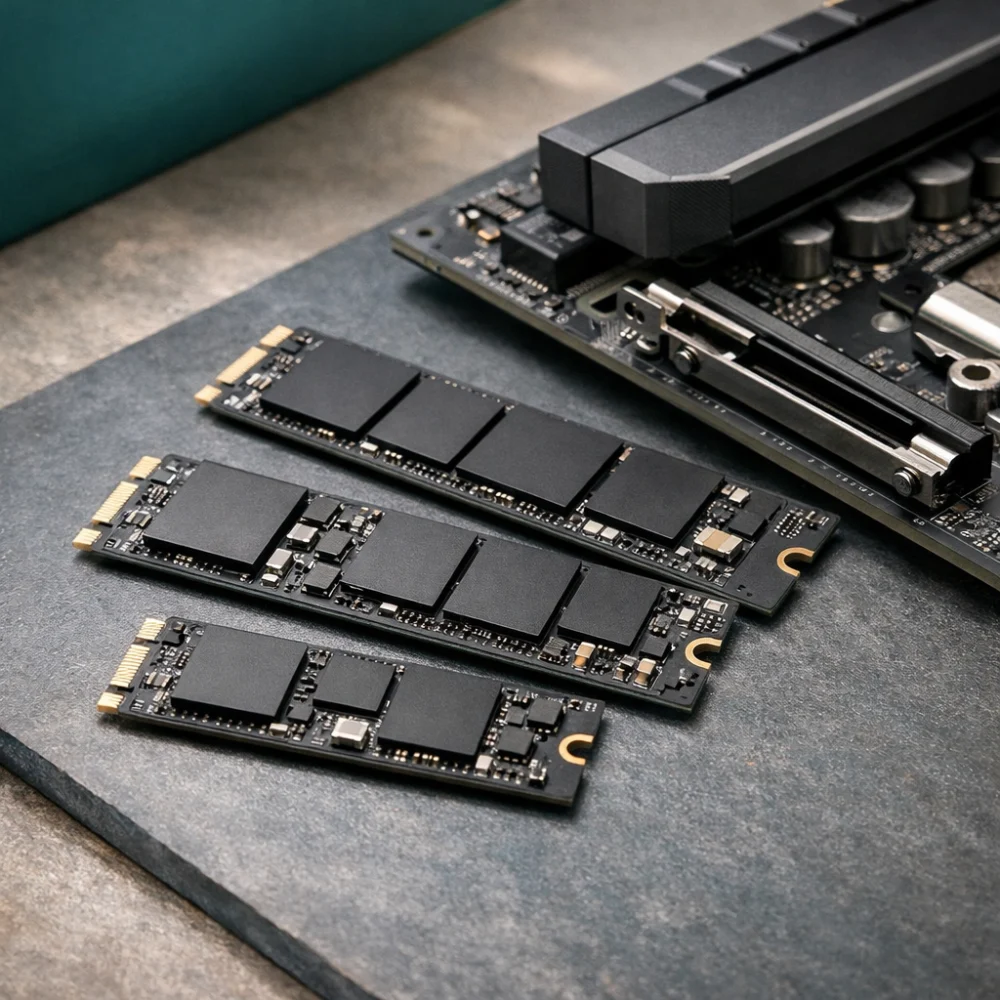
An NVMe SSD can be a storage upgrade or a replacement drive, but choosing one involves more than comparing capacity. The drive needs to match your computer’s supported interface, physical space and intended use.
This guide explains the main checks for desktop and laptop buyers, including how to distinguish the M.2 form factor from the NVMe protocol. Compatibility depends on the specific computer or motherboard, so confirm its documentation before deciding.
Which NVMe SSD should you choose?
Start by checking that your computer supports an NVMe drive and which physical size and PCIe generation its slot accepts. Choose enough capacity for the files and applications you expect to keep, then compare speed and endurance in light of your workload. A faster-rated drive may not deliver its full potential in a system with a different or older interface, so compatibility is more important than the highest headline specification.
What to compare when buying an NVMe SSD
| Feature | What it means | Why it matters | What to check |
|---|---|---|---|
| Form factor and length | The physical format and dimensions of the drive; M.2 drives are commonly described by a size code such as 2280. | The drive must fit the available slot and mounting point. | Check the computer or motherboard manual for supported sizes and any space or mounting restrictions. |
| Interface and PCIe generation | NVMe is a storage protocol typically used over PCIe; the generation and lane configuration describe the connection. | They affect compatibility and the potential transfer rate. | Confirm the slot supports NVMe and check its PCIe generation and lane configuration. A drive and slot may operate at the capabilities they share. |
| Capacity | The amount of data the drive can store. | More capacity can leave more room for applications and files, but needs and budgets differ. | Estimate current storage use and future needs; check the usable capacity stated for the individual drive. |
| Performance claims | Published sequential or random read and write figures describe different kinds of activity. | Workloads such as large file transfers and everyday application use can benefit from different performance characteristics. | Compare like-for-like figures and consider whether the stated performance applies to your system and workload. |
| Endurance rating | Some product information gives a write-endurance measure, such as TBW. | It can help buyers assess a drive for frequent or sustained writing. | Check whether an endurance figure is supplied and compare it with your expected use rather than assuming all drives are alike. |
| Cooling and clearance | A drive may have a heat spreader or be intended to use a system-provided heatsink. | Cooling arrangements and physical clearance can affect fit and sustained operation. | Check the drive’s dimensions and your system’s heatsink arrangement, particularly where space is limited. |
Choosing the right NVMe SSD
Confirm the slot and physical fit
Look up the exact computer or motherboard model and verify that its storage slot supports NVMe, not just an M.2-shaped drive. M.2 describes a form factor; it does not by itself confirm the storage protocol. M.2 SATA and M.2 NVMe drives can look similar but use different interfaces, so check the slot and drive specifications rather than relying on appearance.
Check the supported drive length as well as the slot type. A size code such as 2280 describes dimensions, but not whether the device supports NVMe. Laptops and compact systems can have tighter clearance than desktop builds, and some systems have specific restrictions. Confirm that the drive’s size and any attached heat spreader will fit.
Match the interface to your system
PCIe generation and lane configuration influence the connection’s potential performance. A newer-generation drive may work in a compatible older slot, but it will not necessarily reach its advertised maximum there. Conversely, a system’s specifications may limit the performance of a faster drive.
Specifications vary by model, so always check the individual product page before buying.
Choose capacity for your actual storage needs
Consider how much space your existing files and software use, and whether you expect that to grow. An operating-system drive, a working drive for large projects and a drive mainly holding documents can have different capacity needs. Leave room for growth rather than choosing solely by the smallest amount that fits today.
Read performance figures in context
Sequential performance relates to transferring larger blocks of data, while random performance concerns smaller, scattered operations. Product figures are useful for comparison when the same type of measurement is compared, but they do not guarantee an identical experience across computers and workloads. For typical mixed use, consider the whole system and the task rather than treating a single peak figure as the deciding factor.
Consider endurance and sustained workloads
If you regularly write large amounts of data, check whether the product information includes an endurance measure such as terabytes written (TBW). It can help distinguish drives for heavier writing from those intended for less demanding use, but interpret the rating alongside your workload and the other product information. Do not assume a rating or service life that is not stated.
Check cooling and physical clearance
Some drives are supplied with a heat spreader, while a computer or motherboard may provide its own cooling arrangement. Check whether the drive’s cooling hardware is compatible with the available space and any system-provided heatsink. This is especially relevant in compact systems, where height and clearance can be constrained.
NVMe SSD types and variations
The most useful distinctions are the physical size, supported PCIe generation and capacity, rather than a single universally best type. M.2 drives are common in this category, but M.2 is a form factor and should not be treated as proof that a drive uses NVMe. Confirm the protocol as well as the dimensions.
- Different M.2 lengths: These suit systems with matching mounting points and clearance. A drive in the wrong length may not fit even if its interface is otherwise suitable.
- Different PCIe generations: These can suit systems built around the corresponding interface. A faster generation can be useful when the computer supports it, but may offer less benefit in a system with a lower-capability slot.
- Different capacities and endurance ratings: These reflect storage needs and expected writing demands. Higher capacity or endurance may matter to some workloads, but can be unnecessary for others.
Match the drive to your needs
| Priority | What to focus on | Trade-off or check |
|---|---|---|
| Replacing a laptop drive | Verify NVMe support, drive length, clearance and any system-specific requirements. | Compact systems may impose tighter size or cooling limits; check the exact laptop documentation. |
| General desktop use | Prioritise confirmed compatibility and suitable capacity, then compare performance figures. | A premium performance rating may not be useful if the slot or workload cannot take advantage of it. |
| Large files or frequent writing | Compare relevant read and write figures and check any stated endurance rating. | Published peak speeds do not necessarily describe sustained performance in every situation. |
| Small-form-factor computer | Pay close attention to physical dimensions and cooling clearance. | A drive with attached cooling hardware may not fit every space or heatsink arrangement. |
Common NVMe SSD buying mistakes
- Assuming every M.2 drive is NVMe: M.2 describes the form factor, not the protocol. Check that both the drive and slot support NVMe.
- Buying by PCIe generation alone: A high generation label does not guarantee the computer can use that capability. Check the slot’s supported generation and lanes.
- Ignoring the drive length: Similar-looking M.2 drives can have different dimensions. Confirm the supported length and mounting position.
- Comparing unrelated speed figures: Sequential and random performance describe different tasks. Compare equivalent measures and relate them to your use.
- Overlooking cooling clearance: A heat spreader or system heatsink can affect fit. Check the full arrangement rather than only the bare drive dimensions.
- Choosing capacity without allowing for growth: Consider the space currently in use and likely future needs, rather than making the decision from a headline capacity alone.
Compatibility and suitability checks
Before buying, confirm the exact system model, supported storage interface, drive length and any restrictions in its documentation. If you are replacing a drive in a laptop or pre-built computer, check the manufacturer’s information for that specific configuration; similar-looking models can differ. For desktop systems, verify the motherboard slot and any shared-slot or installation notes that may apply.
Do not assume that a drive will be recognised as a boot drive or suit a particular console or computer without checking that system’s requirements. If compatibility information is unclear, resolve that question before selecting a drive.
Ownership, maintenance and storage
An internal SSD has no routine consumables, but its cooling and installation requirements depend on the drive and computer. Keep product information available for compatibility and warranty terms, and maintain separate backups of important files: a storage drive is not a substitute for a backup. Check the specific product information for any care, operating or warranty guidance rather than assuming the same conditions apply to every model.
A simple buying process
- Identify the exact computer or motherboard and the reason for adding or replacing storage.
- Confirm that the system supports NVMe and note the supported drive size, interface generation and any clearance constraints.
- Estimate the capacity you need now and allow for expected growth.
- Compare relevant performance and endurance information against your workload, without relying on one headline figure.
- Review the individual product information for dimensions, cooling arrangement, compatibility and other stated terms before deciding.
NVMe SSD buyer checklist
- Does the system’s slot explicitly support NVMe?
- Is the drive’s physical length supported, with enough clearance for any heatsink or heat spreader?
- Are the PCIe generation and lane configuration suitable for the system?
- Is the capacity appropriate for current data and expected growth?
- Are the performance and any stated endurance figures relevant to your workload?
- Have you checked the individual product information and the computer or motherboard documentation?
Frequently asked questions
Is NVMe the same as M.2?
No. NVMe is a storage protocol, while M.2 is a physical form factor. An M.2 drive may use a different interface, so check the protocol supported by both the drive and the computer.
Will any NVMe SSD work in my computer?
No. The computer needs a compatible NVMe slot, and the drive must meet its physical size and other system requirements. Check documentation for the exact computer or motherboard rather than relying on the general product category.
Can I use a newer PCIe-generation drive in an older slot?
It may be compatible if the drive and slot support an interoperable connection, but performance can be limited by the system. Verify the compatibility information for both components and do not assume the drive will operate at its highest stated speed.
What does an M.2 size code such as 2280 mean?
It identifies the drive’s physical dimensions, including its length. It does not confirm whether the drive uses NVMe or whether a particular computer supports it, so check both fit and interface.
How much capacity should I choose?
Base the decision on your current storage use, the kinds of files and applications you keep, and likely growth. The right capacity depends on the system and workload; there is no single amount that suits every buyer.
Do I need a heatsink for an NVMe SSD?
That depends on the drive, computer and intended use. Check whether the system has a suitable heatsink, whether the drive includes a heat spreader and whether the combined arrangement fits.
Does a higher advertised speed always make a drive better?
Not necessarily. A system’s interface and the type of work you do affect how relevant a peak figure is. Compare equivalent performance measures and prioritise compatibility and capacity as well.
What is TBW on an SSD?
TBW means terabytes written and is one way some product information expresses write endurance. Check whether a rating is stated for the specific drive and consider it in relation to your expected writing workload.


