

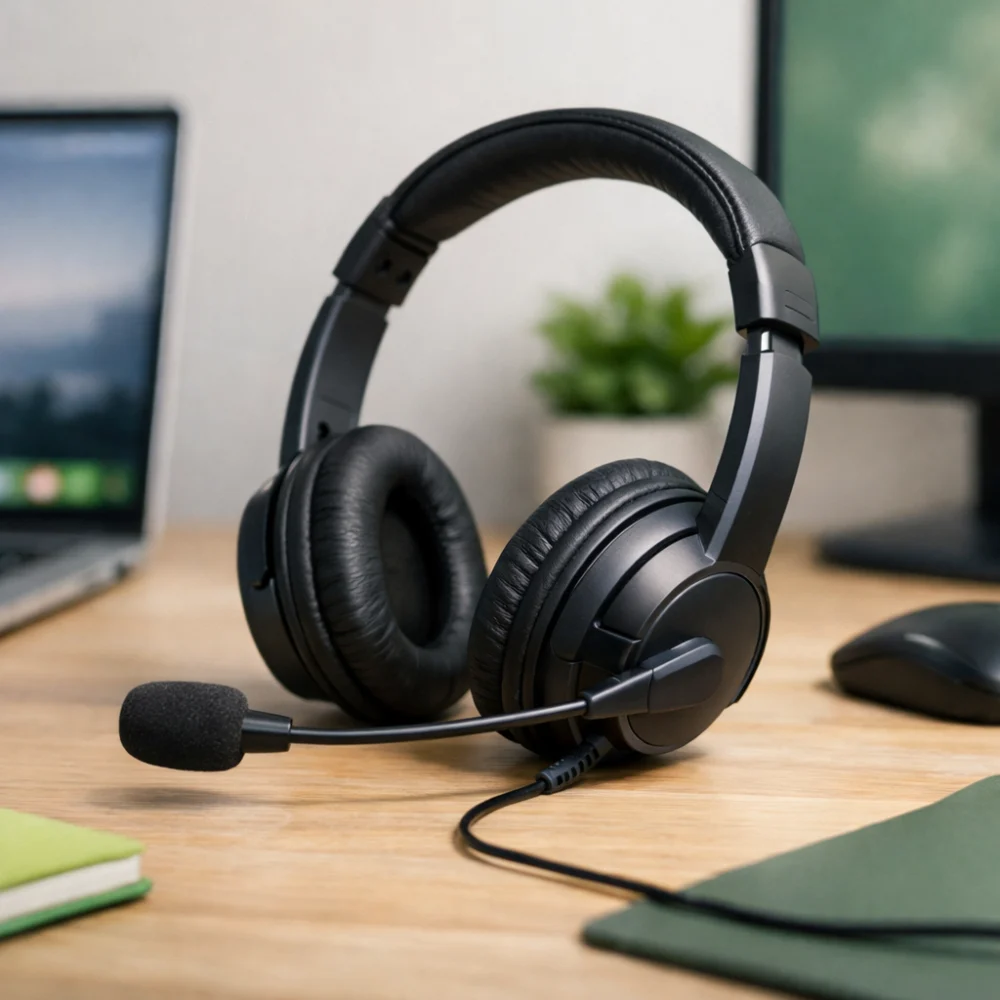
A computer headset combines headphones with a microphone for activities such as video calls, online gaming and listening while working. The right choice depends on how you will use it, how it connects to your device and whether it feels comfortable for the length of time you expect to wear it.
Start with compatibility and your main use, then compare wearing style, microphone arrangements and controls. A feature that suits long meetings may matter less for occasional calls, while gaming may make microphone position and connection options more important.
Which computer headset should you choose?
Choose a wired headset if you prefer a direct connection and do not want to manage a separate battery; choose a wireless one if freedom to move matters and you are happy to check its charging and connection requirements. For calls, look closely at microphone placement and mute controls; for gaming or mixed use, check device compatibility and the controls you will actually use. Comfort is personal, so consider the wearing style and whether you can assess the fit. Specifications vary by model, so always check the individual product page before buying.
Compare the features that affect your choice
| Feature | What it means | Why it matters | What to check |
|---|---|---|---|
| Connection | A headset may connect by cable or wirelessly. | This affects freedom of movement and whether you need to charge it. | Check the connection method, required port or wireless receiver, and whether it suits your device. |
| Device compatibility | Compatibility depends on the headset connection and supported devices. | A headset that cannot connect as needed is not useful for your setup. | Check listed computers, operating systems and other supported devices, along with any port requirements. |
| Microphone | Microphones can differ in position and whether they can be moved or detached. | Placement and handling can affect how convenient the headset is for calls or gaming. | Look for the microphone arrangement, mute method and any stated controls. |
| Wearing style and fit | Headsets vary in how the ear cups sit and how the headband adjusts. | Fit can affect comfort during longer sessions. | Check the wearing style and available fit information; comfort is subjective. |
| Controls and power | Controls may be on the headset, cable or a separate receiver; wireless models need power. | Accessible controls can be useful during calls, while wireless use involves charging. | Check control placement and, for wireless models, the stated charging arrangements and battery information. |
What to consider before buying
Connection and compatibility
Identify the ports and wireless options on the computer or other device you plan to use. A wired headset may use USB or an audio jack, and some products support more than one connection. Wireless models may use Bluetooth or a dedicated USB receiver. Do not assume that a connector, receiver or adapter will suit every device: check the product details and your device’s available connections before choosing.
If you expect to switch between devices, check that each one is supported and whether changing between them requires a different connection. A headset advertised for a particular platform should not be assumed to work with every device from that platform.
Microphone and controls
For frequent calls, consider whether the microphone can be positioned conveniently and how easy it is to mute. A physical mute control may be useful when you need to manage calls without opening software, but control placement and operation vary. For gaming, consider whether the microphone arrangement suits your preferred way of wearing and storing the headset.
Comfort and fit
Headband adjustment, ear-cup position and overall fit all affect how a headset feels. A lighter or more adjustable design may be worth considering for longer sessions, but weight alone does not determine comfort. If you wear glasses or plan to use the headset for extended periods, look for relevant fit details and check the returns terms with the retailer before purchase.
Sound and intended use
Think about whether speech, music, game audio or a mix of these is most important. Product descriptions may mention audio features, but names and claims do not make two headsets directly comparable. Check what is actually included and whether any software or connection requirement applies to a stated feature.
Common computer headset types
- Wired headsets: Connect by cable and do not need wireless charging. Cable length and connector type may affect where you can sit and which devices you can use.
- Wireless headsets: Avoid a cable between the headset and device, which can suit people who want more freedom to move. Check the connection method, charging arrangements and whether a receiver is required.
- Call-focused headsets: Often emphasise convenient microphone use and call controls. Check compatibility with your calling device or software rather than assuming every control works in every setup.
- Gaming headsets: May be designed with gaming use in mind and can include a microphone and audio controls. Confirm support for your specific computer or gaming device and consider whether the design also suits calls or general listening.
Match the headset to how you will use it
| Use | Prioritise | Trade-off to consider |
|---|---|---|
| Occasional video calls | A straightforward connection, clear-to-use mute control and a suitable microphone arrangement. | Extra controls or features may add complexity if you will rarely use them. |
| Long work or study sessions | Adjustability, a comfortable fit and controls that are easy to reach. | Comfort cannot be judged from features alone, and fit preferences differ. |
| Gaming | Compatibility with the gaming device, microphone convenience and controls suited to your use. | A headset intended for one connection or platform may not suit another. |
| Moving between devices | Support for each device and a connection method that works across your setup. | Wireless does not automatically mean one headset will connect to every device. |
Mistakes and misunderstandings to avoid
- Choosing by connector name alone: Check the complete connection requirements and supported devices, not just whether the headset is labelled USB, Bluetooth or 3.5 mm.
- Assuming wireless means no setup: Wireless models still have connection and power requirements. Confirm how the headset pairs or connects and how it is charged.
- Focusing only on audio features: For calls, microphone placement and mute controls may be just as relevant. For extended use, fit may matter more than a long list of features.
- Assuming advertised compatibility is universal: Verify support for your exact computer, console or other device, and check whether the stated features depend on software or a receiver.
- Expecting a fit to suit everyone: Headset comfort is personal. Consider the design and adjustment details rather than treating any one style as universally comfortable.
Safety and suitability
Choose a headset intended for your device and use, and follow the manufacturer’s guidance. Keep listening volume at a comfortable level, particularly during long sessions. If sharing a headset, consider whether its design and care instructions are suitable for that use.
Care, cleaning and storage
Check the manufacturer’s cleaning and storage guidance, especially for the ear-contact areas and any removable parts. Store the headset so that the cable, microphone and ear cups are not unnecessarily strained or crushed. For wireless models, consider where and how you will charge them, using the supplied product information to confirm the charging requirements.
A practical buying process
- Write down the main use: calls, gaming, everyday listening or a combination.
- Check the ports and wireless options on every device you intend to use.
- Narrow the choice to wired or wireless, then compare microphone arrangement, fit and useful controls.
- Weigh convenience against trade-offs such as charging, cable reach or device-specific compatibility.
- Review the individual product information for supported devices, connection requirements and included accessories before buying.
Buyer checklist
- Does the connection work with the device or devices I plan to use?
- Do I understand whether it needs a cable, wireless receiver, Bluetooth connection or charging?
- Is the microphone arrangement and mute control suitable for my use?
- Does the wearing style seem appropriate for how long I expect to use it?
- Have I checked the stated compatibility, controls and included accessories on the individual product page?
Computer headset FAQs
Are wired or wireless computer headsets better?
Neither type is best for everyone. Wired models avoid wireless charging, while wireless models can offer more freedom from a cable; connection requirements and personal preference should guide the choice.
Will a computer headset work with a phone or gaming device?
It depends on the headset’s connection and the device’s compatibility. Check the supported devices and connection requirements for both before buying, rather than assuming a headset made for computers will work elsewhere.
What should I look for in a headset microphone?
Consider where the microphone sits, whether it can be adjusted or detached, and how it is muted. For calls or gaming, convenient placement and controls may be more useful than features you are unlikely to use.
Is a USB headset always compatible with my computer?
Not necessarily. Check the product information for supported devices and any software or connection requirements, and confirm that your computer has a suitable port.
Do wireless computer headsets need charging?
Wireless models generally require a power source, but charging arrangements differ. Check the individual product information for how the headset is powered and charged.
How can I choose a comfortable headset?
Look at the wearing style, adjustability and available fit information, then consider how long you expect to wear it. Comfort is subjective, so product details can help narrow the choice but cannot guarantee a particular fit.


