
External HDD
External HDDs (hard disk drives) are cost-effective, high-capacity storage solutions ideal for backing up files, archiving media libraries, and transferring data between devices. Whether you’re protecting precious memories, expanding your digital storage, or running routine backups, external hard drives offer dependable performance and generous space at a highly affordable price point.
As a trusted UK retailer since 1988, we provide a wide range of external HDDs from leading brands. From compact portable drives to high-capacity desktop models, our selection is backed by expert support and advice tailored to your personal or professional needs.
- External HDD
Yosoo Health Gear 2.5 Inch Hard Drive Enclosure, 5Gbps 2TB Capacity Anti Static External USB 3.0 Hard Disk Case SATA HDD Caddy for window for OS X for Vista (Not Inclube Hard Disk) (Blue)
Original price was: £13.15.£11.80Current price is: £11.80. *View On Amazon* - External HDD
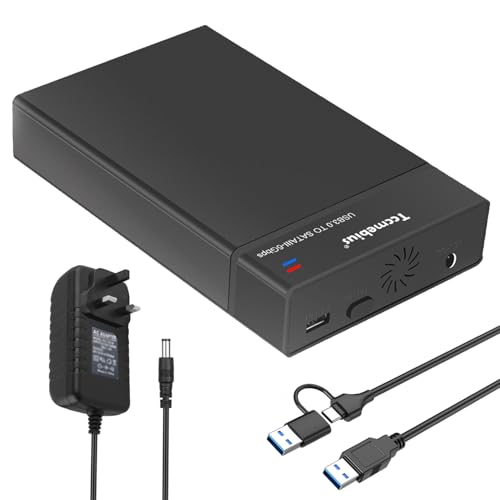
Tccmebius External Hard Drive Enclosure USB 3.0 to SATA Docking Station for 2.5/3.5 Inch SATA I/II/III HDD SSD with USB A/C Cable, Up to 22TB, Support UASP Automatic Sleep Function Tool-free (TCC-S8)
Original price was: £19.99.£17.99Current price is: £17.99. *View On Amazon* - External HDD
Storite 2.5" Ultra Slim Portable External Hard Drive 250GB HDD Backup Storage with USB 3.0 Fast Data Transfer Compatible for PC, Mac, Window, Gaming Console, Laptop and Desktop (Red)
Original price was: £16.99.£15.99Current price is: £15.99. *View On Amazon* - External HDD
Seagate One Touch Passwort HDD 5TB Black External HDD, USB 3.2 Gen 1×1
£136.95 *View On Amazon* - External HDD
Hard Drive Enclosure 2.5 Inch, USB C 3.1 to SATA III 6Gbps SSD HDD Enclosure External Hard Disk Caddy for 7mm/9.5mm UASP Led Lamp Compatible with Samsung PS4 Xbox PC TV
Original price was: £9.69.£7.99Current price is: £7.99. *View On Amazon*


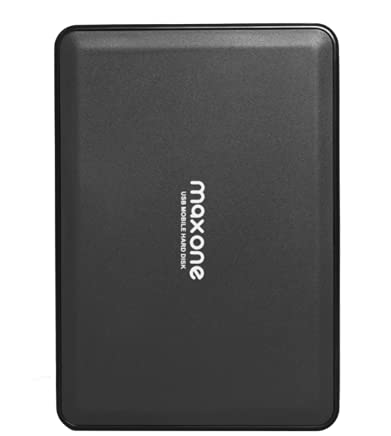



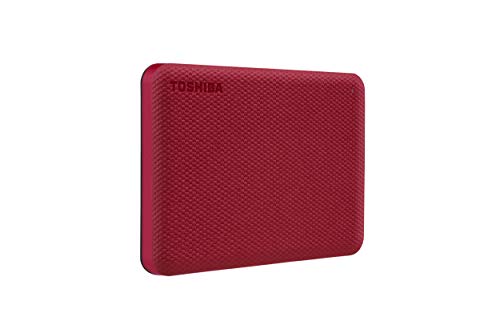


Why Choose an External HDD?
While solid state drives (SSDs) offer faster speeds, external HDDs deliver far greater capacity for a lower cost. They are perfect for users who need to store large volumes of data, such as video files, image libraries, system backups, or archived projects.
Key advantages include:
High storage capacities of up to 20TB and beyond
Excellent value per terabyte
Reliable offline backup options
Compatibility with most modern operating systems and devices
Simple plug-and-play functionality
If you need an affordable and dependable way to store large files, an external hard drive is an excellent choice.
External HDD Buying Guide
📦 Types of External HDDs
| Type | Description | Best For |
|---|---|---|
| Portable HDDs | Small, USB-powered drives that fit in a pocket | Students, everyday backups, travel |
| Desktop HDDs | Larger models requiring external power | Long-term backups, office use, media storage |
| Rugged HDDs | Shock-resistant and weatherproof for harsh environments | Outdoor work, field professionals |
| High-capacity HDDs | Drives offering 8TB to 20TB or more | Content creators, archival storage |
| Encrypted HDDs | Devices with password protection or hardware encryption | Business users, sensitive data |
🔍 Key Features to Consider
Storage capacity: From 500GB for basic needs to over 20TB for heavy data users
Connection type: USB 3.0, USB-C, or Thunderbolt affects speed and compatibility
Transfer speeds: Typically range from 80 to 160MB/s, ideal for backups and media access
Power source: Portable drives are USB-powered, while desktop models use external power
Security: Look for hardware encryption or password-protected models if needed
Durability: Rugged options resist impact, dust, and moisture
Device compatibility: Most models work with Windows, macOS, and Linux; some may require formatting for cross-platform use
⚙️ Use Cases and Compatibility
Home users: Back up photos, videos, and personal documents
Students: Store coursework, project files, and media libraries
Creative professionals: Archive completed video and photo projects
Business environments: Schedule routine backups of key systems and data
Gamers: Expand storage for Xbox, PlayStation, or PC games (model compatibility required)
Photographers: Use as a secondary archive alongside cloud or SSD storage
🧠 Expert Tips
Use desktop HDDs for long-term storage and scheduled backups
Choose portable drives for flexibility and file transfers between devices
For sensitive files, select models with built-in encryption or use third-party software
Always maintain more than one backup copy of your data
Label your drives clearly to stay organised and avoid accidental overwrites
⚠️ Common Mistakes to Avoid
Dropping the drive can damage internal components
Assuming plug-and-play compatibility with all systems without checking formatting
Filling the drive completely can reduce performance and longevity
Placing drives near strong magnets or electrical interference
Disconnecting the drive without safely ejecting it may corrupt files
🛠️ Maintenance and Care
Store the drive in a dry, dust-free environment away from heat
Use padded cases for travel and avoid placing pressure on the casing
Power on occasionally if storing for long periods, to prevent mechanical issues
Run health checks using built-in utilities or third-party software
Avoid frequent unplugging and replugging, especially during transfers
Recommended External HDDs
WD My Passport 5TB – Compact and reliable for personal backups
Seagate Expansion Desktop 10TB – Ideal for long-term storage and archiving
LaCie Rugged Mini 2TB – Durable, travel-friendly drive for outdoor use
Toshiba Canvio Basics 2TB – Affordable, plug-and-play storage
iStorage diskAshur2 1TB – PIN-protected and hardware-encrypted for secure data
FAQs – External HDD
1. What is an external HDD used for?
An external hard drive is used for storing, backing up, and transferring data. It is ideal for large media files, system backups, and portable file storage.
2. Is an external HDD better than an SSD?
External HDDs offer more storage at a lower cost, while SSDs are faster and more durable. Choose an HDD for capacity and value, or use both for a balanced setup.
3. Can I use an external HDD with my Mac or Windows PC?
Yes. Most drives are compatible with both systems, though you may need to reformat the drive to exFAT for cross-platform use.
4. How reliable are external hard drives for long-term storage?
They are generally reliable when stored correctly and used appropriately. However, it’s always best to have more than one backup location.
5. Can I install games or apps on an external HDD?
Yes, you can run games or apps from an external drive, although they may load more slowly than from an SSD or internal storage.
6. Do all external HDDs need a power cable?
No. Portable drives are powered through USB. Larger desktop drives require a separate power supply.
7. What capacity should I choose?
1TB to 2TB is suitable for everyday use. For media libraries or backup systems, 4TB or more is recommended.
8. Can I use an external HDD with a smart TV or game console?
Many smart TVs and consoles support external hard drives for media playback or game storage. Always check compatibility with your specific model.
9. How do I protect my external HDD while travelling?
Use a shockproof case and avoid dropping or exposing the drive to moisture or extreme temperatures.
10. How long do external HDDs last?
With proper care, they typically last between three and five years. Always back up important data in multiple places.
Final Thoughts
If you’re looking for affordable, dependable, and spacious storage, an external HDD is a tried-and-true solution. Whether you’re backing up your digital life, storing high-resolution media, or transferring files between locations, we offer reliable options to suit every need. Backed by over three decades of networking and tech expertise since 1988, our range includes trusted brands and expert support.
Browse our collection today and find the right external HDD to protect and expand your digital world.
 Getting ready for Summer? View our Home and Garden Products

Heading outdoors this winter? Take a look at our Outdoor Clothing.
Amazon Associate Disclosure
As an Amazon Associate I earn from qualifying purchases.