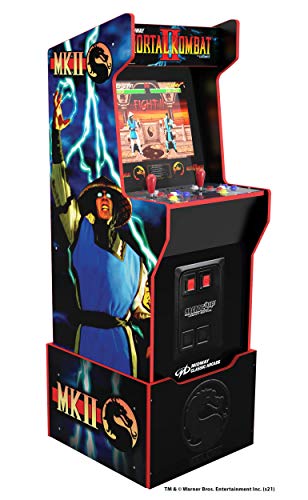
Games consoles are entertainment devices designed for playing video games, streaming media, social play and interactive digital experiences. They can be used at home, while travelling or as part of a family entertainment setup, depending on the console type, accessories and compatibility listed.
The right games console should suit the games you want to play, the people using it and the way it will fit into your home or travel routine. Game library, controller style, storage, screen or TV compatibility, online features and age suitability are all worth comparing before choosing.
Games consoles are dedicated gaming systems made to run compatible games and entertainment apps. They can connect to a TV or monitor, work as handheld devices, or combine both styles depending on the product listed.
Products in this category may include home games consoles, handheld consoles, retro style consoles, console bundles, digital only consoles, disc based consoles and portable gaming systems where available. Some may include controllers, games, docks, cables or storage accessories where listed, while others may be supplied as the console only.
Because console features can vary widely, it is important to check each product description carefully before buying.
What Are Games Consoles Used For?
Games consoles are used for playing video games, watching compatible media apps, joining online multiplayer, using family entertainment services, enjoying fitness style games and playing local multiplayer with friends or relatives where supported.
For families, a console can provide shared entertainment in the living room. For casual players, it can offer an easy way to play without building a gaming PC. For regular gamers, a console can support deeper game libraries, online play and dedicated controller based gaming.
Some consoles are better suited to portable play, while others are designed for larger screens and home entertainment setups. The right choice depends on how and where the console will be used.
How To Choose The Right Games Console
Start by thinking about the games you want to play. Some games are only available on certain console platforms, while others are available across several systems. If a specific game, series or subscription service matters, check compatibility before buying.
Next, consider who will use it. A family console may need parental controls, easy controllers, multiplayer support and age appropriate games. A console for a regular gamer may need more storage, performance features where listed and a wider game library.
Storage is also important. Modern games can take up a lot of space, especially digital downloads. Check internal storage and expansion options where listed, and think about whether the console will be used for many games at once.
Also consider whether you want physical games, digital games or both. Some consoles support discs or cartridges, while others may rely on downloads only. Digital only designs can be convenient, but they may not suit buyers who already own physical games.
Key Features To Compare
When comparing games consoles, look at platform, game compatibility, storage capacity, controller type, display output, online features, included accessories, portability, subscription support and parental control options where listed.
Controller comfort can make a big difference, especially for longer play sessions. Some consoles may support extra controllers, steering wheels, headsets or specialist accessories where compatible.
Display support should also be checked. A home console needs to work with your TV or monitor connection, while a handheld console may have its own screen. If you use a gaming monitor, check the console output and cable requirements carefully.
Online features vary by platform. Some multiplayer, cloud saves, game libraries or media apps may require accounts or paid subscriptions where applicable. Check what is included and what may cost extra.
Games Consoles Compared With Gaming PC’s Handhelds And Tablets
Games consoles are usually simpler to set up than gaming PC’s. They are designed around a specific platform, controller and game store, which can make them easier for living room gaming and family use.
Gaming PC’s offer more flexibility for upgrades, software and settings, but they need more attention to components, compatibility and desk setup. A console can be more straightforward if you mainly want plug in gaming.
Handheld consoles focus on portable play. They are useful for travel, bedrooms, shared homes and players who do not always want to use a TV. A home console may suit larger screen gaming and shared living room play better.
Tablets and phones can run many games, but they are not the same as dedicated games consoles. Console games, controls and online features can be very different, depending on the platform.
Guidance For Beginner Regular And Experienced Buyers
Beginners should choose a games console that is easy to set up, has the games they want and suits the people using it. Clear menus, family settings and simple controller use can make the first experience more comfortable.
Regular players may want to compare storage, controller options, subscriptions, headset support and how the console works with their TV or monitor. If you play often, small details like storage space and controller comfort become more important.
Experienced buyers may look more closely at display features where listed, performance modes, expansion storage, online services, backwards compatibility where supported and accessory ecosystems. These details can matter more for serious gaming setups.
Use Cases By Player Type And Lifestyle
For family gaming, look for consoles with suitable parental controls, local multiplayer options, age appropriate games and easy controller support where available.
For casual gaming, a console that is simple to use and has a good range of accessible games may be more practical than a more complex system.
For regular online play, check account requirements, network support, subscription needs and headset compatibility where listed. A stable internet connection can also matter.
For travel, handheld or portable consoles may be more suitable than full home consoles. Battery life, screen size, storage and protective cases are worth comparing where listed.
For living room entertainment, check TV compatibility, controller range, media app support and whether the console fits neatly in your cabinet or entertainment unit.
For younger players, age ratings, screen time settings and parental controls should be checked before use.
Fit Compatibility And Setup Checks
Before buying a games console, check what is included in the box. Controllers, power cables, display cables, docks, stands or games may vary by bundle and listing. Do not assume accessories are included unless stated.
For home consoles, check TV or monitor inputs and available space. Some consoles need good ventilation, so avoid placing them in tight enclosed spaces where heat cannot escape.
For handheld consoles, check charging method, storage options and whether the screen size suits the user. A carry case or screen protector may be useful where compatible.
Game compatibility is essential. Games made for one console platform may not work on another. Older games may only work where backwards compatibility is supported and clearly listed.
If buying a console as a gift, check whether the recipient already owns compatible games, controllers or subscriptions.
Online Accounts Storage And Digital Games
Many games consoles use online accounts for game purchases, multiplayer, cloud saves, parental settings and digital libraries. Set up accounts carefully and keep passwords secure.
Digital games can be convenient because they do not need discs or cartridges, but they use storage space and are tied to platform rules. Physical games may be easier to lend, gift or collect where supported, but not every console uses physical media.
Storage planning is important. If the console will be shared by several users or used for many large games, extra storage may be worth considering where compatible and listed.
Always check whether online multiplayer, cloud saves or game libraries need a paid subscription. Features and availability vary by platform and region.
Safety Care Maintenance And Storage
Games consoles should be placed on a stable surface with good ventilation. Keep vents clear and avoid covering the console with cloth, papers or other equipment while in use.
Keep drinks, food, dust and pet hair away from the console, controllers and cables. Liquids and dust can affect performance and may cause damage.
Cables should be routed safely to avoid trips, pulling or damage to ports. If using a console in a living room or bedroom, make sure power cables and controller charging cables are tidy.
For younger users, set parental controls, check game age ratings and supervise online communication where appropriate. Gaming should be balanced with breaks, sleep and other activities.
For handheld consoles, use a protective case when travelling and avoid leaving the device in hot cars, damp bags or places where the screen may be scratched.
Useful Accessories To Consider
Useful accessories can include extra controllers, charging docks, gaming headsets, controller grips, memory cards or storage drives where compatible, screen protectors, carry cases, HDMI cables, Ethernet cables, gaming chairs and console stands.
For family gaming, extra controllers can be useful for local multiplayer where supported. For online play, a compatible headset may help with chat and sound. For travel, a case, charger and storage pouch can help keep everything together.
For larger game libraries, compatible storage accessories may be worth comparing where listed.
Why Buy Games Consoles From YPC?
At YPC, we understand active lifestyles and the need for practical products that work in real use. Games consoles can vary by platform, game support, storage, controller style, display compatibility, portability, online features and included accessories, so comparing the details helps you choose with more confidence.
YPC helps you browse gaming and entertainment products with real use in mind, whether you are buying for family gaming, solo play, online multiplayer, travel, gifts or living room entertainment. Explore the Games Consoles category to browse the available options and compare the features that matter most for your setup.
FAQs
What should I look for in a games console?
Look for game compatibility, platform, storage, controller comfort, TV or monitor support, online features, parental controls and what accessories are included where listed.
Are games consoles better than gaming PC’s?
Games consoles can be simpler to set up and use for living room gaming, while gaming PC’s offer more flexibility and upgrade options. The better choice depends on your games, space, budget and preferred setup.
Do games consoles come with games?
Some console bundles may include games where listed, while others may include only the console and basic accessories. Always check the product details before buying.
Can games consoles play online multiplayer?
Many consoles support online multiplayer where compatible, but some features may require an account or paid subscription. Check the platform requirements and game details before buying.
How much storage do I need on a games console?
The right storage depends on how many games and apps you plan to install. Digital games can use significant space, so compare internal storage and expansion options where listed.
Are handheld consoles good for travel?
Yes, handheld consoles can be useful for travel because they are portable and do not need a TV. Check battery life, charging method, storage and protective case options where listed.
Can old games work on new consoles?
Some consoles support older games where backwards compatibility is listed, but this varies by platform, game format and region. Do not assume older games will work unless compatibility is clearly stated.
What accessories are useful for a games console?
Useful accessories can include extra controllers, headsets, charging docks, storage accessories, carry cases, screen protectors, cables and stands, depending on the console and how it will be used.
Are games consoles suitable for children?
Games consoles can be suitable for children where age appropriate games, supervision and parental controls are used. Always check game age ratings and online safety settings.
How do I look after a games console?
Keep it clean, dry and well ventilated. Do not block vents, route cables safely, avoid spills, store handheld devices in protective cases and follow the product care guidance where provided.
Heading outdoors this winter? Take a look at our Outdoor Clothing.
Manage Consent
To provide the best experiences, we use technologies like cookies to store and/or access device information. Consenting to these technologies will allow us to process data such as browsing behaviour or unique IDs on this site. Not consenting or withdrawing consent, may adversely affect certain features and functions.
Functional
Always active
The technical storage or access is strictly necessary for the legitimate purpose of enabling the use of a specific service explicitly requested by the subscriber or user, or for the sole purpose of carrying out the transmission of a communication over an electronic communications network.
Preferences
The technical storage or access is necessary for the legitimate purpose of storing preferences that are not requested by the subscriber or user.
Statistics
The technical storage or access that is used exclusively for statistical purposes.The technical storage or access that is used exclusively for anonymous statistical purposes. Without a subpoena, voluntary compliance on the part of your Internet Service Provider, or additional records from a third party, information stored or retrieved for this purpose alone cannot usually be used to identify you.
Marketing
The technical storage or access is required to create user profiles to send advertising, or to track the user on a website or across several websites for similar marketing purposes.