BUYERS GUIDE
Games Console Buyers Guide
A games console provides a straightforward way to play video games without choosing individual computer components or managing a traditional gaming PC. Depending on the model, a console may connect to a television, work as a handheld device or switch between portable and docked play.
Choosing the right console involves more than comparing graphics or buying the newest machine. The available games, account ecosystem, storage, controllers, online services, disc support, portability and family features can all affect whether a console suits your household.
The total cost also extends beyond the console itself. Games, subscriptions, extra controllers, storage expansion, headsets, charging accessories and compatible displays may all need to be considered.
This guide explains how to compare games consoles, understand the main differences and avoid common buying mistakes.
Quick Answer
Choose a games console by starting with the games you want to play and the people you want to play with. Check whether those games are available on the console, whether friends use the same platform and whether online multiplayer requires a subscription. Compare home, handheld and hybrid designs, then check storage, disc or digital support, controller inclusion, television compatibility, parental controls and accessibility features. Specifications and services vary by model, so always check the individual product page before buying.
Quick Product Comparison Framework
| Feature | What It Means | Why It Matters | What To Check |
|---|---|---|---|
| Console type | Home, handheld, hybrid or compact retro system | Determines where and how you can play | Docking, portable use and display requirements |
| Game library | Games available for the platform | Usually has more impact than technical specifications | Exclusive games, genres and age suitability |
| Disc or digital support | How games are purchased and installed | Affects ownership, resale and convenience | Disc drive, cartridges or digital only design |
| Storage | Space for games, updates and saved data | Large games can use substantial capacity | Internal storage and expansion options |
| Performance | Visual quality and responsiveness | Influences resolution, frame rate and loading | Output specifications and game specific support |
| Online services | Multiplayer, cloud saves and digital benefits | May require an ongoing subscription | Membership levels and included features |
| Controllers | Main input devices | Affect comfort, multiplayer and accessibility | Number included and extra controller cost |
| Backwards compatibility | Ability to play games from earlier generations | Can preserve an existing collection | Supported games, discs and digital purchases |
| Family controls | Tools for managing children’s use | Help control spending, playtime and content | Profiles, age limits and purchase approval |
| Connectivity | Internet and accessory connections | Supports downloads, multiplayer and peripherals | WiFi, Ethernet, Bluetooth and USB where listed |
| Display support | Compatibility with televisions and monitors | Affects picture and sound quality | HDMI input, resolution and refresh features |
| Portability | Ability to play away from the television | Important for travel and shared homes | Battery information, weight and carrying accessories |
Key Decision Criteria Explained
Start With The Games
The most important question is not which console is technically strongest. It is which console plays the games you actually want.
Some games are available across several platforms, while others are restricted to one console family. Certain systems may also have stronger selections in particular areas, such as family games, racing, role playing, competitive multiplayer or portable titles.
Make a shortlist of important games before comparing hardware. Check:
- Whether each game is available on the console
- Whether it supports local or online multiplayer
- Whether friends use the same platform
- Whether cross platform play is supported
- Whether the game is suitable for the intended age group
- Whether physical or digital versions are available
A console with impressive specifications is of little value if its game library does not match your interests.
Home, Handheld Or Hybrid Console
A home console normally connects to a television or monitor and stays in one location. It can suit living rooms, bedrooms and dedicated gaming spaces.
A handheld console includes its own screen and controls. It can be used while travelling or when the main television is occupied.
A hybrid console may support both handheld play and television output through a dock or cable, depending on the model.
Consider where the console will be used most often. Portability is valuable only if you are comfortable with a smaller screen, battery charging and carrying the device safely.
Disc, Cartridge Or Digital Games
Physical games may use discs or cartridges, depending on the console. They can sometimes be lent, resold or bought second hand, although account requirements and downloadable content may still apply.
Digital games are downloaded to the console through an online store. They are convenient and do not require changing discs, but they normally remain linked to the purchasing account.
A digital only console may cost less than an otherwise similar model, but it removes the option to use compatible physical games.
Before buying, consider:
- Whether you already own compatible physical games
- Whether you buy second hand titles
- Whether several people share games
- Whether your internet connection is suitable for large downloads
- Whether you prefer a physical collection
- Whether the disc drive also supports compatible film formats where listed
Game Ownership And Accounts
Digital games are usually connected to a user account rather than simply stored on the console.
Account access, password security and recovery details are therefore important. Losing access to an account could affect digital purchases, saved data and subscriptions.
Use accurate account information, enable available security protections and keep recovery details current. For children, create a suitable child profile rather than sharing an unrestricted adult account.
Storage Capacity
Modern games, updates and downloadable content can require substantial storage.
The stated internal capacity is not normally the same as the space available for games because the operating system and system files use part of it.
A smaller capacity may suit a household that plays only a few games at a time. Larger collections, open world games and digital only use may benefit from more storage.
Check:
- Usable internal storage
- Supported expansion cards or internal drives
- External storage compatibility
- Whether games can be played directly from external storage
- Whether older and current generation games have different requirements
- The cost of approved storage expansion
Do not assume any computer drive or memory card will work. Console storage compatibility can be model specific.
Performance, Resolution And Frame Rate
Console performance can influence image detail, loading speed, resolution and frame rate.
However, the console alone does not determine the result. Each game must support the relevant settings, and the television or monitor must also be compatible.
A game may offer a choice between a higher resolution mode and a smoother performance mode. Availability varies by title and console.
Buyers should avoid assuming that every game runs at the highest advertised resolution or frame rate.
Television And Monitor Compatibility
A home console normally needs a compatible HDMI input on the television or monitor.
For advanced display features, the screen, console, game and cable may all need to support the same standard. These features can include higher refresh rates, variable refresh technology or enhanced colour formats where available.
Check:
- Available HDMI inputs
- Supported resolution
- Refresh rate
- Audio output options
- Screen size and viewing distance
- Game mode or low latency settings
- Whether a suitable cable is supplied
A high specification console can still provide a good experience on a modest television, but certain advanced features may not be available.
Online Multiplayer
Many console games support online multiplayer, but access may require a paid platform membership.
Subscription arrangements vary. Some free to play games may have different online requirements from paid games.
Before buying, check:
- Whether the game supports online multiplayer
- Whether a subscription is needed
- Whether local multiplayer is available instead
- Whether cross platform play is supported
- Whether voice chat needs a headset or separate app
- Whether children’s accounts can access the required features
Online play also depends on a stable internet connection.
Subscription Services
Console subscriptions may offer online multiplayer, selected downloadable games, cloud saves, discounts or streaming features.
The value depends on how often you play and which games are included. A large game catalogue may appear attractive, but titles can be added or removed over time.
Check renewal terms, membership levels and whether access to included games ends when the subscription expires.
Do not assume a subscription provides permanent ownership of every included title.
Controllers And Local Multiplayer
Most consoles include at least one controller or an integrated control system, depending on the design.
Local multiplayer may require additional controllers. Some games support two players, while others allow larger groups.
Check:
- How many controllers are included
- The price of additional controllers
- Whether older controllers remain compatible
- Whether each player needs a separate profile
- Whether the game supports split screen or shared screen play
- Charging method and battery requirements
Controller comfort is personal. Hand size, button layout and preferred game types can affect which design feels most suitable.
Controller Charging
Controllers may use built in rechargeable batteries, removable batteries or replaceable battery packs.
Check whether charging cables, docks or battery packs are supplied. A controller may work while connected by cable, but the cable length and seating arrangement should be considered.
For frequently used family consoles, a charging dock or spare batteries may reduce interruptions.
Motion Controls And Alternative Input
Some consoles and games support motion controls, cameras, steering wheels, arcade sticks, musical controllers or other specialist accessories.
Compatibility can be limited to particular games or console versions. Check the exact requirements before buying an accessory.
Motion gaming also needs clear physical space. Follow the safety guidance and keep people, furniture, pets and fragile objects away from the play area.
Headsets And Audio
A gaming headset can provide private sound, voice chat and clearer communication.
Check whether the controller has a compatible audio socket or whether the console supports USB or wireless headsets. Wireless compatibility can be platform specific.
Television speakers may be adequate for casual play, while headsets or sound systems may provide a more immersive experience.
Backwards Compatibility
Backwards compatibility allows selected games from earlier console generations to work on newer hardware.
Support may vary between physical discs, digital purchases and individual games. Accessories from older systems may not remain compatible even when some games do.
Do not assume an entire old collection will work. Check each important game and accessory separately.
Cross Platform Play
Cross platform play allows people using different systems to play together in supported games.
It can be valuable when friends own different consoles, but it is not available in every title. Some games also require a separate publisher account.
Check the game’s current multiplayer information before choosing a console based on cross platform support.
Cloud Saves And Data Transfer
Cloud saving can help protect progress and make it easier to move between compatible consoles.
It may require a subscription and may not be available for every game. Local backups and transfer tools also vary by platform.
Check how existing profiles, saves and digital purchases can be transferred before replacing an older console.
Downloads And Internet Speed
Digital games and updates can be large. A slower connection may require long download times, while a limited broadband allowance could create extra cost.
Even physical games may require updates or additional downloads.
Where possible, use a stable wired connection for large downloads and online gaming. WiFi performance depends on distance, walls, interference and router quality.
Parental Controls
Parental controls can help manage:
- Age restricted games
- Online communication
- Friend requests
- Purchases
- Playtime
- Web browsing
- User generated content
- Location and privacy settings
Set up child profiles before handing over the console. Purchase approval and spending limits are particularly important where payment cards are linked to an account.
Age ratings provide guidance about game content, but parents should also consider online interaction and in game purchases.
In Game Purchases
Some games allow purchases of virtual currency, cosmetics, expansions or randomised items.
These purchases can accumulate quickly. Review account settings, require passwords for purchases and avoid leaving unrestricted payment methods on children’s profiles.
A game being free to download does not mean it has no ongoing costs.
Accessibility Features
Accessibility options can make games easier to use for players with visual, hearing, motor or cognitive needs.
Features may include:
- Button remapping
- Subtitles and text adjustment
- Colour filters
- Screen narration
- Difficulty assistance
- Co pilot controls
- Adaptive controllers
- Audio descriptions where supported
Availability varies by console and game. Check both the system level settings and individual game options.
Console Size And Placement
Home consoles need stable placement with clear ventilation.
Measure the shelf or cabinet before buying and check whether the console can be used vertically, horizontally or both. Some positions may require a stand or specific setup.
Leave enough room for cables and airflow. Avoid enclosed cabinets that trap heat.
Noise And Cooling
Consoles use fans and ventilation to manage heat. Fan noise may increase during demanding games or when the console contains dust.
Keep vents clear and follow the manufacturer’s cleaning guidance. Do not place the console on soft fabric, thick carpet or an unstable surface.
A console that becomes unusually hot, shuts down repeatedly or makes abnormal noises should be inspected before further use.
Product Type Differentiation And Variants
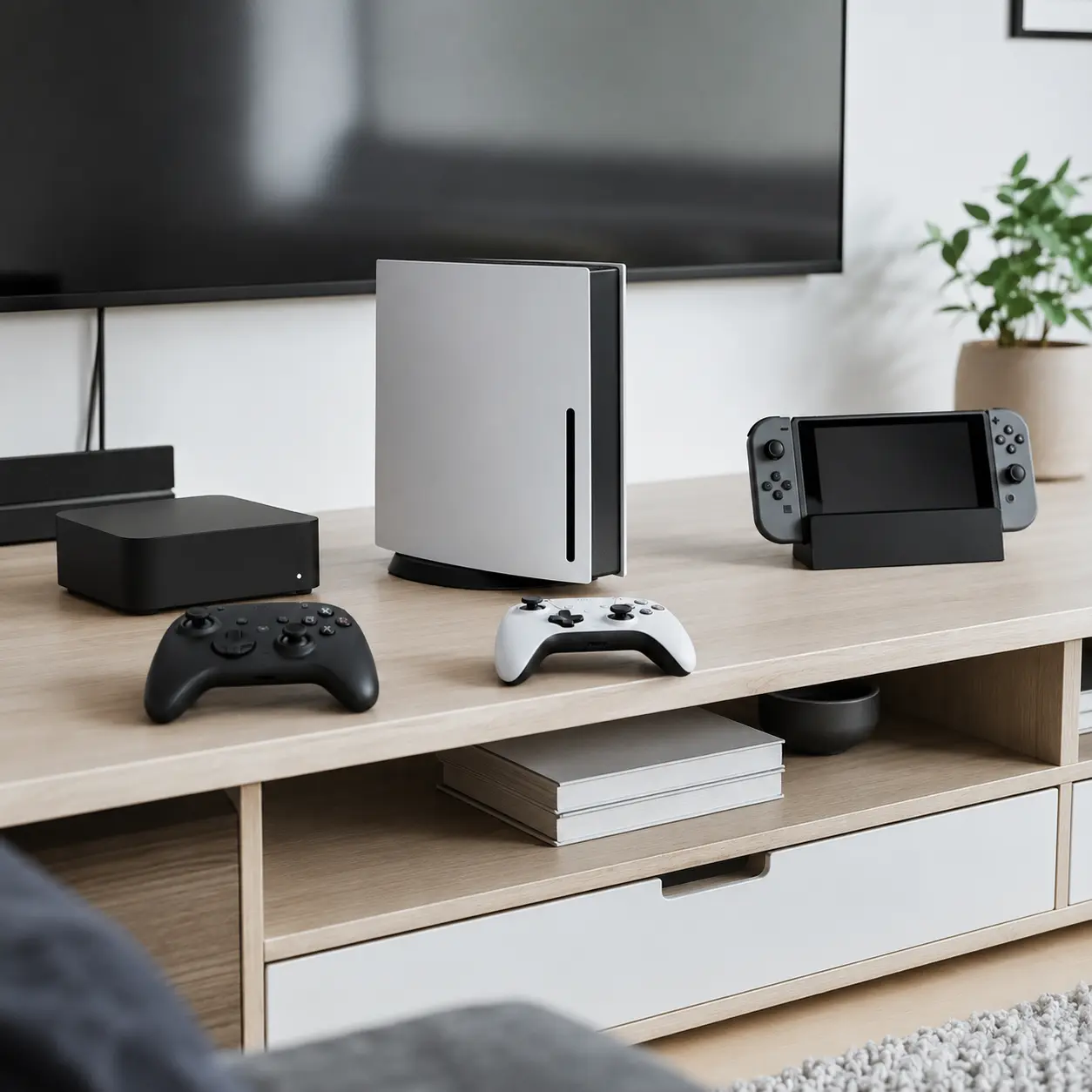
Standard Home Consoles
Standard home consoles connect to a television or monitor and are designed for current games, online services and multimedia features.
They can suit regular living room gaming, large screens and multiplayer sessions.
Check storage, disc support and whether the physical size fits the intended space.
Digital Only Consoles
Digital only consoles have no compatible physical game drive.
They can offer a cleaner, convenient setup for buyers who download all their games. They may also cost less than disc equipped versions.
The trade off is complete dependence on digital stores, account access and internet downloads.
Disc Based Consoles
Disc based consoles support compatible physical games and may also download digital titles.
They can suit buyers who collect, share or buy used games. A disc drive can also provide compatible media playback where listed.
Physical games may still need storage space, updates and online account registration.
Handheld Consoles
Handheld consoles include their own screen, battery and controls.
They suit travel, portable play and households where the main television is often occupied.
Check battery information, screen size, weight, storage and whether controls can be replaced or repaired.
Hybrid Consoles
Hybrid consoles can operate as handheld devices and connect to a television through a dock or compatible accessory.
They provide flexibility for individual and family use. Performance, resolution and controller arrangements may differ between portable and television modes.
Check what dock, cables and controller parts are included.
Compact And Family Consoles
Some consoles prioritise simple controls, family games or compact design rather than maximum performance.
They may suit younger players, casual gaming and shared living spaces.
Check available games, storage and online service support before buying.
Retro Consoles
Retro consoles are designed to play older or classic style games.
Some include games internally, while others use cartridges, downloads or emulation platforms. Controller and display support can vary.
Check which games are legally included and whether more can be added.
Cloud Gaming Devices
Cloud gaming devices stream games from remote servers rather than running the complete game locally.
They require a fast, stable internet connection and a compatible subscription. Image quality and responsiveness can be affected by network conditions.
Check service availability, game catalogue and controller compatibility before buying.
Current Generation Consoles
Current generation consoles generally receive the newest major games and active platform support.
They may provide faster storage, improved graphics and newer controller features compared with older systems.
However, game availability and performance still vary by title.
Previous Generation Consoles
An older console may cost less and offer a large established library.
The trade offs can include reduced access to new releases, slower performance and an approaching end to software or online support.
Check whether important games and services remain available.
Refurbished And Pre Owned Consoles
Refurbished or used consoles can offer a lower purchase price.
Check:
- Cosmetic and working condition
- Controller wear
- Disc drive operation
- Storage capacity
- Account removal
- Power and display cables
- Warranty information
- Previous repairs
- Online service restrictions
A console should be reset and free from the previous owner’s accounts.
Suitability By Buyer Type Or Need
| Buyer Type Or Need | What To Prioritise | What To Be Careful About |
|---|---|---|
| Family gaming | Local multiplayer, parental controls and family titles | Extra controllers and subscriptions increase cost |
| Competitive gaming | Performance, low latency display and online service | Check friends’ platforms and cross play |
| Casual player | Simple setup and suitable game library | Avoid paying for features you will not use |
| Young child | Age appropriate games, robust controls and parental settings | Manage online contact and purchases |
| Teenager | Multiplayer, game library and friend compatibility | Set clear purchase and communication controls |
| Traveller | Handheld design, battery and protective case | Check storage and charging access |
| Living room use | Quiet operation, media features and controller range | Measure shelf space and ventilation |
| Physical game collector | Disc or cartridge support | Digital only consoles cannot use physical games |
| Digital buyer | Storage and strong internet connection | Games normally remain tied to the account |
| Retro gaming | Classic game library and suitable controllers | Check included games and display compatibility |
| Accessibility needs | Remapping, adaptive controls and interface options | Features vary by game as well as console |
| Shared household | User profiles, storage and family controls | Check how digital games are shared between accounts |
Common Mistakes And Misunderstandings
Choosing A Console Before Checking The Games
Hardware specifications mean little if the console does not have the games you want.
Create a game shortlist first, then compare the systems that support it.
Buying A Digital Only Console By Accident
Digital and disc versions can look similar.
Check the exact model before buying, particularly if you own physical games or want to buy pre owned titles.
Assuming Every Game Is Included
A console bundle may include one game, a download code, a trial or no game at all.
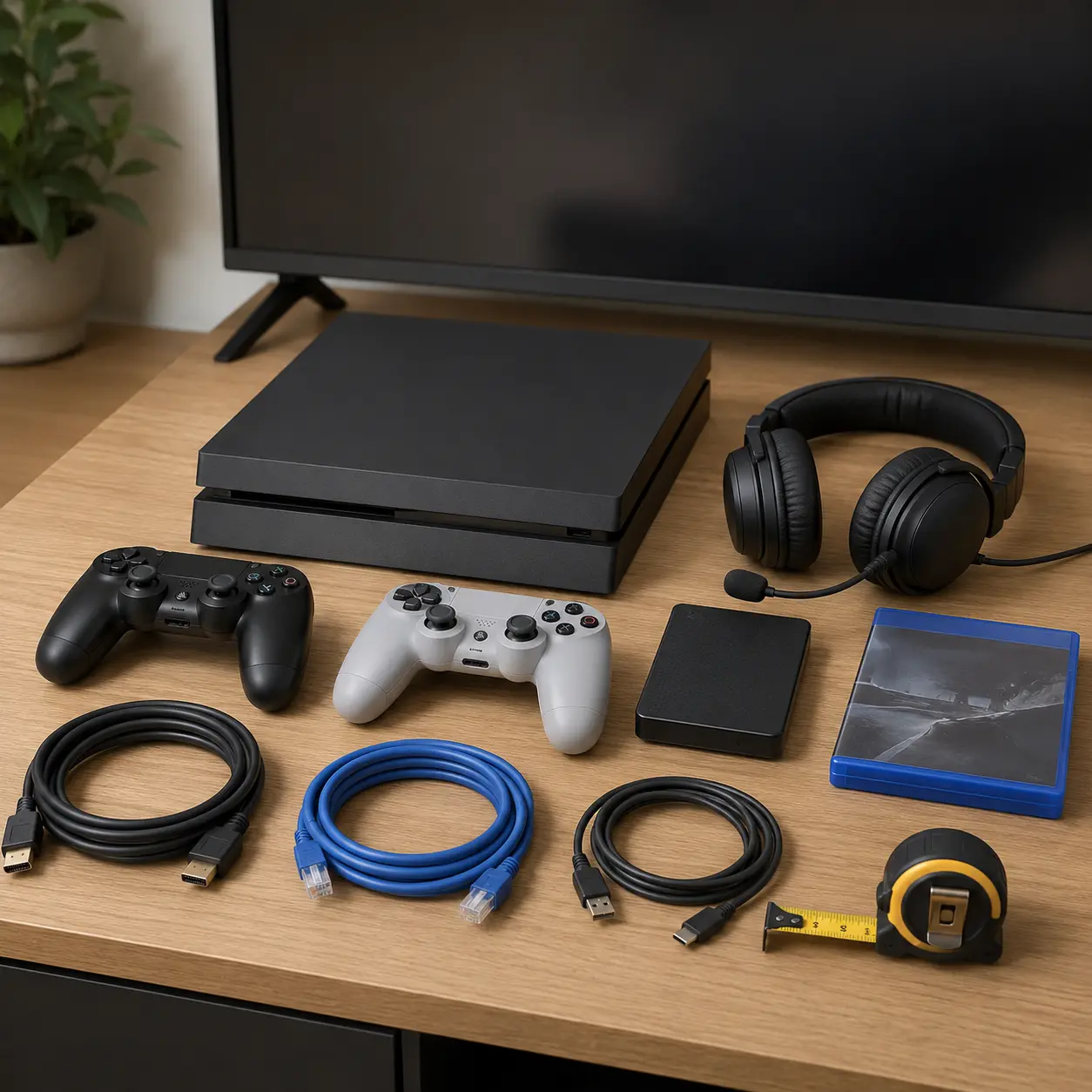
Read the included items carefully. Product photographs can show games that are sold separately.
Ignoring The Cost Of Online Play
The console price may not include online multiplayer access.
Check membership requirements and renewal costs before comparing the total price of different systems.
Underestimating Storage Needs
Large games and updates can fill internal storage quickly.
Check usable space and approved expansion options. A cheaper console may become more expensive if storage needs upgrading immediately.
Assuming Physical Games Use No Storage
Many disc and cartridge games still install data to internal storage and download updates.
Physical ownership does not remove the need for adequate storage.
Buying The Wrong Extra Controller
Controllers can be specific to a console generation or model.
Check compatibility before buying. Older controllers may work only with selected games or modes.
Forgetting The Television Requirements
A console may connect to an older television but not provide every advertised visual feature.
Check HDMI compatibility, resolution and refresh support if high performance display features matter.
Assuming Cross Play Is Universal
Cross platform multiplayer depends on the individual game.
Check the title itself rather than assuming all games allow friends on different consoles to play together.
Ignoring Parental Controls
Setting up an adult account for a child can expose unrestricted communication, purchases and unsuitable content.
Create the correct profile type and review privacy settings before use.
Leaving Payment Details Unprotected
Linked payment cards can enable accidental or unauthorised purchases.
Require account passwords or approval for transactions, especially on shared consoles.
Buying Used Without Checking Account Status
A used console should not be sold as including digital games tied to another person’s account unless the arrangement is legitimate and transferable.
Digital purchases normally belong to the account holder rather than the physical console.
Blocking The Air Vents
Consoles need clear airflow.
Avoid enclosed cupboards, soft flooring and stacking equipment directly against the vents.
Assuming All Accessories Are Included
Headsets, charging docks, storage cards, stands, camera accessories and extra controllers may be shown but sold separately.
Confirm the box contents before ordering.
Safety And Suitability Caveats
Use the console and accessories according to the manufacturer instructions.
Place a home console on a stable surface and leave suitable clearance around ventilation openings. Keep it away from liquids, heaters and direct sunlight.
Use compatible power cables, chargers, docks and storage products. Stop using accessories with damaged cables, swollen batteries, cracked plugs or signs of overheating.
Use controller wrist straps where supplied for motion games. Clear the play area and supervise children.
Take regular breaks, sit at a suitable distance from the screen and follow any health warnings shown by the console or game.
Online communication can expose players to strangers. Use privacy controls, reporting tools and child account protections where appropriate.
Maintenance, Storage And Lifespan Considerations
Keep the console, controllers and ventilation openings free from excessive dust according to the manufacturer guidance.
Do not insert unsuitable objects or use excessive moisture when cleaning. Disconnect the console before moving or cleaning it where advised.
Keep system software and games updated. Updates may improve security, stability and compatibility.
Controller batteries and analogue sticks can wear over time. Protective cases are particularly useful for handheld systems.
Console lifespan depends on cooling, usage, storage conditions, software support and future game requirements. A console may continue working after new releases begin to move to newer hardware.
How To Compare Models Efficiently
- List the games you most want to play.
- Check which consoles support those games.
- Confirm whether friends use the same platform.
- Decide between home, handheld and hybrid play.
- Choose physical, digital or mixed game ownership.
- Check usable storage and expansion options.
- Review television or monitor compatibility.
- Check online multiplayer subscription requirements.
- Confirm how many controllers are included.
- Calculate the cost of extra controllers and accessories.
- Review backwards compatibility.
- Check parental controls and accessibility features.
- Confirm WiFi, Ethernet and headset compatibility.
- Measure the intended console space and ventilation clearance.
- Check exactly what is included in the box.
- Read the individual product page before buying.
Summary Buyer Decision Checklist
| Buying Check | Why It Matters |
|---|---|
| Preferred games | Determines the most suitable platform |
| Friends’ consoles | Affects online multiplayer |
| Console type | Defines home, handheld or hybrid use |
| Physical or digital games | Affects ownership and buying options |
| Disc drive | Required for compatible physical discs |
| Usable storage | Determines how many games can remain installed |
| Storage expansion | Helps manage a growing library |
| Display support | Affects picture quality and compatibility |
| Online subscription | Adds ongoing cost |
| Controller inclusion | Determines local multiplayer readiness |
| Extra accessories | Affect the full setup cost |
| Backwards compatibility | May preserve an existing game library |
| Parental controls | Help manage children’s access and spending |
| Accessibility | Supports individual playing requirements |
| Internet connection | Affects downloads, streaming and multiplayer |
| Console dimensions | Determine placement |
| Ventilation | Supports reliable cooling |
| Account ecosystem | Controls purchases, saves and subscriptions |
| Box contents | Confirms what is actually supplied |
| Product page details | Confirm the exact console version |
Frequently Asked Questions
A games console is a device designed primarily for playing video games. It may connect to a television, include its own screen or support both home and portable play.
Choose the console that supports the games you want, the people you play with and your preferred way of playing. Consider the game library before comparing technical specifications.
A digital console downloads games through an online store and cannot use compatible physical discs. A disc console can usually use both supported physical and digital games.
Not always. Some are sold as bundles with a game or download code, while others include only the console and standard accessories. Check the box contents.
Many paid console games require a platform subscription for online multiplayer. Requirements vary by game and service.
This depends on the size and number of games you want installed. Modern titles and updates can use substantial space, so check usable capacity and expansion options.
Many consoles support approved internal or external storage, but compatibility and functions vary. Check the exact console requirements before buying a drive or memory card.
Some support selected games from earlier generations. Compatibility varies by console, game, disc and digital licence.
Some games support cross platform multiplayer, but not all do. Check the individual game’s current features.
Some handheld or hybrid systems support television output through a dock or compatible connection. Others are portable only.
This varies. Many home consoles include one controller, while hybrid systems may use detachable controls. Check the included items before buying.
A child profile is recommended. It allows parents to manage age restrictions, communication, purchases and playtime without giving the child access to an unrestricted adult account.
A console offers a simpler, standardised gaming experience. A gaming PC may offer greater component flexibility, broader software support and more upgrade options. The better choice depends on your games, budget and preferred setup.
Many work with monitors that have a compatible HDMI input. Audio support, resolution and refresh features should also be checked.
Check the available games, console type, disc support, storage, online subscription, controllers, display compatibility, backwards compatibility, parental controls, accessibility features and included accessories.