

All In One Printers
All In One Printers are designed to combine several useful functions in one device, often including printing, scanning and copying, with fax features included on some models where listed. They are useful for home offices, family use, school work, small businesses, study spaces and everyday document handling.
The right all in one printer should match what you need to print, how often you print and which devices you want to connect. Print type, ink or toner system, wireless support, paper handling, scan features, running costs and compatibility are all worth checking carefully before buying.
- All In One Printers
HP Officejet Pro 9132E All-In-One Printer, Colour, 404M5B#686
£288.62 *View On Amazon* - All In One Printers
KYOCERA ECOSYS MA4000wfx Wireless B/W All-in-One Laser Printer
£1,023.77 *View On Amazon* - All In One Printers
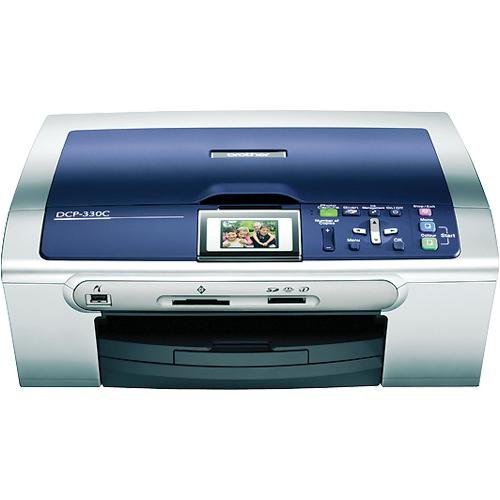
Brother DCP-330c Colour Inkjet Flatbed All-in-One Printer
£178.32 *View On Amazon* - All In One Printers
HP ENVY J6U67A 5546 All-in-One Inkjet Printer with WiFi/USB
£194.99 *View On Amazon* - All In One Printers
Epson WorkForce Pro WF-4820DWF A4 Multifunction Wireless Inkjet Printer & LIFOR 545 and 546 XL Replacement Ink Cartridges
Original price was: £209.98.£161.87Current price is: £161.87. *View On Amazon* - All In One Printers
RICOH 132 MF Compact Black & White Duplex Laser All-in-One Printer 34ppm
£144.47 *View On Amazon* - All In One Printers
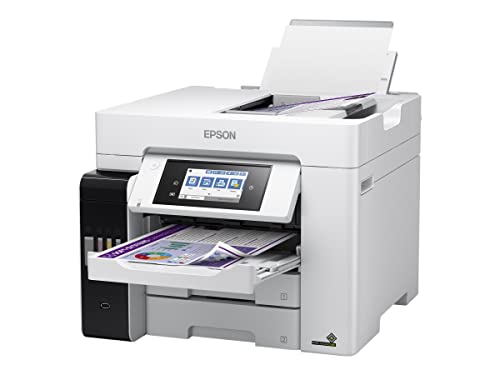
Epson EcoTank C11CJ63405 Multifunction Printer, 5760 x 1440 DPI, 33 ppm, Wi-Fi
£442.09 *View On Amazon* - All In One Printers
Xerox C325dni Wireless A4 Colour Laser All in One Multifunction Printer
£419.93 *View On Amazon* - All In One Printers
Samsung SL-M2070FW Multifunction Printer with Fax and Ethernet
£2,460.00 *View On Amazon* - All In One Printers
ALL-IN-ONE A4 4-in-1 Inkjet Multifunction Printer with Wirel
£260.57 *View On Amazon* - All In One Printers
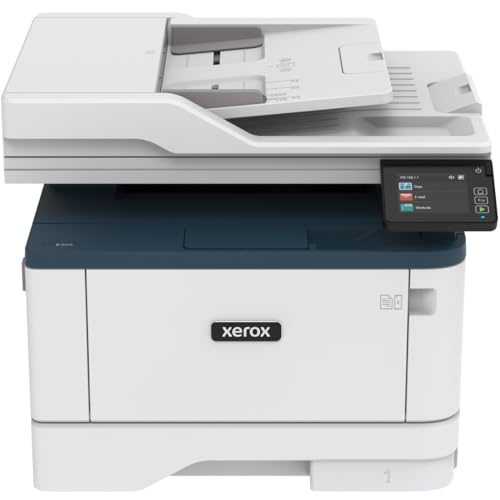
Xerox B305dni A4 Wireless Monochrome Laser Multifunction Printer with Duplex Printing
£222.43 *View On Amazon*





What Are All In One Printers?
All In One Printers are multifunction printers that bring multiple document tasks into a single machine. Instead of using separate equipment for printing, scanning and copying, an all in one printer can handle several common jobs from one setup, depending on the product.
Products in this category may include inkjet all in one printers, laser all in one printers, wireless printers, colour printers, mono printers, photo capable printers, office printers and compact home printers where listed.
Some models are better suited to occasional home printing, while others are designed for more regular office use. Features vary widely, so it is important to compare each product description carefully.
What Are All In One Printers Used For?
All In One Printers are used for printing documents, scanning paperwork, copying forms, printing homework, handling invoices, producing letters, making labels, scanning receipts and managing everyday admin.
For families, they can be useful for school projects, forms, tickets, worksheets and occasional photo printing where suitable. For home offices, they can help with contracts, returns paperwork, invoices and scanning documents. For small businesses, they can support regular document handling without needing several separate devices.
They are also useful when desk space is limited, because one machine can cover several basic office functions.
How To Choose The Right All In One Printer
Start by deciding whether you need inkjet or laser printing. Inkjet printers are often chosen for colour documents, occasional photo use and general home printing where suitable. Laser printers are often chosen for sharp text, frequent document printing and office style use, depending on the model.
Next, think about print volume. If you print only occasionally, a compact all in one printer may be enough. If you print regularly for work or business, compare paper capacity, cartridge type, toner or ink costs, speed information where listed and duty guidance where stated.
Connectivity is also important. Some printers may support USB, WiFi, Ethernet, mobile printing or app based setup where listed. Make sure the printer works with your computer, phone, tablet or network before buying.
Also check the scanning features. A flatbed scanner can be useful for single pages, photos and delicate documents. An automatic document feeder where listed can be helpful if you regularly scan or copy multiple pages.
Key Features To Compare
When comparing All In One Printers, look at print technology, colour or mono output, wireless support, scan type, copy functions, paper tray capacity, duplex printing where listed, cartridge or toner system and operating system compatibility.
Print quality needs depend on the task. Text documents, colour charts, photos, shipping labels and school work may all need different features. Do not assume every all in one printer is equally suited to every job.
Running costs are worth considering. Ink and toner prices, cartridge yield information where listed and replacement availability can all affect long term value. A cheaper printer may not always be cheaper to run.
Paper handling also matters. Check supported paper sizes, tray capacity, rear feed options and envelope or photo paper compatibility where listed. If you need double sided printing, check whether automatic duplex printing is included.
All In One Printers Compared With Single Function Printers And Scanners
An all in one printer is useful when you need printing, scanning and copying in one device. It can save space and simplify everyday document tasks.
A single function printer may be suitable if you only need to print and never scan or copy. It can be simpler, but it may be less flexible for admin and home office tasks.
A standalone scanner may be better for specialist scanning needs, such as high volume archiving or detailed image scanning, depending on the product. For most everyday users, the scanner in an all in one printer can be more convenient where suitable.
The best choice depends on whether you need one function, several functions or a more specialist setup.
Guidance For Beginner Regular And Experienced Users
Beginners should choose an all in one printer that is easy to set up, clearly compatible with their devices and suited to simple printing, scanning and copying. Straightforward controls and wireless setup where listed can make daily use easier.
Regular users should compare running costs, paper handling, replacement ink or toner availability and scan features more carefully. A printer used every week needs to be practical beyond the first setup.
Experienced users may look more closely at network features, duplex printing, feeder capacity, printer languages, mobile app support, driver availability, scan resolution where listed and integration with office workflows.
Use Cases By Home Office And Business Setup
For home use, an all in one printer can handle school forms, recipes, tickets, letters, crafts and occasional scans. Compact size and simple wireless printing may be useful.
For home offices, document printing, scanning, copying and mobile printing can make everyday admin easier. Duplex printing and automatic document feeding where listed may save time.
For small businesses, a reliable all in one printer can support invoices, forms, delivery notes, receipts and customer paperwork. Running costs and paper capacity may matter more than appearance.
For students, a printer with easy laptop and phone compatibility can be useful for assignments, notes and scanning documents.
For photo and craft use, check whether the printer is suitable for photo paper, colour output and the paper types you need where listed.
For shared households, wireless printing and simple controls can help several users connect from different devices where compatible.
Fit Compatibility And Setup Checks
Before buying an all in one printer, check the space available. Printers need enough room for paper trays, lids, output areas, cables and ventilation. A printer may fit on a desk, but it still needs space to open and operate properly.
Check device compatibility. Make sure the printer supports your computer operating system, phone, tablet or network setup where listed. Some printers may need apps, drivers or online accounts depending on the model.
If using WiFi, consider where the printer will sit in relation to the router. Weak wireless signal can affect setup and printing reliability. USB or Ethernet connections where supported may be useful for more fixed setups.
Check what is included in the box. Ink, toner, cables, software and setup accessories can vary by product. Do not assume everything is included unless stated.
Ink Toner Paper And Running Costs
Running costs can be one of the most important parts of choosing an all in one printer. Check the ink or toner type, replacement availability and cartridge information where listed.
Inkjet printers may use cartridges, refillable tanks or other ink systems depending on the product. Laser printers use toner cartridges. Each system has different strengths, costs and maintenance needs.
Paper choice also matters. Standard document paper, photo paper, envelopes, labels and thicker media may not all be supported by every printer. Check paper compatibility before buying for specialist use.
If you print rarely, think about maintenance and ink drying concerns where relevant to the product type. If you print often, capacity, speed and replacement costs become more important.
Safety Care Maintenance And Storage
Set up printers on a stable, level surface where paper can feed correctly. Keep vents clear and avoid placing the printer near heat, moisture or areas where drinks may spill.
Follow the product instructions for installing ink, toner, paper and software. Do not force trays, scanner lids or cartridges if they do not fit easily.
Keep the printer clean and free from dust. Paper dust, loose labels or poor quality media can sometimes cause feed issues. Use suitable paper and store it dry and flat.
If the printer has ink or toner cartridges, handle them carefully and follow disposal or recycling guidance where provided. Keep supplies away from young children and avoid touching toner or ink unnecessarily.
For long periods without use, follow the product guidance. Some printers may need occasional use or maintenance cycles depending on the technology.
Useful Accessories To Consider
Useful accessories can include printer paper, photo paper, ink cartridges, toner cartridges, USB printer cables, Ethernet cables, spare paper trays where compatible, desk organisers, cable clips and document storage folders.
For home offices, a paper organiser, filing box and replacement ink or toner can help keep printing tasks running smoothly. For students, printer paper, folders and a simple USB cable where compatible may be useful.
For business use, consider labels, envelopes, receipt storage, document folders and backup supplies where suitable.
Why Buy All In One Printers From YPC?
At YPC, we understand active lifestyles and the need for practical products that work in real use. All In One Printers can vary by print type, scan features, running costs, connectivity, paper handling, size and device compatibility, so comparing the details helps you choose with more confidence.
YPC helps you browse computer and office technology with real everyday needs in mind, whether you are buying for home printing, study, remote working, family admin, small business use or document scanning. Explore the All In One Printers category to browse the available options and compare the features that matter most for your setup.
FAQs
What is an all in one printer?
An all in one printer is a multifunction printer that usually combines printing, scanning and copying in one device. Some models may also include fax features where listed.
What should I look for in an all in one printer?
Look for print type, colour or mono output, scan features, wireless support, paper handling, running costs, ink or toner type, device compatibility and what is included in the box.
Is inkjet or laser better for an all in one printer?
It depends on your use. Inkjet printers may suit colour documents and occasional photo use where suitable, while laser printers are often chosen for regular text documents and office style printing.
Do all in one printers work with phones?
Some all in one printers support mobile printing through WiFi, apps or compatible services where listed. Check the product description and device compatibility before buying.
Can all in one printers scan documents?
Yes, scanning is usually one of the main functions of an all in one printer, but scan features vary. Some have flatbed scanners, while others may include automatic document feeders where listed.
Are all in one printers good for home offices?
Yes, they can be useful for home offices because they combine printing, scanning and copying in one device. Check running costs, wireless support and paper handling if you print often.
Do all in one printers print photos?
Some all in one printers may be suitable for photo printing where listed, especially certain inkjet models. Check paper compatibility, colour support and product details before buying for photos.
Do printers come with ink or toner?
Some printers may include starter ink or toner where listed, while others may vary by bundle. Always check the product details before buying.
What does duplex printing mean?
Duplex printing means printing on both sides of the paper. Some printers support automatic duplex printing where listed, while others may require manual paper turning.
How do I look after an all in one printer?
Keep it clean, use suitable paper, follow the setup and maintenance instructions, replace ink or toner as directed and store paper and supplies in a dry place.
Find out more with our All In One Printer Buyers Guide.
 Getting ready for Summer? View our Home and Garden Products

Heading outdoors this winter? Take a look at our Outdoor Clothing.
