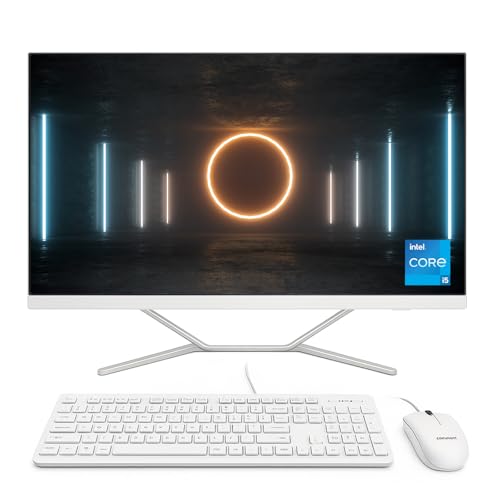
A Classic iMac for Everyday Productivity
The 2017 Apple iMac (Renewed) continues Apple’s tradition of sleek, all-in-one design while delivering a solid performance for day-to-day computing. Its 21.5-inch Full HD display ensures crisp visuals for work, study, or entertainment, while the slim aluminium enclosure keeps your setup elegant and clutter-free.
Powered by a 2.3GHz dual-core Intel Core i5 processor, this iMac is well-suited for web browsing, document work, video streaming, and light creative tasks. Paired with 8GB of RAM and a 1TB HDD, it balances multitasking capability with ample storage for documents, photos, and applications.
As part of Apple’s ecosystem, the iMac integrates seamlessly with iPhone, iPad, and iCloud, providing continuity across all your devices. Renewed and tested for reliability, it also comes with a warranty for peace of mind.
Pros and Cons
Pros:
Elegant 21.5-inch all-in-one design
Full HD display with excellent colour accuracy
macOS ecosystem integration with iCloud and Apple devices
1TB HDD offers large storage capacity
Renewed and backed by warranty
Cons:
HDD storage is slower than SSDs or Fusion Drives
8GB RAM is the minimum for macOS, may limit heavier workloads
Dual-core CPU is not suited for demanding creative tasks
Not a Retina 4K display
What This Product Is Used For
The 2017 iMac is best for students, families, and professionals needing a reliable desktop for productivity, video calls, browsing, and entertainment. It’s not aimed at heavy creative work but is excellent for general use in a stylish package.
Why We Like This Product (YPC Team Review)
At YPC, we used the 2017 iMac in our front office setup. The build quality felt as premium as newer Macs, and the macOS integration made it ideal for our team members already using iPhones. While the HDD felt slower compared to SSD systems, for general admin and browsing it worked flawlessly. For buyers looking to own an iMac at a fraction of the cost of newer models, this renewed option is compelling.
Alternatives Worth Considering
Apple iMac 21.5-inch (Late 2015, Renewed) – Cheaper, with similar HDD limitations but upgraded RAM options.
Apple iMac 21.5-inch (2019, Renewed) – Adds Retina 4K and Radeon graphics for sharper visuals.
Apple iMac 24-inch (M3, 2023) – Apple Silicon with vastly superior performance and Retina 4.5K display.
Tips on How to Use Correctly
Consider replacing the HDD with an SSD for faster responsiveness.
Keep macOS updated to the latest version supported by this model.
Use iCloud to manage files across Apple devices.
Add external storage if working with large media libraries.
Comparisons with Alternatives
Compared to the 2015 iMac, this 2017 model offers a newer processor and better energy efficiency, though still limited by HDD speed.
Against the 2019 Retina iMac, it’s more affordable but lacks the 4K screen and Radeon graphics.
Relative to the 2023 iMac (M3), it’s far less powerful but dramatically cheaper for basic computing needs.
Full Technical Specification
Display: 21.5-inch Full HD (1920 × 1080), IPS panel
Processor: Intel Core i5-7360U, 2.3GHz dual-core (Turbo Boost up to 3.6GHz)
Graphics: Intel Iris Plus Graphics 640
Memory: 8GB RAM (upgradeable)
Storage: 1TB HDD
Connectivity: 4 × USB 3.0, 2 × Thunderbolt 3 (USB-C), SDXC card slot, Gigabit Ethernet
Wireless: 802.11ac Wi-Fi, Bluetooth 4.2
Camera: FaceTime HD webcam
Audio: Stereo speakers, 3.5mm headphone jack
Operating System: macOS (upgradeable to macOS Ventura)
Colour: Silver (aluminium enclosure)
Dimensions: 45.0 × 52.8 × 17.5 cm (with stand)
Weight: 20.2 pounds (approx. 9.2kg)
Warranty: Renewed warranty (check seller details)
FAQs
Q1: Is this iMac Retina?
No, it features a 21.5-inch Full HD display, not a Retina 4K panel.
Q2: Can I upgrade the storage?
Yes, upgrading to an SSD is highly recommended for better performance.
Q3: What operating system does it run?
It ships with macOS and supports upgrades to macOS Ventura.
Q4: How much RAM is included?
8GB of RAM, suitable for everyday use but upgradeable.
Q5: Is this suitable for gaming?
It can handle casual games but is not designed for AAA titles.
Q6: Does it come with Apple accessories?
Renewed models may or may not include Magic Keyboard and Magic Mouse (check seller).
Q7: Is it good for video calls?
Yes, it has a FaceTime HD webcam for clear conferencing.
Q8: Can I use this iMac with external monitors?
Yes, via Thunderbolt 3 ports.
Q9: What warranty is included?
It comes with a renewed warranty (typically 12 months).
Q10: Who should buy this model?
Anyone wanting a budget-friendly entry into Apple’s ecosystem for general productivity and multimedia use.
Buyer’s Guide – YPC Recommendation:
The 2017 Apple iMac (Renewed) is a smart buy for those who want Apple’s design, macOS experience, and a Full HD display without the cost of newer iMacs. While its HDD limits speed, the value and ecosystem integration make it ideal for students, home offices, and light professional work.
Looking for more options?
Browse our full range of All In One PC's for other great choices to suit your space, goals, and budget.