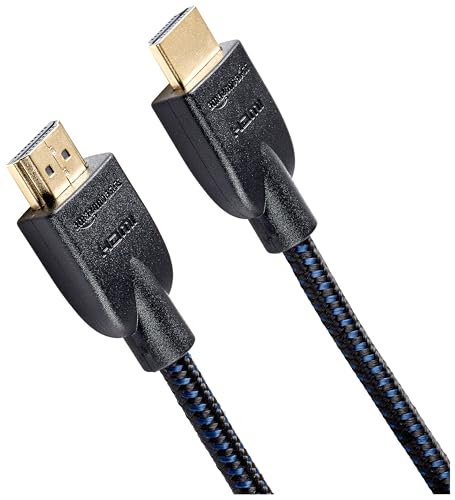
Quick Summary
This is a 1.8 m USB C to DisplayPort 1.4 cable for connecting USB C or Thunderbolt 3/4 devices to DisplayPort monitors. The stated cable performance includes 32.4Gbps, with support for 8K@60Hz and 4K@240Hz.
It is described as bidirectional, so it can be used for USB C to DisplayPort or DisplayPort to USB C connectivity. The cable is also described as having a secure-latch DP connector and low-profile USB-C ends.
Key Details
| Detail | Verified information and buyer relevance |
|---|---|
| Type | USB C to DisplayPort 1.4 cable for display connections. |
| Length | 1.8 m, which helps when planning the distance between a device and a monitor. |
| Stated throughput | 32.4Gbps, a key figure for buyers comparing display cable capability. |
| Video support | 8K@60Hz and 4K@240Hz are stated support levels. |
| Connectivity direction | Bidirectional, with USB C to DisplayPort and DisplayPort to USB C use described. |
| Connector notes | Secure-latch DP connector and low-profile USB-C ends are stated. |
What to Compare Before Buying
- Connection type: This cable is for USB C, Thunderbolt 3/4 and DisplayPort connections. Check that your device and display use the right ports for the connection you want.
- Length: The cable is 1.8 m long. Compare that with the space between your device and monitor.
- Video requirement: The stated video support is 8K@60Hz and 4K@240Hz. Check the resolution and refresh rate you need for your setup.
- Direction of use: Bidirectional use is stated. Confirm which connection direction you plan to use before choosing an offer.
Compatibility, Size and Fit
The product is described for MacBook, Dell XPS, iPhone 15 and other USB C or Thunderbolt 3/4 enabled devices. It is also intended for DisplayPort monitors.
Check the exact port type on both devices before buying. For a display connection, the important point is matching the source device, the display input and the direction you want to use.
Before You Decide
Confirm that your device has USB C or Thunderbolt 3/4 and that your monitor has DisplayPort. Check whether 1.8 m is the right length for your setup, and make sure the chosen connection direction matches how you plan to use the cable.