


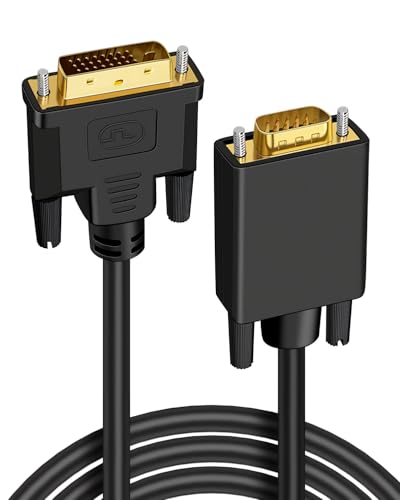

Quick Summary
This Amazon Basics DisplayPort 1.2 cable is a 1.8 m black DisplayPort to DisplayPort cable for connecting a computer to a display. It is described as a high-speed cable with 21.6 Gbps bandwidth and support for video resolutions up to 4K@60Hz and 2K@165Hz.
The cable also has gold-plated plugs and is stated to work with DP, DP++, and DisplayPort++.
Key Details
| Detail | Verified information and buyer relevance |
|---|---|
| Brand | Amazon Basics. Useful for matching the product family you want. |
| Product type | DisplayPort to DisplayPort cable. Check this suits your display connection. |
| Version | DisplayPort 1.2. Compare this with the input and output standard you need. |
| Bandwidth | 21.6 Gbps. A key figure for matching the cable to your display setup. |
| Length | 1.8 m. Check the run between your devices before buying. |
| Colour | Black. |
| Plugs | Gold-plated plugs. |
| Compatibility | Works with DP, DP++, and DisplayPort++. |
| Supported resolutions | Up to 4K@60Hz and 2K@165Hz. |
What to Compare Before Buying
- Connection type: This is a DisplayPort to DisplayPort cable, so compare both ends of your equipment before choosing.
- Length: The cable is 1.8 m long, so make sure that suits the distance between your devices.
- Version and bandwidth: It is stated as DisplayPort 1.2 with 21.6 Gbps bandwidth, which matters if you need a specific display standard.
- Resolution support: The stated support reaches 4K@60Hz and 2K@165Hz, so compare that with your monitor or graphics setup.
- Compatibility: It is stated to work with DP, DP++, and DisplayPort++, so confirm your equipment matches that connection type.
Who This Product May Suit
This cable may suit buyers who need a 1.8 m DisplayPort link between a computer and a display, especially where the stated 4K@60Hz or 2K@165Hz support matters. It is relevant if you want a straightforward DisplayPort to DisplayPort cable in black with gold-plated plugs.
Before You Decide
Confirm that both devices use DisplayPort, check that 1.8 m is the right length for your setup, and make sure the stated resolution support matches your display needs. If you need a different connector type or a longer run, compare those details before choosing an offer.


