



Quick Summary
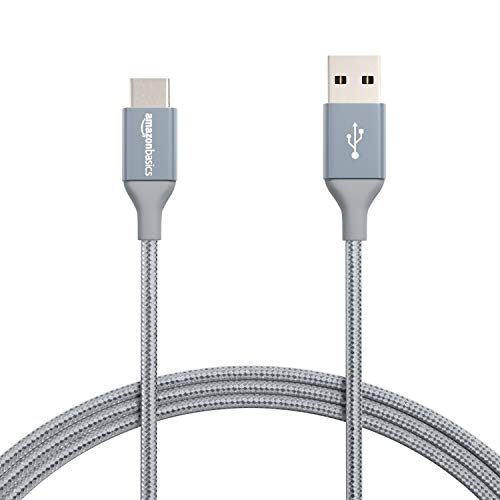
The Amazon Basics USB-C to USB-A 2.0 Fast Charger Cable is a 1.82 m cable for charging and data transfer between USB-C and standard USB-A devices. It is described as USB-IF certified and supports up to 480 Mbps data transfer.
The cable is listed in dark grey and uses a nylon braided cord. The stated charging figure is up to 15W (5V/3A), so it is worth checking that this matches the device and charging setup you plan to use.
Key Details
| Detail | Verified information and buyer relevance |
|---|---|
| Brand | Amazon Basics. Useful for identifying the exact cable range. |
| Product type | USB-C to USB-A 2.0 cable for charging and data transfer. |
| Length | 1.82 m. Check that the reach suits your desk, bedside or travel setup. |
| Colour | Dark grey. |
| Data speed | Up to 480 Mbps. Compare this with how quickly you want to move files, photos and music. |
| Charging figure | Up to 15W (5V/3A). Match this with the charging needs of your device and charger. |
| Certification | USB-IF certified. |
| Construction | Nylon braided cord. |
What to Compare Before Buying
- Connection type: This is a USB-C to USB-A cable, so both ends need to suit your device and charger or computer.
- Length: The cable is 1.82 m long, which affects where you can place the device while it is connected.
- Charging need: The stated charging figure is up to 15W (5V/3A), so compare that with the level of charging you expect.
- Data use: Up to 480 Mbps suits everyday syncing and transfers where USB 2.0 speed is enough.
- Finish: The nylon braided cord and dark grey colour may matter if you want a particular look or cable style.
What Else You May Need
You will need a compatible USB-C device and a USB-A port or charger for the cable to be useful. If you plan to charge a phone in a case, check whether the case needs to be removed for your device setup.
Before You Decide
Confirm that USB-C to USB-A is the connection you need, then check the 1.82 m length against your space. Also match the stated 15W charging figure and 480 Mbps data speed to how you plan to use the cable.


