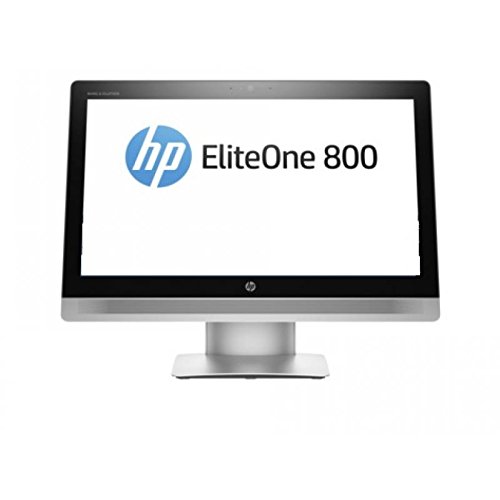
What This All in One PC Is Used For
The ASUS A3402 is built for users who want a tidy desktop setup with modern performance for everyday productivity. It suits office work, admin tasks, browsing with many tabs open, video conferencing, light creative workloads and general home computing.
With an Intel Core i5 1335U processor and fast PCIe Gen 4 storage, it delivers quick boot times and responsive application loading, making it ideal for people who want efficiency without a bulky tower PC.
Why We Like This Product (Reviewed by the YPC Team)
At our activity centre at YPC, machines like this are exactly what we look for when kitting out reception desks and back office systems. The ASUS A3402 is neat, reliable and fast enough for day to day operational work without drawing attention to itself.
We particularly like how responsive it feels thanks to the Gen 4 SSD. Even with only 8GB of RAM, general tasks remain smooth, and the system stays quiet throughout the working day, which matters in shared environments.
Pros and Cons
Pros
Modern Intel Core i5 1335U processor with strong efficiency
DDR5 memory for improved responsiveness
Fast 512GB PCIe Gen 4 SSD
Clean all in one design with minimal desk footprint
Wi Fi 6E for faster and more stable wireless connectivity
Includes wireless keyboard and mouse
Quiet operation suitable for offices and home workspaces
Cons
8GB RAM may feel limiting for heavy multitaskers
No dedicated graphics for advanced creative or gaming use
Full HD resolution only
Performance and Day to Day Experience
The Intel Core i5 1335U uses a hybrid core design that balances performance and efficiency. For typical workloads such as email, documents, browser based tools and video calls, it feels quick and responsive.
The PCIe Gen 4 SSD plays a big role in the overall experience, keeping boot times short and applications snappy. For users who work mainly in productivity software, performance is more than adequate.
Display and Multimedia Quality
The 23.8 inch Full HD display provides a comfortable workspace for documents, spreadsheets and web browsing. Text is sharp, and screen size is well suited to desk based work without overwhelming smaller spaces.
For video calls and streaming, the display offers consistent colour and brightness, making it a solid everyday panel for business and home use.
Comparisons With Likely Alternatives
Compared with Lenovo IdeaCentre AIO 3 Ryzen models
The Lenovo typically offers more RAM at similar pricing, while the ASUS benefits from strong Intel efficiency and Wi Fi 6E support.
Compared with HP Pavilion All in One 24
The ASUS focuses more on practicality and performance rather than premium styling.
Compared with Apple iMac 24
The iMac delivers a higher resolution display but at a much higher cost and without Windows compatibility.
Alternatives Worth Considering
Lenovo IdeaCentre AIO 3 with 16GB RAM for heavier multitasking
HP Pavilion All in One 24 for a more design led option
A compact desktop PC with a separate monitor if upgrades are important
Tips on How to Use Correctly
Position the screen at eye level to reduce neck strain
If you multitask heavily, consider upgrading the RAM if supported
Use Wi Fi 6E with a compatible router for best network performance
Keep background apps under control to maximise responsiveness
Full Technical Specification
Brand: ASUS
Model: A3402
Form Factor: All in One Desktop PC
Operating System: Windows 11 Home 64 bit
Processor: Intel Core i5 1335U
Cache: 12MB
Memory: 8GB DDR5 SDRAM
Storage: 512GB PCIe Gen 4 SSD
Graphics: Integrated Intel Graphics
Display Size: 23.8 inch
Resolution: 1920 x 1080 Full HD
Panel Type: LCD
Wireless Connectivity: Wi Fi 6E and Bluetooth
Included Accessories: Wireless keyboard and wireless mouse
Frequently Asked Questions
Is this suitable for office work
Yes. It is well suited to office, admin and productivity tasks.
Can it handle multiple applications at once
Yes, though very heavy multitasking may benefit from more RAM.
Is the RAM upgradeable
Upgrade options depend on the specific configuration. Check ASUS documentation before purchase.
Is this good for home working
Yes. It is quiet, compact and reliable for home offices.
Does it support external monitors
Yes, external displays are supported via available ports.
Is it suitable for gaming
Only for light or casual games. It is not designed for modern gaming.
Does it include keyboard and mouse
Yes. Wireless keyboard and mouse are included.
Is Wi Fi fast enough for streaming and video calls
Yes. Wi Fi 6E provides fast and stable connectivity.
Is the screen large enough for spreadsheets
Yes. The 23.8 inch display offers a comfortable working area.
Will it receive future Windows updates
Yes. Windows 11 Home receives ongoing security and feature updates.
Buyer’s Guide
When choosing an all in one PC, focus on processor generation, memory capacity and storage speed. Intel Core i5 systems are ideal for productivity users, while DDR5 memory and PCIe Gen 4 SSDs improve overall responsiveness and longevity.
Looking for more options?
Browse our full range of Computers and Accessories for other great choices to suit your space, goals, and budget.