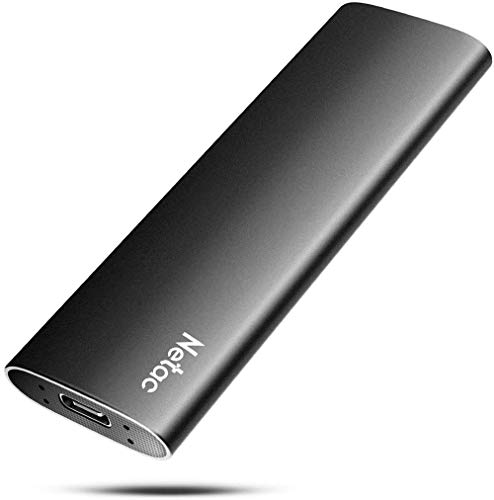
Quick Summary
The AXFEE M.2 NVMe SSD enclosure is a tool-free external enclosure with a USB 3.1 Gen 2 USB-C connection. It supports M key and M+B key SSDs in 2230, 2242, 2260 and 2280 sizes, and the stated transfer speed is up to 10Gbps.
It is designed for users who want an external way to use a compatible M.2 SSD, with plug and play use and no driver installation before use.
Who It Is Best For
This enclosure suits buyers who already have a compatible M.2 SSD and want an external case for use with a USB-C connection. It also suits anyone who wants a compact enclosure that can be assembled without tools.
Check the SSD key type, size and protocol before ordering. The enclosure supports M key and M+B key SSDs, but SATA protocol is not supported.
Key Details
| Detail | Verified information and buyer relevance |
|---|---|
| Brand | AXFEE, which identifies the product line. |
| Product type | M.2 NVMe SSD enclosure for using a compatible SSD externally. |
| Connection | USB 3.1 Gen 2 USB-C connection, with backward compatibility to USB 3.1 Gen 1 and USB 3.0. |
| Supported SSD key types | M key and M+B key, so the SSD must match one of these formats. |
| Supported SSD sizes | 2230, 2242, 2260 and 2280 SSDs. |
| Supported functions | UASP, TRIM and SMART are supported. |
| Transfer speed | Up to 10Gbps, with actual speed dependent on the SSD and USB port type. |
| Setup | Tool-free and plug and play, with no driver installation needed before use. |
| Material | Plastic shell with metal materials. |
| Size | 10.8 x 3.4 x 1.2 cm. |
| Capacity support | Supports up to 2TB SSD. |
| Operating system support | Compatible with Windows, Mac OS, Linux and Android. |
| Indicator | Built-in LED display for operating status. |
Why Buyers Choose It
- Tool-free assembly means the SSD can be inserted and removed without using extra tools.
- USB 3.1 Gen 2 and USB-C provide a modern external connection for a compatible SSD.
- Support for 2230, 2242, 2260 and 2280 sizes gives flexibility across the stated SSD formats.
- The compact 10.8 x 3.4 x 1.2 cm size makes it easier to carry in a bag or pocket.
How It Works
- Check that your SSD is M key or M+B key and matches one of the supported sizes.
- Slide the end cover, insert the SSD, and close the enclosure.
- Connect it through the USB-C interface to a compatible device.
- Use it without driver installation before use.
Real World Use
This enclosure is intended for external SSD use with supported systems such as Windows, Mac OS, Linux and Android. Its compact size makes it straightforward to carry, and the built-in LED display gives a visible operating status check during use.
What To Know Before You Buy
Check that your SSD is M key or M+B key, and confirm the size is 2230, 2242, 2260 or 2280. Make sure your drive uses NVMe PCIe rather than SATA protocol, because SATA is not supported. Also check that your intended device has a suitable USB port type for the connection and speed you want.
Pros: The enclosure is tool-free and supports several M.2 SSD sizes, which makes fit checking more flexible.
Cons: SATA protocol is not supported, so the SSD type needs to be checked carefully before ordering.
Common Buyer Questions
Which SSDs fit this enclosure?
It supports M key and M+B key SSDs in 2230, 2242, 2260 and 2280 sizes.
Does it support SATA SSDs?
No, SATA protocol is not supported.
Do I need tools or drivers?
No tools are required, and no driver installation is needed before use.
What is the maximum stated transfer speed?
The stated transfer speed is up to 10Gbps, depending on the SSD and USB port type.
Final Buying View
This AXFEE enclosure is a straightforward choice if you need a tool-free external case for a compatible M.2 NVMe SSD. The key checks are SSD key type, supported size and NVMe versus SATA protocol, so compare those details with your drive before ordering.