

Quick Summary
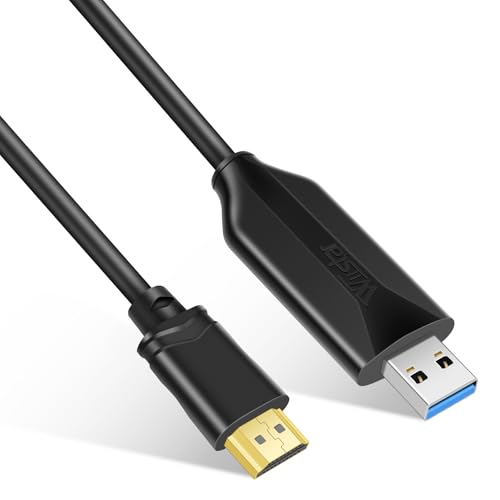
The AXFEE USB 3.0 to HDMI Cable is a 1.5 m adapter cable for sending video and audio from a PC or laptop to an HDMI display such as a monitor, projector, TV or HDTV. It supports 1080P Full HD and is described as compatible with Windows 7/8/8.1/10/11/XP and MacOS.
The cable is also described as supporting extended mode and mirror mode, with no external power supply required. It is stated to work best on a USB 3.0 interface, while USB 2.0 is described as backward compatible but with reduced performance.
Key Details
| Detail | Verified information and buyer relevance |
|---|---|
| Product type | USB 3.0 to HDMI cable for linking a computer to an HDMI display. |
| Length | 1.5 m, which helps with desk and display placement. |
| Resolution | Supports up to 1920 x 1080 at 60 Hz, with 1080P Full HD stated. |
| Compatibility | Listed for Windows 7/8/8.1/10/11/XP and MacOS. |
| Connection type | USB 3.0/2.0 to HDMI male cable. |
| Display modes | Extended mode and mirror mode are stated. |
| Power | No external power supply is required. |
What to Compare Before Buying
- Computer connection: This model uses USB 3.0/2.0 to HDMI. Check that your device has the right USB port and the display has HDMI input.
- Operating system: It is listed for Windows 7/8/8.1/10/11/XP and MacOS. Confirm your system before choosing an offer.
- Display needs: The stated output is up to 1920 x 1080 at 60 Hz. Compare that with the resolution you want to use.
- Cable length: The cable is 1.5 m long. Make sure that reaches comfortably between your computer and screen.
- Use mode: Extended and mirror modes are stated, so check which screen setup you need.
What Else You May Need
A compatible computer with the stated USB port, an HDMI display, and the driver installation described for first use are part of the setup to check before buying.
How It Works
The cable converts video from a PC or laptop into an HDMI signal for a connected screen. The text states that the driver is installed from the computer after connection, and that the driver does not need to be installed again on later use once set up.
It also states that USB 3.0 gives the best results, while USB 2.0 is backward compatible but with reduced performance.
Setup and Correct Use
Connect the adapter to the computer, then install the driver from the computer as described. The text states that some antivirus software may prevent manual driver installation, so installation may need to be allowed temporarily before setup is completed. After installation, the computer should be restarted.
For the stated Full HD output, use the USB 3.0 interface rather than USB 2.0 where possible.
Common Buyer Questions
Does it need external power?
No, it is stated to work without an external power supply.
Can it be used with more than one display mode?
Yes, extended mode and mirror mode are both stated.
What resolution is supported?
The stated maximum is 1920 x 1080 at 60 Hz.
Before You Decide
Check that your computer has a suitable USB port, your display has HDMI input, and your operating system matches the listed compatibility. If you need the stated Full HD output, the USB 3.0 connection is the better match, and the 1.5 m length should suit your planned layout.