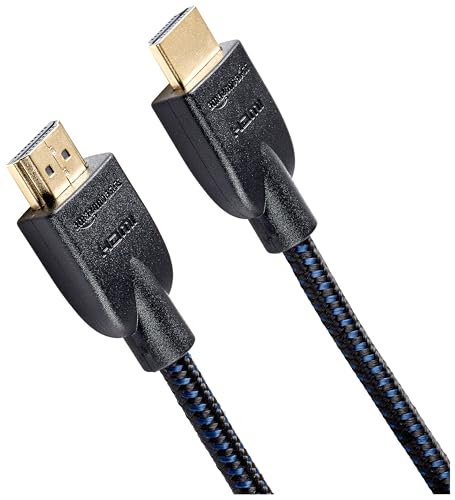
Quick Summary
The BENFEI HDMI to DisplayPort Cable is a 1.8 m cable for connecting an HDMI source to a DisplayPort monitor or display. It is described as unidirectional, so the connection direction matters. The stated resolution support includes 4K@60Hz, 2K@144Hz and 1080P@165Hz.
It is also described as working with devices such as PC graphics cards, laptops, PS5 and Xbox One or 360, but the key buying check is still the connection direction and whether your display has a DisplayPort input.
Key Details
| Detail | Verified information and buyer relevance |
|---|---|
| Product type | HDMI to DisplayPort cable for linking an HDMI source to a DisplayPort display. |
| Length | 1.8 m. Check whether this reaches comfortably between the source device and the display. |
| Direction | Unidirectional from HDMI source to DisplayPort monitor or display devices. |
| Resolution support | Up to 4K@60Hz, 2K@144Hz and 1080P@165Hz. |
| Connection checks | Use with an HDMI output on the source and a DisplayPort input on the display. |
| Power note | The USB cord is described as supplying power for the adapter. |
What to Compare Before Buying
- Connection direction: This cable is unidirectional, so it is intended for HDMI source to DisplayPort display use only.
- Display input: Check that your monitor or other screen has a DisplayPort input rather than HDMI input.
- Length: The cable is 1.8 m, so compare that with your desk or setup spacing.
- Resolution requirement: Match the stated 4K@60Hz, 2K@144Hz or 1080P@165Hz support to the display mode you plan to use.
- Power connection: The USB lead is described as providing power, so confirm you have a suitable USB power connection available.
Compatibility, Size and Fit
The cable is described for HDMI source devices such as PCs, laptops, PS5, Xbox One, Xbox 360, Roku, PS3, PS4, MacBook Pro with Retina Display, Mac mini and Apple TV, together with DisplayPort monitors, HDTVs or other DisplayPort display devices. The practical check is simple: the source needs HDMI output and the display needs DisplayPort input.
It is also stated as not compatible with KVM switches.
What Else You May Need
A USB power connection is described as needed for the adapter’s power supply. If you are using a PS5, the cable description recommends connecting the product’s USB port to a charger.
Before You Decide
Confirm the HDMI source and DisplayPort display combination before choosing this cable. Check the 1.8 m length against your setup, and make sure the USB power connection can be provided. If you need a KVM switch connection, this is not the right option.