

Quick Summary
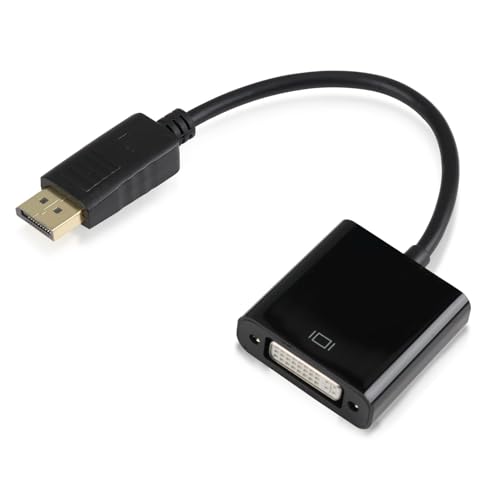
The DP to DVI Cable Adapter is a DisplayPort to DVI converter with a male to female connection and a stated 24+5 format. It is described as supporting up to 1920×1080@60Hz Full HD, with support also mentioned for 720p, 1600×1200 and 1280×1024. If you need to connect a DP-equipped computer or laptop to a DVI-enabled monitor, projector or HDTV, the connection direction and connector type are the key checks.
The adapter is also described as gold-plated and as using a latch design on the DisplayPort connector. For a buyer, that makes the exact connection format, the supported display resolution and the source device and display ports the main details to confirm before choosing an offer.
Key Details
| Detail | Verified information and buyer relevance |
|---|---|
| Product type | DisplayPort to DVI cable adapter converter for linking compatible devices. |
| Connection direction | Unidirectional, from DisplayPort to DVI only. |
| Connector format | Male to female with a stated 24+5 cable converter format. |
| Resolution | Up to 1920×1080@60Hz, with 720p, 1600×1200 and 1280×1024 also mentioned. |
| Connectors | Gold-plated connectors are stated, which is relevant for buyers comparing connection finish. |
| Latch design | The DisplayPort connector has a latch design with an easy-release button. |
What to Compare Before Buying
- Port direction: This adapter works from DisplayPort to DVI only, so confirm your source device has DisplayPort and your display has DVI.
- Resolution: The stated maximum is 1920×1080@60Hz, so check that this matches the display output you need.
- Connector format: The product is described as male to female with a 24+5 connection, so match that against the equipment you plan to use.
- Physical connection: The latch design on the DisplayPort side is a useful detail if you want a firmer connection and an easy-release button.
Before You Decide
Confirm that you need DisplayPort to DVI in that direction, not the reverse. Check the stated 24+5 connector format and the 1920×1080@60Hz resolution against your setup before choosing an offer. If your display or device uses a different port type, a different adapter will be needed.