Quick Summary
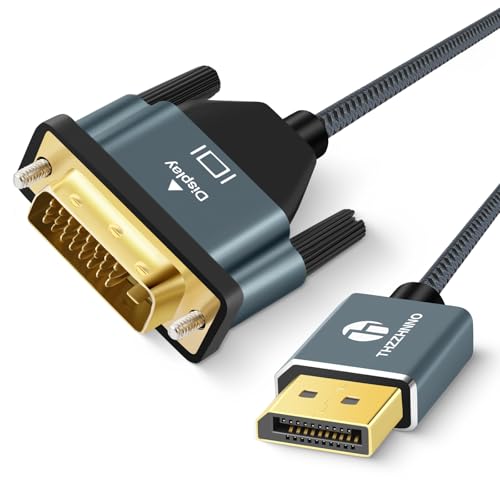
The Cable Matters VESA Certified 1.8 m Braided DisplayPort 1.4 Cable is a DisplayPort to DisplayPort cable for connecting compatible monitors, PCs and graphics cards. It is described as supporting 8K 60Hz and 4K 240Hz, with FreeSync, G-SYNC and HDR also named in the product identity.
The cable length is 1.8 m, so the main buying check is whether that reach suits your desk, monitor position and device placement.
Key Details
| Detail | Verified information and buyer relevance |
|---|---|
| Brand | Cable Matters, so the page is for this named cable. |
| Product type | DisplayPort cable for DisplayPort to DisplayPort connections. |
| Version | DisplayPort 1.4, which is the version stated for the cable. |
| Length | 1.8 m, which helps confirm the reach you need between devices. |
| Certification | VESA Certified, an important identity and confidence marker for the model. |
| Named support | 8K 60Hz, 4K 240Hz, FreeSync, G-SYNC and HDR are named for this cable. |
| Construction | Braided cable jacket, which is part of the listed build. |
What to Compare Before Buying
- Connection type: This is a DisplayPort to DisplayPort cable, so check that both devices use DisplayPort sockets.
- Length: The cable is 1.8 m long, so compare that with the distance between your devices.
- Display requirements: The named support includes 8K 60Hz and 4K 240Hz, so match that with the monitor and graphics setup you plan to use.
- Feature support: FreeSync, G-SYNC and HDR are named, so check whether those are relevant to your setup.
- Physical finish: The braided jacket is part of the product, so consider whether that style suits your cable management preferences.
Compatibility, Size and Fit
This cable is for DisplayPort connections. It is also described as backward compatible with DisplayPort 1.2 and as working with USB-C to DisplayPort adapters sold separately, for use with USB-C or Thunderbolt 3 computers.
For the best fit, check the port type on both devices, the space available for a 1.8 m cable run, and whether any adapter is needed for your computer.
What Else You May Need
If your computer does not have a DisplayPort output, a USB-C to DisplayPort adapter is named as a separate item. The cable also depends on compatible monitor, PC or graphics card ports at both ends.
Before You Decide
Confirm that you need a 1.8 m DisplayPort to DisplayPort cable and that your devices use the right ports. If you want to use USB-C or Thunderbolt 3 output, check whether you already have the separate adapter mentioned for that setup. Match the display mode you need against the named 8K 60Hz and 4K 240Hz support before choosing an offer.