

Quick Summary
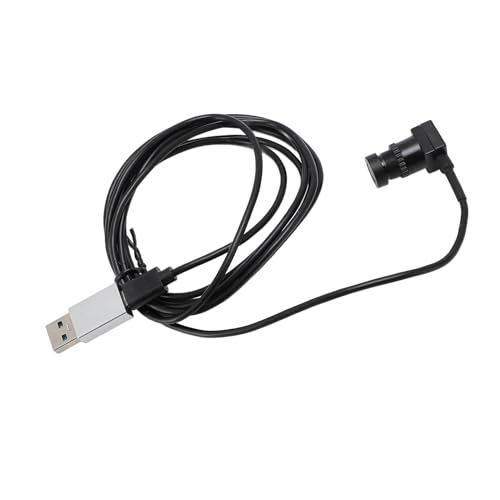
This Center Cam Middle Webcam is a 1080P fixed focus USB webcam with a built-in microphone and Type C interface. It is designed to sit at the centre of your screen, and the stated 1.5m eye to camera arrangement gives a clear view from that position.
Plug and play setup means no driver is needed, and the webcam is stated to work with smartphones and laptops. It also supports image adjustments including brightness, contrast, colour saturation, hue, clarity, gamma, gain, white balance, and exposure.
Who It Is Best For
This webcam suits buyers who want a compact camera that sits in the middle of a screen rather than taking up extra space beside it. It also suits people looking for a webcam for live streaming, meetings, and video teaching, as stated in the product description.
Key Details
| Detail | Verified information and buyer relevance |
|---|---|
| Product type | Center Cam Middle Webcam, intended for screen-centre placement. |
| Resolution | 1080P for clear image output in supported use. |
| Focus | Fixed focus design. |
| Interface | Type C USB connection with plug and play use. |
| Microphone | Built-in microphone for audio capture. |
| Compatibility | Stated as suitable for smartphones and laptops, and compatible with WIN XP 7 8 10. |
| Stated cable length | 1.5m eye to camera arrangement, which is a key placement check. |
| Adjustments | Supports brightness, contrast, colour saturation, hue, clarity, gamma, gain, white balance, and exposure adjustment. |
Why Buyers Choose It
- 1080P resolution gives a clear video specification to compare against your intended use.
- Type C plug and play connection reduces setup steps where a compatible device is available.
- Built-in microphone means the webcam covers both video and audio in one unit.
- The centre-screen design is useful if you want the camera positioned directly in front of you.
How It Works
- Connect the webcam through the Type C interface.
- Use it without a driver, as plug and play is stated.
- Place it at the centre of the screen for the intended viewing position.
- Adjust image settings such as brightness, contrast, white balance, and exposure if needed.
Real World Use
The webcam is stated for live streaming, meetings, and video teaching. Its compact design may make it easier to position at the centre of a screen without taking up extra space beside the display.
What To Know Before You Buy
Check that your device supports a Type C connection and confirm compatibility with your smartphone or laptop before ordering. The webcam is fixed focus, so review whether that suits your intended setup. The stated 1.5m eye to camera arrangement is also worth checking against your desk or screen position.
Common Buyer Questions
Does it need driver installation?
No, it is stated to be plug and play with no driver needed.
Can it be used with laptops and smartphones?
Yes, it is stated as suitable for smartphones and laptops.
Does it have a microphone?
Yes, a built-in microphone is included.
What image settings can be adjusted?
Brightness, contrast, colour saturation, hue, clarity, gamma, gain, white balance, and exposure are all listed as adjustable.
Final Buying View
If you want a centre-screen 1080P webcam with fixed focus, Type C connection, and built-in microphone, this model gives a clear set of verified features to check against your device and setup. Confirm the connection type, compatibility, and 1.5m eye to camera arrangement before choosing it.




