
Webcams
Webcams are used to capture video for computers, laptops, monitors and compatible devices, making them useful for video calls, online meetings, remote work, streaming, learning and keeping in touch. Whether you need a simple camera for work calls or a more capable setup for content creation, the right webcam should suit your device, lighting and how you plan to use it.
This category includes webcams in different styles, connection types and feature sets. Depending on the product, you may find USB webcams, monitor mounted webcams, streaming webcams, conference webcams, cameras with built in microphones, privacy covers, adjustable mounts and models with different video quality features where listed.
- Webcams
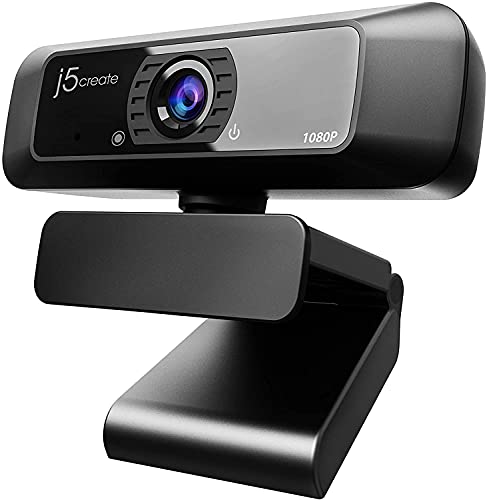
2K 30fps Auto-Focusing Webcam with Noise Reduction Mic and HiFi Speaker
Original price was: £33.49.£31.77Current price is: £31.77. *View On Amazon* - Webcams
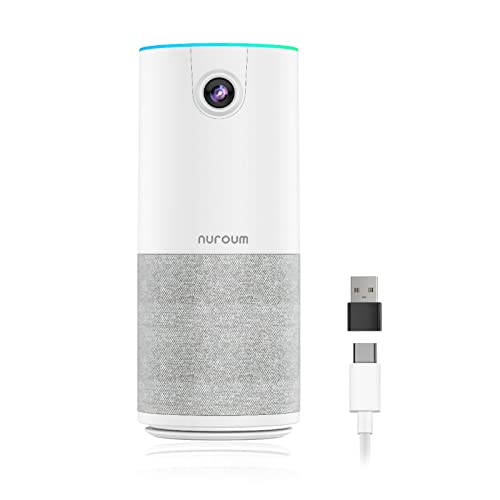
Nuroum C10 Conference Camera with Speaker and Microphone
Original price was: £99.99.£89.99Current price is: £89.99. *View On Amazon* - Webcams
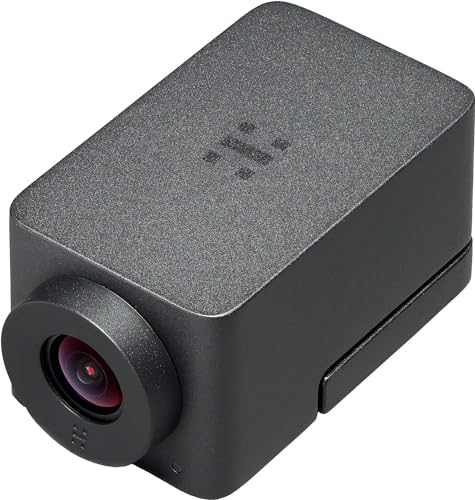
NexiGo N940P 2K Zoomable Webcam with Remote and Software Controls
Original price was: £33.21.£25.15Current price is: £25.15. *View On Amazon*








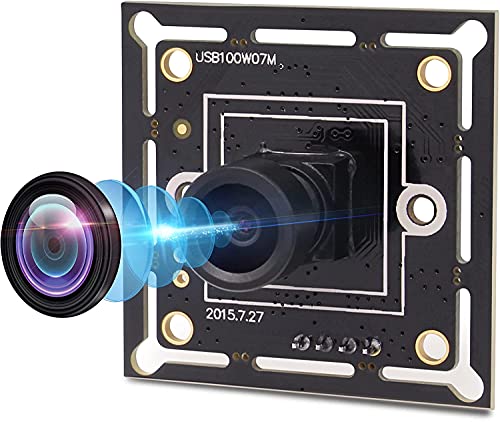


What Are Webcams?
Webcams are small video cameras designed to connect to a computer or similar device. They allow your image to be captured and shown during calls, recordings, online lessons, live streams or video messages.
Some laptops already include a built in webcam, but an external webcam can offer more flexible positioning, a better angle or extra features depending on the product. A webcam can sit on top of a monitor, clip to a laptop, stand on a desk or mount to a tripod where compatible.
What Webcams Are Used For
Webcams can be used for remote work, video meetings, online learning, virtual interviews, family calls, streaming, gaming, webinars, content recording and video messaging. They are useful whenever clear visual communication matters.
For work and study, a webcam can help make calls feel more professional and easier to follow. For streaming and content creation, camera angle, lighting, focus and microphone setup can become more important. For family use, simple setup and reliable compatibility are often the main priorities.
A webcam can also be useful for desktop PCs that do not have a built in camera.
How To Choose The Right Webcam
Start with the device you want to use. Check whether the webcam connects by USB A, USB C or another connection type where listed, and make sure your computer has a suitable port or compatible adapter.
Next, think about the main use. A webcam for occasional calls may only need simple setup and a stable mount. A webcam for streaming, presenting or recording may need more attention to video quality, focus, low light performance, microphone quality and mounting options where listed.
Finally, consider where the webcam will sit. A camera placed too low, too high or too far away may not give the most natural view. Check whether the mount suits your monitor, laptop, tripod or desk setup where compatible.
Key Features To Compare
Video resolution is one of the main features to compare where listed. Higher resolution may provide a clearer image, but the final result also depends on lighting, internet connection, software settings and the device being used.
Frame rate may also matter where listed, especially for streaming, presentations or smoother video. For basic calls, simple video performance may be enough.
Focus type is worth checking. Some webcams may include fixed focus, while others may offer autofocus where listed. Autofocus can be useful if you move around, but fixed focus may be suitable for a consistent desk position.
Built in microphones can be convenient, but microphone quality varies by product. If sound matters, you may still want to compare separate computer microphones or headsets.
Mounting style, privacy covers, lens angle, cable length, software support and compatibility with calling apps can also affect everyday use.
Webcams Compared With Built In Laptop Cameras
Built in laptop cameras are convenient because they are already part of the device. They may be enough for quick calls, online lessons or casual use.
External webcams are useful when you want a better camera position, a different angle or extra features where listed. They can be placed on a monitor, used with a desktop PC or moved between compatible devices.
The trade off is simplicity. A built in camera needs no extra setup, while an external webcam adds another item to the desk but can give more flexibility.
Webcams Compared With Smartphone Cameras
Smartphones can have capable cameras, but using a phone for computer based calls can be awkward unless the device and software support that setup where compatible.
A webcam is designed to stay connected to a computer and sit in a practical position for calls, work, study or streaming. It can also keep your phone free while you are using your computer.
If you mainly communicate from a desk, a webcam is usually the more convenient choice. If you need mobile video away from the computer, a phone may be more practical.
Webcams Compared With Conference Cameras
Standard webcams are usually designed for one person or a small desk setup. They are common for home offices, individual calls, online learning and streaming.
Conference cameras are usually designed for meeting rooms, group calls or wider spaces where more people need to be seen where listed. They may offer wider viewing angles, speaker tracking or room focused audio features depending on the product.
The right choice depends on the number of people, room size and how the camera will be used. A personal desk setup usually needs a different webcam from a shared meeting room.
Beginner Regular User And Experienced User Guidance
Beginners should focus on a webcam that is easy to connect, simple to position and compatible with their computer. A stable mount and clear product compatibility details are more important than complex features.
Regular users may want to compare video quality, microphone performance, privacy cover, cable length and how well the webcam works with their normal meeting software.
Experienced users often look more closely at frame rate, field of view, autofocus, exposure control, tripod mounting, lighting setup, audio pairing and software settings. These details can matter for streaming, recording and professional presentation.
Use Cases By Activity
For remote work, a webcam can help improve video calls, interviews, team meetings and online presentations. A natural camera angle and reliable connection are useful for regular desk use.
For online learning, simple setup and steady video are often the priorities. Students and tutors may also need a microphone that works clearly with the chosen software where listed.
For streaming and gaming, camera position, lighting, frame rate, background setup and microphone choice can all affect the final result.
For family calls, ease of use and compatibility are usually most important. A webcam that clips securely to a monitor or laptop can make quick calls easier.
For webinars and video recording, check focus, image control, mount options and software compatibility where listed.
For desktop PCs, an external webcam is often needed because many desktop monitors do not include a built in camera.
Fit Setup And Device Compatibility
Webcam compatibility depends on the connection type, operating system, software and available ports. A webcam may physically connect but still need drivers, permissions or software settings where listed.
Check whether the webcam is suitable for Windows, macOS, Chromebook or other systems where compatibility is stated. If you use a USB C only laptop, check whether the webcam has the correct connector or whether a suitable adapter is needed.
Also consider your monitor or laptop shape. Some webcam clips suit thin screens, while others may work better on thicker monitors or desk stands where listed.
If the webcam supports tripod mounting where listed, this can give more flexible positioning for streaming, teaching or recording.
Lighting Background And Camera Position
Webcam quality is affected by lighting and placement. Even a good webcam may look poor in a dark room, with a bright window behind you or with the camera aimed from an awkward angle.
For video calls, position the webcam near eye level where possible. This can create a more natural view and make conversations feel easier.
Good lighting from the front or side can help the image look clearer. Avoid strong backlighting where possible, as this can make faces appear too dark.
Background also matters. A tidy, simple background can make calls look more professional and less distracting.
Privacy And Practical Considerations
Privacy is an important part of webcam use. Some webcams may include privacy shutters, covers or indicator lights where listed. These can be useful if you want a clear way to block the camera when it is not in use.
Software permissions also matter. Check which apps have access to your camera and microphone, and turn off access where it is not needed.
A webcam should be positioned securely so it does not fall from the monitor, pull on the cable or block the screen. Cable routing should be tidy and should not create clutter around the desk.
If the webcam includes a microphone, remember that camera and audio privacy are separate. Muting video does not always mute sound, so check your software controls carefully.
Care Cleaning And Storage
Webcams are usually low maintenance, but careful handling helps keep them working properly. Keep the lens clean using a suitable soft cloth where appropriate, and avoid touching the lens surface unnecessarily.
Keep the webcam dry and away from spills, dust build up and heavy knocks. If it is moved between devices, store it in a safe pouch, drawer or tech organiser when not in use.
Avoid wrapping the cable too tightly, as this can strain the connector over time. If the webcam is mounted permanently, check occasionally that the clip or stand remains secure.
For shared workspaces, light cleaning of the outer casing and mount may be useful where suitable.
Useful Accessories To Consider
Useful accessories for webcams may include computer microphones, headsets, ring lights, monitor lights, tripod stands, USB extension cables, adapters, cable clips and desk organisers where compatible.
For video calls, a headset or microphone can improve audio where the built in webcam microphone is not enough. For streaming or recording, lighting and a stable mount can make the setup more practical.
For home offices, cable management clips, monitor stands and laptop stands can help position the webcam more comfortably.
Why Buy From YPC?
At YPC, we understand active lifestyles and the need for practical products that work in real use. Webcams should be chosen for compatibility, setup, video needs, privacy features and the way they will actually be used.
YPC brings together a wide range of computer, electronics and lifestyle products so you can compare available webcams by connection type, mounting style, features and practical suitability. Browse the Webcams category to compare the range and choose the right camera for video calls, streaming, online learning, remote work or everyday computer use.
FAQs
What is a webcam used for?
A webcam is used to capture video for computer based calls, online meetings, remote work, online learning, streaming, recording and keeping in touch with friends or family.
Do I need a webcam if my laptop has a camera?
You may not need one for basic calls. An external webcam can be useful if you want a better angle, more flexible positioning or additional features where listed.
How do I choose the right webcam?
Check device compatibility, connection type, mounting style, video features, microphone details, privacy features and the main use. Choose a webcam that suits your computer and setup.
Are USB webcams easy to use?
Many USB webcams are designed for simple connection where compatible, but setup can still depend on your computer, software permissions and operating system support.
Do webcams have built in microphones?
Some webcams include built in microphones where listed, but not all do. If audio quality is important, compare microphone details or consider a separate computer microphone or headset.
What does webcam resolution mean?
Webcam resolution refers to the level of image detail the camera can capture where listed. The final video quality also depends on lighting, software settings, internet connection and device support.
Are webcams suitable for streaming?
Some webcams may be suitable for streaming where listed. Check video quality, frame rate, focus, mounting options and compatibility with your streaming software before choosing.
How can I improve webcam video quality?
Use good front lighting, position the camera near eye level, avoid bright windows behind you, keep the lens clean and check your software settings. A stable mount can also help.
 Getting ready for Summer? View our Home and Garden Products

Heading outdoors this winter? Take a look at our Outdoor Clothing.