Quick Summary
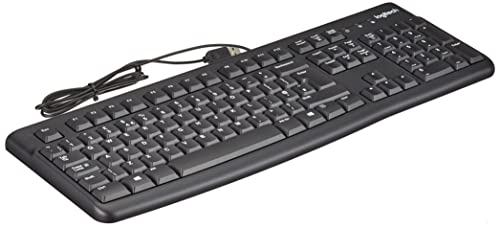
The cimetech wireless keyboard is a 2.4G USB computer keyboard with a number pad, designed for use with PC, laptop and desktop systems. It connects by plugging in the USB receiver and is described as having silent, low profile scissor switch keys and a gray finish.
The layout includes a separate numeric keypad and multi-media hot keys. The keyboard is described as full-size QWERTY, with a contoured shape and a slope angle for typing.
Who It Is Best For
This keyboard suits buyers who want a wireless desktop-style keyboard for everyday computer use and prefer a separate number pad. It is also relevant if you need a keyboard stated to work with Windows XP, Vista, 7, 8 and 10.
Key Details
| Detail | Verified information and buyer relevance |
|---|---|
| Brand | cimetech. |
| Connection | 2.4GHz wireless connection using a USB receiver for plug and play setup. |
| Layout | Full-size QWERTY keyboard with a separate numeric keypad. |
| Keys | Scissor-cross low profile keys with stated 2mm keystroke travel and reduced noise. |
| Compatibility | Listed for Windows XP, Windows Vista, Windows 7, Windows 8 and Windows 10, with use on desktop, laptop and PC. |
| Included items | Wireless keyboard, USB nano receiver and user manual. |
| Power | The keyboard is powered by 2 AA batteries, which are not included. |
| Colour | Gray. |
Why Buyers Choose It
- The USB receiver setup supports quick connection without additional drivers.
- The separate number pad suits buyers who enter figures regularly.
- The low profile scissor keys are described as responsive and less noisy.
- The contoured shape and slope angle give a more defined typing position.
What To Know Before You Buy
Check that you need a wireless keyboard with a USB receiver, as this model uses 2.4G wireless rather than a wired connection. The hot keys are stated as not fully compatible with the operating system, so treat them as a limited extra rather than a full shortcut set. Batteries are required but not included, so factor in 2 AA batteries before use.
Common Buyer Questions
How does it connect?
It connects through the supplied USB nano receiver and is described as plug and play.
Which systems does it work with?
It is listed for Windows XP, Windows Vista, Windows 7, Windows 8 and Windows 10.
Are batteries included?
No, the keyboard is powered by 2 AA batteries, which are not included.
Does it have a number pad?
Yes, it includes a separate calculator numeric keypad.
Final Buying View
Choose this cimetech wireless keyboard if you want a gray, full-size USB keyboard with a number pad and low profile keys. Before ordering, check that you are happy with the 2.4G receiver setup, the battery requirement and the limited hot key compatibility.
YPC AI Updatedcimetech Wireless Ergonomic Keyboard with Number Pad | YPCcimetech wireless ergonomic keyboard with number pad, USB receiver, silent low profile keys, gray finish and support for Windows XP to 10.cimetech wireless keyboard with a USB receiver, full-size QWERTY layout and separate number pad. It uses low profile scissor-cross keys, a contoured shape and 2 AA batteries, not included, with support listed for Windows XP, Vista, 7, 8 and 10.[