

Quick Summary
The CZUR Halo Streaming Dual Webcam is a USB computer camera with 1080P capture at 1920 x 1080@30fps and a built-in microphone. It is set up with plug and play connection, so no driver installation is needed before use.
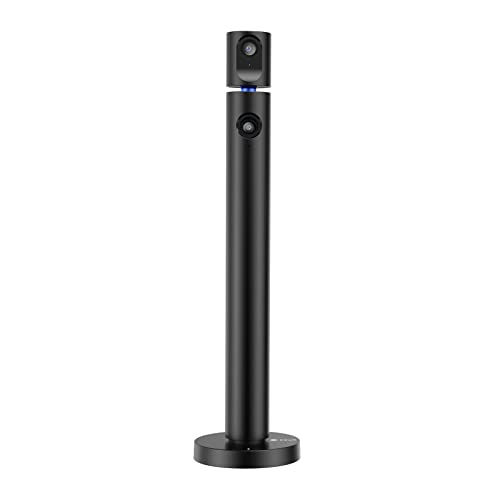
The camera has two cameras that can work separately and point in different directions, with a 90° field of view. The top camera can be rotated manually 270 degrees horizontally and the base can be rotated manually 180 degrees horizontally.
Who It Is Best For
This webcam suits buyers who want a USB camera for video calling, recording, conferencing, gaming or live streaming. It also fits users who need wide-angle viewing and the option to adjust the two cameras independently.
Key Details
| Detail | Verified information and buyer relevance |
|---|---|
| Brand | CZUR. |
| Model | Halo. |
| Product type | Streaming dual webcam for computer use. |
| Video capture | 1920 x 1080 at 30fps for clear video and images. |
| Connection | USB with plug and play setup, so no driver installation is needed. |
| Cameras | Two cameras that can work separately and point in different directions. |
| Field of view | 90° field of view for wider viewing. |
| Rotation | Top camera rotates manually 270 degrees horizontally and the base rotates manually 180 degrees horizontally. |
| Compatibility | Compatible with Windows 7, Windows 8, Windows 10, 32-bit or 64-bit, and macOS. |
| Microphone | Built-in microphone. |
Why Buyers Choose It
- Two separately working cameras give flexibility when different directions or views are needed.
- USB plug and play setup avoids driver installation before first use.
- 1080P capture at 30fps provides a clear stated video specification for calls and recording.
- Compatibility with Windows and macOS supports a wide range of computer setups.
How It Works
- Connect the webcam to your computer by USB.
- No driver installation is needed for setup.
- Use it for video calls, conferences, online teaching, gaming or live streaming.
- If software cannot use both cameras simultaneously, use CZUR Camera software instead.
- Clean fingerprints and grease from the lens with an optical-lens-wipe if output becomes blurred.
What To Know Before You Buy
Check that your computer runs a compatible Windows version or macOS before ordering. If you want to use both cameras at the same time, confirm that your chosen software supports that or be ready to use CZUR Camera software. The webcam offers manual horizontal rotation on both sections, so check that this matches the viewing angle you need.
Common Buyer Questions
Does it need driver installation?
No. It uses plug and play USB setup.
Can the two cameras be used separately?
Yes. They can work separately and point in different directions.
Which operating systems are supported?
It is compatible with Windows 7, Windows 8, Windows 10, 32-bit or 64-bit, and macOS.
What should I do if the image looks blurred?
Clean fingerprints and grease from the lens with an optical-lens-wipe.
Final Buying View
The CZUR Halo is a good match for buyers who want a USB streaming webcam with 1080P capture, a built-in microphone and flexible dual-camera positioning. Before ordering, check your operating system and whether your software needs support for using both cameras together.


