

Quick Summary
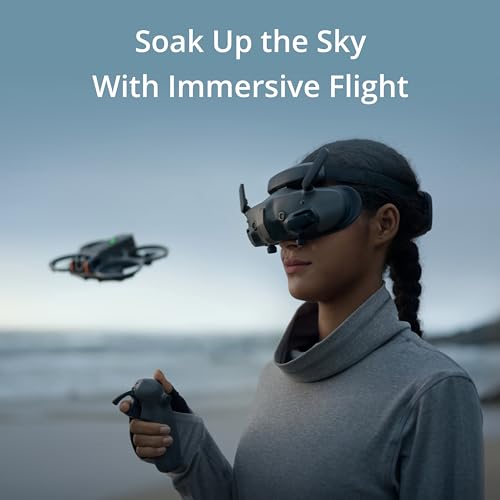
DJI Goggles 3 are FPV drone goggles designed for an immersive live flight view with compatible DJI drones and controllers. They feature Micro OLED screens, O4 HD video transmission, adjustable dioptres, wireless streaming, and Real View Picture in Picture for a more engaging flight experience.
Who It Is Best For
These goggles are a strong fit for drone pilots who want a more immersive view than a handheld screen can offer. They suit FPV enthusiasts and creative pilots who value clearer live framing, better situational awareness, and a more direct feeling of control during flight.
What To Know Before You Buy
DJI Goggles 3 are intended for use with compatible DJI drones and controllers, so checking your exact setup before ordering is important. They also use a goggle style viewing approach, which may take a little time to get used to if you are new to immersive flying.
Pros: Micro OLED screens, O4 HD video transmission, adjustable dioptres, wireless streaming, and Real View Picture in Picture all support a more practical flight experience.
Cons: Some older DJI controllers are not compatible, so your current gear needs to be checked carefully.
Common Buyer Questions
What are DJI Goggles 3 for?
They are FPV drone goggles for an immersive live flight view with compatible DJI systems.
Can I use them with FPV and camera drone setups?
Yes, they are described as suitable for compatible FPV systems and stabilised gimbal camera drones.
Do they help if I wear glasses?
They include adjustable dioptres, which can help many users avoid needing glasses while flying.
Can I check my surroundings while wearing them?
Yes, Real View Picture in Picture is included to help you stay aware without removing the goggles.
Do they support wireless viewing features?
Yes, wireless streaming to a mobile app and local playback from an SD card are listed.
Will they work with older DJI controllers?
Not always. Some older DJI controllers are not compatible, so it is best to check your setup first.
Key Details
| Detail | What it means in use |
|---|---|
| Product type | FPV drone goggles for immersive flight viewing |
| Display type | Micro OLED screens for a clear live image |
| Video transmission | O4 HD digital transmission for compatible systems |
| Dioptre adjustment | Adjustable viewing to suit different users |
| Wireless features | Supports wireless streaming to a mobile app and local playback from an SD card |
| Real View Picture in Picture | Helps you stay aware of your surroundings while wearing the goggles |
| Compatibility | Designed for compatible DJI drones, controllers, and air units |
Final Buying View
DJI Goggles 3 are a practical choice if you want a more immersive FPV style flying experience with clear visuals and useful awareness features. If your DJI setup is compatible and you want goggles that support both engagement and control, they are well worth considering.