




Quick Summary
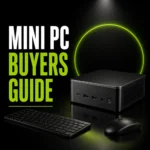
The DreamQuest Mini PC W-11 Pro is a mini desktop computer in Matte Gray with 12GB DDR5 RAM and a 512GB M.2 SSD. It is built around an Intel 12th N95 processor stated as up to 3.4 GHz, and it includes Wi-Fi 6, Bluetooth 5.3, LAN, 2 USB-C ports, 2 HDMI 4K@60Hz connections and 4 USB 3.2 ports.
As a compact desktop computer, the main things to confirm before choosing an offer are the exact operating system setup, the display connections you plan to use, and whether 12GB RAM and 512GB storage match your needs.
Key Details
| Detail | Verified information and buyer relevance |
|---|---|
| Product type | Mini PC / mini desktop computer for a compact desktop setup. |
| Processor | Intel 12th N95 processor stated as up to 3.4 GHz. |
| Memory | 12GB DDR5 RAM, which affects how much everyday multitasking the system can handle. |
| Storage | 512GB M.2 SSD, so storage capacity and upgrade needs matter before purchase. |
| Connectivity | 2 USB-C, 2 HDMI 4K@60Hz, 4 USB 3.2, LAN, Wi-Fi 6 and Bluetooth 5.3. |
| Finish | Matte Gray. |
What to Compare Before Buying
- Memory: This model has 12GB DDR5 RAM. Compare that with the amount of multitasking you expect from the computer.
- Storage: The fitted 512GB M.2 SSD is a key check if you keep many files, apps or media locally.
- Display connections: The unit includes 2 HDMI ports and USB-C video support, so match the connections to your monitor or screens.
- Ports and networking: Check the number of USB 3.2 ports, LAN and wireless options against the devices you plan to connect.
- Operating system setup: The system is shown as preloaded with Linux OS, so make sure that suits the software you want to use.
Choosing the Correct Version
This product page combines Windows 11 Pro wording in the model name with Linux OS wording in the description, alongside different processor and memory details. Before choosing an offer, confirm the exact processor, memory, storage and operating system for the unit you want.
Before You Decide
Check the exact processor, RAM, storage and operating system before choosing an offer. Confirm that the HDMI, USB-C, LAN and wireless connections match your setup, especially if you plan to use multiple screens or existing peripherals. If the operating system matters for your software, make sure the selected configuration matches that requirement.


