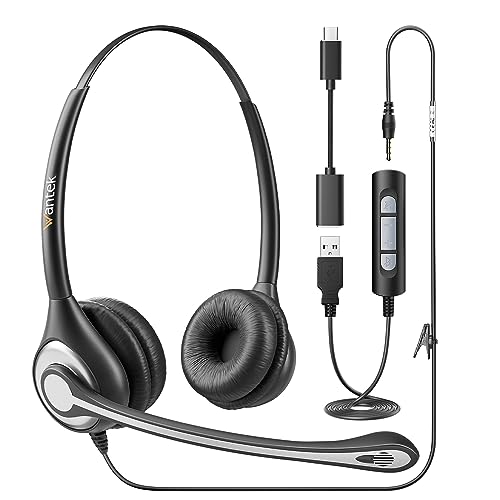
Quick Summary
The EKSA H2 is a USB headset with microphone for PC, laptop and other listed devices. It combines an ENC chip, a 110° rotatable mic boom, and an integrated mute switch with volume control for straightforward call handling.
The headset also includes a busy light that can be controlled manually and shows red to indicate do not disturb. The over-ear design uses breathable and soft faux leather earmuffs, and the headset is stated to weigh 180g.
Who It Is Best For
This headset is aimed at people who need clear voice capture and simple in-call control for home, office, call centre, teaching, online courses, Zoom, Teams, Skype, and similar use cases. It is also a fit for buyers who want USB plug and play setup with listed computer devices.
Key Details
| Detail | Verified information and buyer relevance |
|---|---|
| Product | EKSA H2 USB headset with microphone. |
| Noise cancellation | ENC chip is stated to filter 99.6% of background noise for clearer voice recording in busy settings. |
| Microphone boom | 110° rotatable mic boom for positioning the microphone. |
| Mute control | Microphone arm up to mute and down to unmute, with an integrated mute switch. |
| Volume control | Built-in volume control for easy adjustment during use. |
| Busy light | Manually controlled red busy light indicates do not disturb. |
| Weight | 180g stated weight, which may matter if you prefer a lighter headset. |
| Earmuffs | Breathable and soft faux leather earmuffs. |
| Connection | USB plug and play. |
| Listed compatibility | PC, computer, laptop, tablet, mobile phone, Windows XP/Vista/7/8/10, Mac OSX. |
Why Buyers Choose It
- The ENC chip is stated to reduce background noise, which supports clearer voice use in busy rooms.
- The 110° rotatable mic boom gives you a way to position the microphone for your setup.
- The integrated mute switch and volume control keep core call controls close at hand.
- The manually controlled busy light helps show when you do not want interruptions.
- The 180g weight and faux leather earmuffs are useful details for buyers comparing comfort-related features.
How It Works
- Connect the headset by USB to a listed compatible device.
- Set the microphone boom to the position you want.
- Move the microphone arm 90° upwards to mute the mic.
- Move the microphone arm 90° downwards to turn the mic on.
- Use the integrated mute switch and volume control during calls or meetings.
- Use the busy light manually when you want to show do not disturb.
Real World Use
The H2 is set up for office calls, call centre use, home working and online teaching. Its USB connection makes it straightforward for the listed computer and device types, while the rotatable boom and mute controls support day-to-day call handling.
What To Know Before You Buy
Confirm that your device supports the listed USB plug and play connection before ordering. Check whether you want the busy light feature, as it is controlled manually and used to show do not disturb. If headset weight matters to you, note the stated 180g figure when comparing options.
Common Buyer Questions
Does it have a mute function?
Yes. The microphone arm mutes when moved 90° upwards and turns on again when moved 90° downwards, and it also has an integrated mute switch.
What devices is it listed for?
It is listed for PC, computer, laptop, tablet, mobile phone, Windows XP/Vista/7/8/10, and Mac OSX.
Is there a busy light?
Yes. It has a manually controlled busy light that shows red to indicate do not disturb.
What type of connection does it use?
It uses USB plug and play.
Final Buying View
If you want a USB headset with microphone for calls, teaching or office use, the EKSA H2 brings together ENC, mute control, volume control and a busy light. Check the listed device compatibility and whether the manual busy light suits your setup before choosing.