

Quick Summary
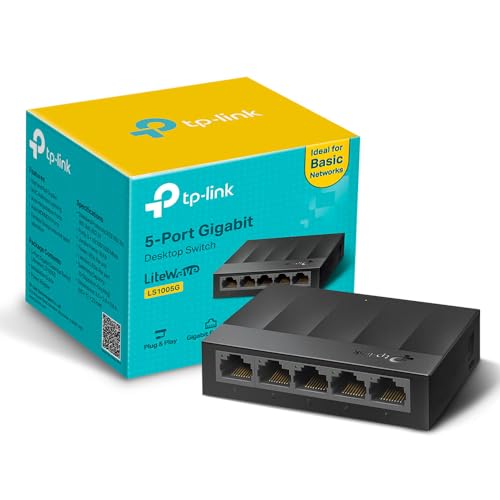
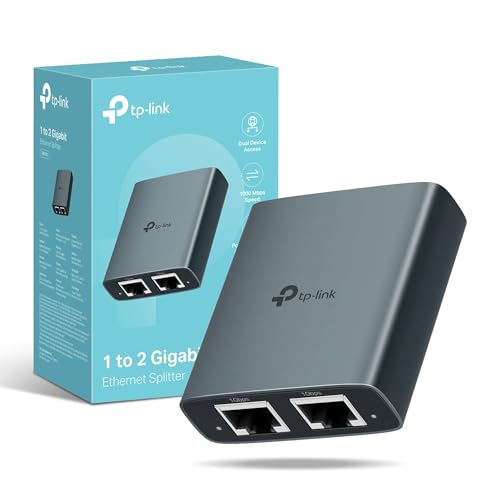
This Ethernet Splitter 1 to 4 is a 1000Mbps Ethernet switch with a power cable for sharing one network connection across four devices at the same time. It is described as suitable for Cat5, Cat5e, Cat6, Cat7 and Cat8 cables, and it includes an input port and output ports for the connection layout.
The unit is intended for simple network expansion where a 1 in 4 out setup is needed. The package includes the switch, a USB to Type-C cable and a user manual, while a LAN cable is not included.
Who It Is Best For
This product suits buyers who need to connect several wired devices from one network source and want a compact switch with plug and play use. It is also relevant if you want a device that is listed for use with common Ethernet cable types and multiple networked devices.
Key Details
| Detail | Verified information and buyer relevance |
|---|---|
| Product type | Ethernet splitter 1 to 4 with switch functionality for sharing one connection across four devices. |
| Speed | Stated transfer rate of up to 1000Mbps. |
| Compatibility | Listed for Cat5, Cat5e, Cat6, Cat7 and Cat8 Ethernet cables. |
| Connection layout | The port beside the power supply port is the input port, with the other ports used as outputs. |
| Power lead | Powered by an 80cm USB cable; a USB to Type-C cable is included. |
| Included items | Switch, USB to Type-C cable and user manual are included. |
| Pack note | LAN cable is not included, so you need to use your own network cable. |
Why Buyers Choose It
- 1 to 4 connection layout lets four devices share one network setup at the same time.
- 1000Mbps transfer rate is stated for buyers who want a gigabit-rated network switch.
- Plug and play wording indicates a straightforward setup with no tedious installation procedure.
- Listed cable compatibility covers several common Ethernet cable types, which helps when matching existing wiring.
- The included USB to Type-C cable and user manual add to the supplied package.
How It Works
- Connect the network input to the port next to the power supply port.
- Use the other ports as the output connections for the devices you want to link.
- Connect the power lead using the included USB to Type-C cable.
- Use the unit in plug and play mode without a tedious installation procedure.
Real World Use
The switch is presented for network expansion where several wired devices need to share one connection. It is described for use with routers, TVs, hubs, switches and wireless devices, and it is also listed for gaming, streaming media and file sharing.
What To Know Before You Buy
Check that you need a 1 to 4 Ethernet switch rather than a different network device. Confirm your cable choice against the listed Cat5, Cat5e, Cat6, Cat7 or Cat8 compatibility, and remember that a LAN cable is not included.
Review the port layout before use, as the port beside the power supply connection is the input and the remaining ports are outputs. Make sure the included power lead and your connection setup suit your intended installation.
Common Buyer Questions
How many devices can connect at once?
Up to four devices are intended to share the network at the same time.
Which port is the input?
The port next to the power supply port is the input port, with the other ports used as outputs.
Which cable types are listed as compatible?
Cat5, Cat5e, Cat6, Cat7 and Cat8 Ethernet cables are listed.
What is included in the box?
The switch, a USB to Type-C cable and a user manual are included.
Final Buying View
Choose this Ethernet splitter if you want a 1 to 4 network switch with stated 1000Mbps transfer speed and a simple plug and play setup. Before ordering, check the port layout, the listed cable compatibility and the fact that a LAN cable is not included.