


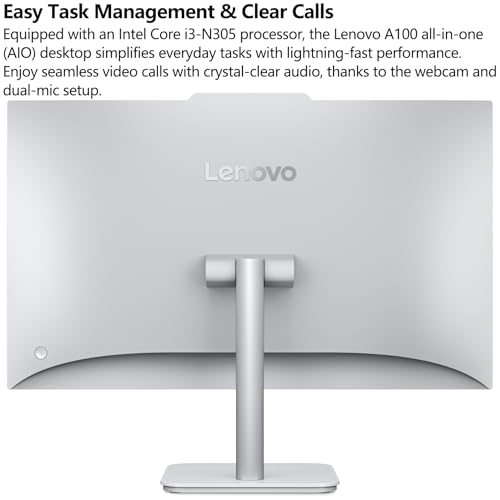


What This All in One PC Is Used For
This Lenovo 24 inch All in One desktop is built for people who care deeply about performance efficiency, memory headroom and system responsiveness rather than flashy gaming graphics. It is designed for home offices, business environments, education settings, studios and professional workspaces where reliability and multitasking matter more than a discrete GPU.
With its Intel Core i3 N305 8 core processor, 32GB of DDR4 memory and fast PCIe solid state storage, this system is well suited for heavy browser based workloads, spreadsheets, accounting software, CRM systems, coding environments, light creative work, remote desktop usage and multi screen productivity.
It is also a strong option for users replacing an older tower and monitor setup who want a clean, minimal footprint without sacrificing specification depth.
Full Performance Breakdown and Real World Benefits
Processor
The Intel Core i3 N305 is an 8 core and 8 thread processor with boost speeds up to 3.8GHz. While it sits under the Core i5 branding, it benefits from modern efficiency architecture that prioritises sustained multi task workloads. For users running multiple applications at once, dozens of browser tabs, background syncing tools and productivity software, the extra cores provide smoother task switching and fewer slowdowns.
Memory
With 32GB of DDR4 RAM installed, this machine is configured well beyond the typical office baseline. This level of memory is ideal for advanced users who regularly hit RAM limits on standard 8GB or 16GB systems. It allows for large spreadsheets, virtual machines, development environments and long uptime sessions without system degradation.
Storage
The 1TB PCIe NVMe solid state drive delivers fast boot times, rapid file access and quick application launches. Compared to SATA SSDs, PCIe storage significantly improves responsiveness when transferring large files or working with databases and media libraries.
Display
The 23.8 inch Full HD IPS display offers a 1920 by 1080 resolution with wide viewing angles and anti glare coating. With 99 percent sRGB coverage, it provides accurate colour reproduction for design work, content editing and extended screen use. Brightness is rated at 250 nits which is suitable for indoor office environments.
Connectivity
WiFi 6 support improves performance in busy networks and delivers lower latency and higher throughput when paired with compatible routers. Bluetooth 5.2 enables stable wireless peripherals and accessories.
Ports
A strong selection of ports includes multiple USB connections for legacy and high speed devices, HDMI output for an additional display, wired Ethernet for stable network connections and a combined audio jack.
Pros and Cons
Pros
Excellent memory capacity for power users
Fast PCIe storage included as standard
Clean all in one design reduces cable clutter
Accurate IPS display suitable for long working sessions
Windows 11 Pro included for business features
Cons
Integrated graphics only so not suitable for gaming or 3D workloads
Display is non touch
Brightness may be limited for very bright rooms
Why We Like This Product at YPC
At our activity centre at YPC we use multiple all in one systems for admin, booking management and logistics planning. What stood out with this Lenovo configuration is the unusually high RAM allocation. In real world use, that makes a bigger difference than most people expect. Systems stay responsive all day even with browsers, spreadsheets, email clients and management software all running together.
We also like the balance Lenovo has struck here. No unnecessary gimmicks. Just solid specification choices that align with how people actually work.
Comparisons With Similar All in One PCs
Compared to a typical Intel Core i5 11400 based All in One with 16GB RAM, this Lenovo trades raw single core performance for better multitasking stability due to higher memory capacity.
Against entry level Core i5 or Ryzen 5 All in Ones that ship with 8GB RAM, this system avoids the immediate need for upgrades and performs better under sustained workloads.
If you are comparing this to Apple iMac models, this Lenovo offers significantly more memory flexibility and native Windows compatibility at a lower overall cost.
Alternatives Worth Considering
A Lenovo ThinkCentre All in One with Core i5 and 16GB RAM if you prefer higher clock speeds
An HP ProOne series All in One for enterprise focused environments
A traditional desktop tower plus monitor if future GPU upgrades are important
Tips on How to Use This PC Correctly
Pair with a wired Ethernet connection for maximum stability in office settings
Use a second external monitor via HDMI to increase productivity
Enable Windows virtual desktops to take advantage of the large RAM capacity
Keep firmware and Windows updates current to maintain security and performance
Full Technical Specification
Brand
Lenovo
Form Factor
All in One Desktop
Display Size
23.8 Inch
Display Resolution
1920 x 1080 Full HD
Panel Type
IPS
Brightness
250 nits
Colour Coverage
99 percent sRGB
Processor
Intel Core i3 N305
Cores
8
Threads
8
Max Turbo Frequency
Up to 3.8GHz
Cache
6MB
Memory
32GB DDR4
Storage
1TB PCIe NVMe M.2 SSD
Graphics
Integrated Intel Graphics
Wireless
WiFi 6
Bluetooth 5.2
Ports
USB A ports including USB 2.0 and USB 3.2 Gen 2
HDMI output 1.4b
Ethernet RJ45
3.5mm audio combo jack
Operating System
Windows 11 Professional 64 bit
Keyboard and Mouse
Included
Colour
Cloud Grey
Bundled Accessories
Vent Hear cable
Touchscreen
Not specified
Webcam
Not specified
Speakers
Not specified
Frequently Asked Questions
Is this PC suitable for gaming
No. It uses integrated graphics and is designed for productivity rather than gaming.
Can the RAM be upgraded further
Not specified by the manufacturer. Check internal accessibility before purchase.
Does it support dual monitors
Yes. An external display can be connected via HDMI.
Is Windows 11 Pro pre installed
Yes. Windows 11 Professional is included.
Is this good for business use
Yes. It includes Windows Pro features and strong multitasking performance.
Does it include a keyboard and mouse
Yes. Both are included in the box.
Is the display touch enabled
No. This model uses a non touch display.
How noisy is the system
Designed for office environments with quiet operation.
Is WiFi required
No. A wired Ethernet port is available.
Can it be wall mounted
VESA support is not specified.
Buyer’s Guide
If you are unsure whether an All in One PC is the right choice, our All in One Desktop PC Buyer’s Guide explains the key differences between All in One systems, traditional desktops and compact PCs, including performance trade offs, upgrade limitations and workspace considerations.
Looking for more options?
Browse our full range of Computers and Accessories for other great choices to suit your space, goals, and budget.


