






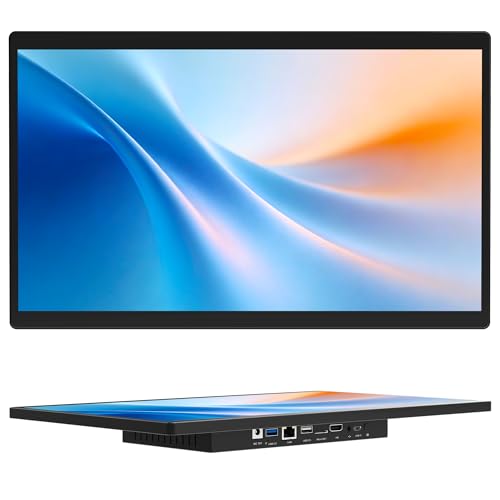

Affordable Family Computing Made Simple
The Lenovo C540 All-in-One PC is a practical and stylish choice for families who want a reliable, clutter-free desktop. Its 23-inch Full HD display provides clear and bright visuals, while the slim design with integrated stand saves desk space and fits easily into living rooms, bedrooms, or study areas.
Powered by the Intel Pentium G2020 processor (dual-core, 2.9GHz), the C540 is built for everyday tasks such as web browsing, email, video playback, and light productivity. With 4GB RAM, it can handle multiple applications at once, and the 500GB HDD offers plenty of space for photos, school projects, and family media libraries. The inclusion of a DVDRW drive makes it easy to watch DVDs or install software, giving it flexibility not often found in newer PCs.
The built-in webcam and Lenovo YouCam software enhance video calls with fun effects, facial tracking, and interactive tools, making family video chats more engaging. Smart features like Dynamic Brightness Control and the Eye Distance System help protect your eyes, adjusting brightness and reminding kids to sit at a safe distance.
Pros & Cons
Pros
23″ Full HD display in a slim, space-saving design
Dual-core Pentium CPU handles everyday tasks reliably
500GB HDD provides plenty of family storage
DVDRW drive for DVDs and discs
Webcam with YouCam software adds fun to video calls
Eye-care technology ensures comfortable viewing
Cons
Older Pentium processor compared to modern standards
4GB RAM is basic for today’s multitasking
HDD storage is slower than SSDs
Windows 8 is dated (upgrade to Windows 10 recommended)
What This Product Is Used For
Family computing: Video calls, schoolwork, and light web use.
Students: Affordable PC for assignments and online learning.
Entertainment: Watch DVDs or stream shows on the large screen.
Children: Educational apps and games with parental eye comfort controls.
Why We Like This Product
At YPC, we like how the Lenovo C540 blends affordability with family-friendly features. The webcam software is fun and engaging, and the eye-care technology is a thoughtful touch for households with children. While it’s not built for heavy workloads, it’s an excellent entry-level AIO for families wanting a reliable, stylish desktop.
Alternatives Worth Considering
Lenovo C50 (23″) – Newer design with i5 CPU and larger 2TB HDD.
Acer Aspire C24-1650 – Modern Intel i5 CPU with SSD storage for faster speed.
HP Pavilion 24 AIO – Sleeker look with better multimedia performance.
Tips on How to Use Correctly
Upgrade RAM to 8GB for smoother multitasking.
Consider adding an SSD to improve performance.
Upgrade to Windows 10 for ongoing updates and better compatibility.
Use YouCam software features responsibly with children for fun and safe video calls.
Tech Specification
Brand / Model: Lenovo C540 23″ All-in-One PC (White)
Display: 23-inch Full HD (1920 x 1080)
Processor: Intel Pentium G2020, dual-core, 2.9GHz
Graphics: Integrated Intel HD Graphics
RAM: 4GB DDR3 (upgradeable)
Storage: 500GB HDD
Optical Drive: DVDRW
Connectivity:
LAN (Ethernet)
Wi-Fi (WLAN)
USB 2.0 and USB 3.0 ports
HDMI
Camera: Integrated HD webcam with Lenovo YouCam software
Audio: Stereo speakers
Operating System: Windows 8 (upgradeable to Windows 10)
Colour: White
EAN: Not specified
Comparisons With Likely Alternatives
Versus Lenovo C50: C50 has faster i5 CPU and more storage, C540 is more affordable.
Versus Acer Aspire C24: Aspire C24 offers faster SSD performance, C540 keeps costs low.
Versus HP Pavilion 24 AIO: Pavilion has stronger multimedia features, C540 includes DVDRW and eye-care tools.
FAQs
Does it include a DVD drive?
Yes, a DVDRW drive is built in.Can the RAM be upgraded?
Yes, upgrading to 8GB is recommended.Does it come with Windows 10?
It ships with Windows 8 but can be upgraded to Windows 10.Is this PC good for gaming?
No, it’s designed for everyday use, not modern gaming.Does it include a webcam?
Yes, with Lenovo YouCam software for enhanced video calls.Is the storage upgradeable?
Yes, you can add or replace the HDD with an SSD.Is this suitable for children?
Yes, eye-protection features make it family-friendly.Does it support Wi-Fi?
Yes, WLAN is built in.Can it play DVDs?
Yes, thanks to the DVDRW drive.Who should buy this PC?
Families, students, or anyone looking for an affordable, space-saving everyday PC.
Looking for more options?
Browse our full range of All In One PC's for other great choices to suit your space, goals, and budget.


