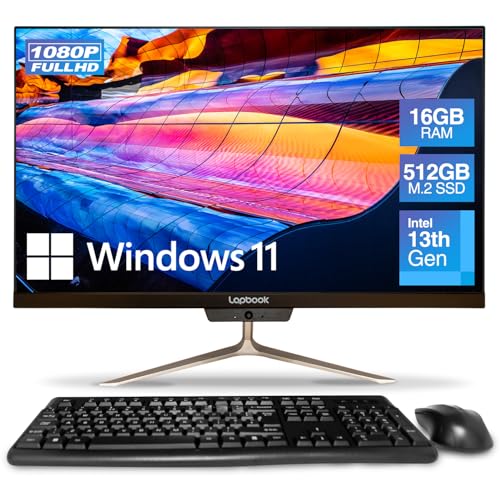
Premium Business-Grade All-in-One for Professional Workflows
The Lenovo ThinkCentre M90a Gen 5 is built for business professionals and power users who demand security, reliability, and high performance in a compact form factor. With a 23.8-inch Full HD touchscreen, it combines clarity and interactivity for presentations, productivity, and collaboration.
Powered by the Intel Core i5-14500 14th Gen processor with vPro technology, it delivers enterprise-grade performance, remote management, and advanced security features. The 16GB RAM ensures smooth multitasking across demanding apps, while the 256GB SSD keeps boot times fast and applications responsive.
Graphics are handled by Intel UHD Graphics 770, providing sharp visuals for office tasks, media, and light creative workloads. This model also includes a multi-format DVD drive, rare in modern AIOs, for users who still rely on physical media.
Running Windows 11 Pro, the M90a Gen 5 offers advanced productivity tools and compatibility with business networks, making it a reliable centrepiece for any modern office.
Pros and Cons
Pros:
14th Gen Intel i5 with vPro for enterprise-class performance and security
16GB RAM allows heavy multitasking
23.8″ FHD touchscreen enhances usability and presentations
256GB SSD for fast and reliable storage
Integrated DVD drive supports legacy media use
Business-focused design with security slot and professional connectivity
Cons:
256GB storage may be small for heavy file users
No dedicated GPU for advanced creative or gaming tasks
Premium design comes at a higher cost compared with consumer models
What the Product is Used For
The ThinkCentre M90a Gen 5 is ideal for:
Corporate offices needing secure and manageable desktops
Professionals running multiple applications simultaneously
Businesses that still require DVD media support
Remote management setups using Intel vPro features
Teams that benefit from a responsive touchscreen AIO
Why We Like This Product (YPC Team Review)
At YPC, we tried the ThinkCentre M90a Gen 5 in a staff training setup and found it to be a serious productivity machine. The 14th Gen i5 handled large spreadsheets and video conferencing effortlessly, while the touchscreen made collaborative tasks easy. We appreciated Lenovo’s attention to security, from the vPro management tools to the physical security slot, making this ideal for business users.
Alternatives Worth Considering
HP EliteOne 840 G9 – also business-focused, with a more premium design and i7 processor.
Dell Inspiron 5400 – sleeker consumer design, dual storage, but less business-oriented.
Lenovo ThinkCentre Neo 50a 27″ – larger screen and more RAM for heavier multitasking.
Tips on How to Use Correctly
Use the vPro features for secure remote management in IT environments.
Pair with external storage or cloud solutions if 256GB isn’t enough.
Position the display ergonomically for long work sessions.
Keep Windows 11 Pro regularly updated for maximum security.
Comparisons
Compared with the HP EliteOne 840 G9, the Lenovo offers touchscreen support and DVD functionality, though HP has stronger audio.
Against the Dell Inspiron 5400, this model is more business-focused with vPro, while Dell prioritises style and entertainment.
Versus the Lenovo Neo 50a, the M90a has enterprise-class management but a smaller screen.
Full Tech Specification
| Specification | Details |
|---|---|
| Brand | Lenovo |
| Model | ThinkCentre M90a Gen 5 (12SH001LUS) |
| Display | 23.8″ Full HD (1920 × 1080) touchscreen |
| Processor | Intel Core i5-14500, 14th Gen, vPro technology, 2.6GHz base |
| Graphics | Intel UHD Graphics 770 |
| Memory (RAM) | 16GB DDR4 |
| Storage | 256GB SSD |
| Optical Drive | Multi-format DVD-RW |
| Operating System | Windows 11 Pro |
| Camera | Integrated webcam (not fully specified) |
| Audio | Integrated speakers |
| Connectivity | USB ports, HDMI, Ethernet, Wi-Fi, Bluetooth (full details not specified) |
| Security | Security slot for physical protection |
| Keyboard & Mouse | Not specified |
| Colour | Black |
| EAN | Not specified |
Frequently Asked Questions
1. Does it have a touchscreen?
Yes, the 23.8″ display is touch-enabled.
2. Can I expand the storage?
Yes, you can add or upgrade to larger SSDs or external drives.
3. Is the RAM upgradeable?
Yes, it supports higher capacities for heavy workloads.
4. What operating system is included?
It ships with Windows 11 Pro.
5. Does it support vPro features?
Yes, it comes with Intel vPro technology for enterprise-grade remote management.
6. Is there a DVD drive?
Yes, it includes a multi-format DVD-RW drive.
7. Does it come with security features?
Yes, including vPro, Windows 11 Pro, and a physical security slot.
8. Is it good for gaming?
It can handle casual games but lacks a dedicated GPU for AAA titles.
9. Can I connect extra monitors?
Yes, via HDMI and available ports.
10. Is it suitable for business use?
Yes, it’s designed specifically for professional environments.
Looking for more options?
Browse our full range of All In One PC's for other great choices to suit your space, goals, and budget.