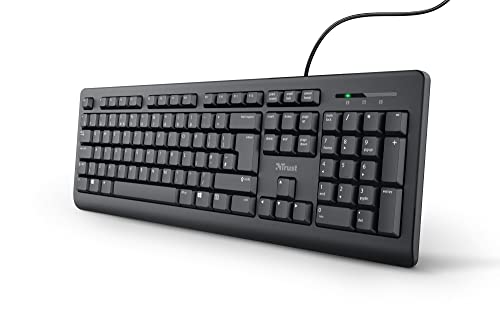
Quick Summary
The MageGee 75% Mechanical Gaming Keyboard is a wired 87-key keyboard in Black/Grey with red switches and blue LED backlighting. It is set up for compact desktop use while still keeping the full 87-key layout and 12 multimedia keys.
The keyboard includes multiple illuminated light effects, with around 20 backlight modes, and the lighting can be adjusted with the stated Fn controls. It also includes extra 16 red keycaps and uses a USB 2.0 connector for plug and play use.
Who It Is Best For
This keyboard suits buyers who want a compact mechanical keyboard with a full 87-key layout, wired connection and adjustable blue backlighting. It is also relevant if you want a keyboard that can be used with Windows, Linux or Mac, subject to the stated compatibility.
It may also suit users who want the included multimedia keys, extra keycaps and a layout that leaves less desk space occupied than a full-size board.
Key Details
| Detail | Verified information and buyer relevance |
|---|---|
| Brand | MageGee, which identifies the product range. |
| Model | MK-Star, used for product identification. |
| Layout | 75% layout with 87 keys, giving a compact board while keeping the stated key count. |
| Switch type | Red switch, described as linear with minimal resistance and no tactile bump. |
| Backlighting | Blue LED backlight with around 20 modes, plus brightness and speed controls via Fn shortcuts. |
| Connection | USB 2.0 wired connection for plug and play use. |
| Compatibility | Windows 2000, XP, ME, Vista, 7, 8, Linux and Mac are all stated as compatible. |
| Included extras | Extra 16 red keycaps are included. |
| Other stated features | 12 multimedia keys, full anti-ghosting, splash-proof design, metal panel and adjustable kickstand feet. |
Why Buyers Choose It
- The 87-key compact layout keeps the board smaller than a full-size keyboard while retaining the stated key count.
- The red switch is described as linear and smoother, which is useful if you want a switch without a tactile bump.
- The blue LED lighting includes multiple modes, with separate controls for brightness and speed.
- The USB 2.0 wired connection and plug and play setup reduce the need for extra setup steps.
- The included 16 red keycaps add a variation option straight away.
What To Know Before You Buy
Check that the 87-key 75% layout suits your desk space and the keys you expect to keep available. The keyboard is wired, so it needs a USB connection rather than a wireless setup.
Review the stated compatibility carefully if you plan to use it with a specific operating system, and confirm whether the blue backlighting and multimedia functions match the way you want to use the keyboard.
Pros: The compact 87-key layout keeps the keyboard smaller while retaining a full key count and 12 multimedia keys.
Cons: The keyboard is wired, so it is not a wireless option.
Common Buyer Questions
Does it need drivers or software?
No. It is stated as plug and play with no drivers or software required.
Which systems is it stated to work with?
Windows 2000, XP, ME, Vista, 7 and 8, plus Linux and Mac, are all listed as compatible.
How do you change the lighting?
Use the stated Fn shortcuts: Fn + | switches backlight modes, Fn + ↑/↓ changes brightness, and Fn + ←/→ changes speed.
Are extra keycaps included?
Yes. The keyboard includes extra 16 red keycaps.
Final Buying View
If you want a compact wired mechanical keyboard with 87 keys, red switches and blue LED backlighting, this MageGee model covers those stated features. Check the layout, connection type and operating system compatibility before ordering.