




Quick Summary
The MeLE PCG02 N100 Mini PC Stick is a compact computer stick with 8GB LPDDR4x memory and 128GB eMMC storage. It is described as a fanless mini computer stick with Full Function USB-C, dual HDMI 4K display support, 2.4G/5G WiFi, BT5.1, GbE and VESA mounting.
This version is positioned for uses including NAS, IoT, digital signage and WMS, so it is aimed at buyers who need a small PC format with multiple connection options and monitor mounting support.
Who It Is Best For
This mini PC stick suits buyers who want a very compact computer for supported tasks such as digital signage, IoT, NAS, WMS and similar screen or network-connected setups. The VESA mount and HDMI extension cable make it relevant where the PC needs to sit behind a monitor or TV.
It is also worth considering if you want a fanless system and a stick-style form factor rather than a larger desktop case. Check that the listed connections and storage capacity match your intended use before ordering.
Key Details
| Detail | Verified information and buyer relevance |
|---|---|
| Model | MeLE PCG02 N100, the named mini PC stick model. |
| Memory | 8GB LPDDR4x, which is the stated memory configuration. |
| Storage | 128GB eMMC, so buyers should check whether this matches their storage needs. |
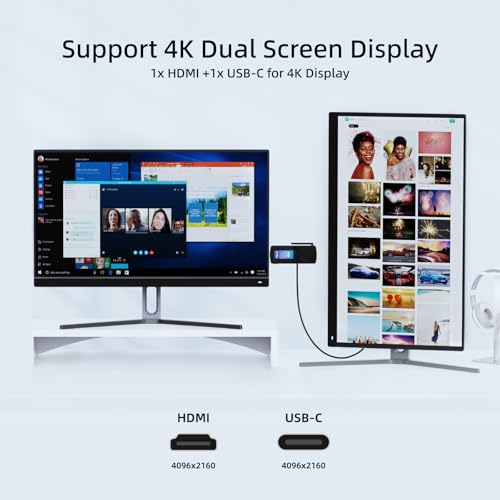
| Display support | Dual HDMI 4K display support is stated, with Full Function USB-C also mentioned. |
| Wireless | 2.4G/5G WiFi and BT5.1 are listed for wireless connectivity. |
| Network | GbE is included in the product title, indicating a wired network connection option. |
| Cooling | Fanless cooling is stated, which matters if you want a silent-style computer format. |
| Mounting | VESA support and an HDMI extension cable are mentioned for monitor or TV mounting use. |
Why Buyers Choose It
- 8GB LPDDR4x and 128GB eMMC give a clear memory and storage configuration to compare against your needs.
- Dual HDMI 4K display support is useful if you need two screen outputs from a small form factor PC.
- Full Function USB-C adds another connection point that is described as supporting video, data and charging functions.
- Fanless cooling makes the stick computer relevant where a quieter setup is preferred.
- VESA mounting support helps when the PC needs to stay out of sight behind a display.
Real World Use
The PC stick is described for NAS, IoT, digital signage, WMS, MES terminals, smart building controllers, home assistant hubs, education labs, retail POS systems, home theatres, smart mirrors, kiosks and industrial control panels. Those uses point to a small computer that can be placed close to a display or mounted behind one.
The included HDMI extension cable and VESA support are practical if you want to position the device behind a monitor or TV. The wired and wireless connection options also make it relevant for setups that need both network access and a compact footprint.
What To Know Before You Buy
Check that 8GB LPDDR4x and 128GB eMMC are enough for your intended use, especially if you plan to store larger files or run several tasks. Confirm that the dual HDMI 4K display support and Full Function USB-C suit the way you want to connect your screens and peripherals.
Review whether the stated networking options, VESA mounting support and fanless stick format match the space and installation setup you have in mind. If you need a very specific software or hardware arrangement, confirm that the selected configuration fits before ordering.
Common Buyer Questions
Does it support dual displays?
Yes. Dual HDMI 4K display support is stated, and the description also mentions HDMI plus USB-C DP1.4 output.
Can it be mounted behind a monitor or TV?
Yes. VESA support and an HDMI extension cable are mentioned for back-of-display mounting.
What storage does it have?
It is listed with 128GB eMMC storage.
Is it fanless?
Yes. Fanless cooling is stated in the product information.
Final Buying View
If you want a very compact PC stick for connected display, network or signage-style use, the MeLE PCG02 N100 offers a defined mix of 8GB LPDDR4x, 128GB eMMC, dual HDMI 4K support and VESA mounting. Compare the listed connections and storage with your intended setup before making your choice.


