





Quick Summary
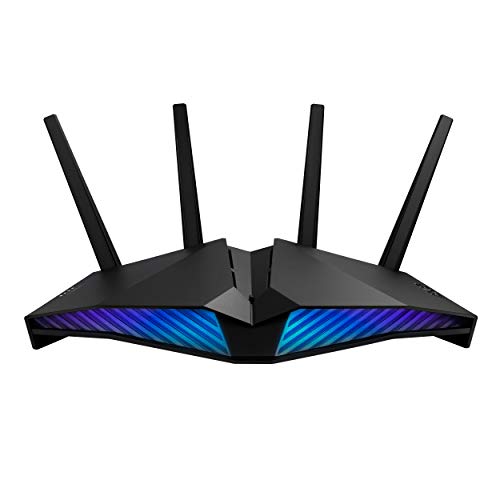
The Mercusys AX6000 Dual-Band 8-Stream Wi-Fi 6 Router (MR90X) is a Wi-Fi 6 router with a quad-core 1.6 GHz processor, a 2.5 Gbps WAN/LAN port, one Gigabit WAN/LAN port and two Gigabit LAN ports. It is presented as a router for gaming, 4K use and homes that need stronger whole-home Wi-Fi coverage.
The listing also mentions WPA3 protection, 8 multi-directional high-gain antennas, Beamforming, 4×4 MU-MIMO, OFDMA, BSS colouring and Target Wake Time. These are practical checks for buyers looking at speed, connection handling and network security features.
Who It Is Best For
This router will suit buyers who want a Wi-Fi 6 model with multiple Ethernet ports and support for higher-speed wired connections through the 2.5 Gbps port. It also fits buyers comparing router features for gaming, 4K streaming and devices spread across a wider home area.
If you are checking a router for a specific network layout, review the port types and the wireless features before ordering. The model number MR90X is the key identifier to confirm.
Key Details
| Detail | Verified information and buyer relevance |
|---|---|
| Brand | Mercusys, for clear product identification. |
| Model | MR90X, the model to check before purchase. |
| Product type | Dual-band 8-stream Wi-Fi 6 router. |
| Processor | Quad-core 1.6 GHz processor. |
| Ports | 1 x 2.5 Gbps WAN/LAN port, 1 x Gigabit WAN/LAN port and 2 x Gigabit LAN ports. |
| Security | WPA3 is mentioned for network security checking. |
| Wireless features | 4×4 MU-MIMO, OFDMA, Beamforming, BSS colouring and Target Wake Time are mentioned. |
| Antenna detail | 8 multi-directional high-gain antennas are stated. |
Why Buyers Choose It
- The 2.5 Gbps port gives a higher-speed wired connection option than a standard Gigabit port.
- The 8-stream Wi-Fi 6 design is a useful identifier for buyers comparing router specifications.
- WPA3, Beamforming, MU-MIMO, OFDMA and BSS colouring are all listed features to check when comparing router security and network handling.
- The four Ethernet ports total support both WAN/LAN use and direct device connections.
Real World Use
In everyday use, this router is aimed at home networking setups where Wi-Fi coverage and wired connection options both matter. The stated antennas and Beamforming are relevant when considering signal reach around the home, while the port layout is useful for buyers who want to connect network equipment or devices by cable.
The Wi-Fi 6 specification, 8-stream design and quad-core processor are part of the stated identity of the router and are the main features to compare against other models.
What To Know Before You Buy
Check the MR90X model number, the port layout and the router type before ordering. The unit is listed as a dual-band 8-stream Wi-Fi 6 router, so it should be matched to the networking setup you already have or plan to use.
The listing includes gaming and 4K use references, plus WPA3 and several wireless features. Those are useful comparison points, but the exact outcome for your setup will depend on your devices, network layout and internet service.
Pros: It combines a 2.5 Gbps WAN/LAN port with three additional Ethernet ports for more flexible wired connections.
Cons: The port roles and wireless features need checking against your existing network setup before ordering.
Common Buyer Questions
What is the model number?
The model number is MR90X.
How many Ethernet ports are listed?
There are four Ethernet ports listed in total, including one 2.5 Gbps WAN/LAN port, one Gigabit WAN/LAN port and two Gigabit LAN ports.
Does it mention Wi-Fi security?
Yes, WPA3 is mentioned.
What wireless features are listed?
4×4 MU-MIMO, OFDMA, Beamforming, BSS colouring and Target Wake Time are all mentioned.
Final Buying View
The Mercusys MR90X is a Wi-Fi 6 router with a clearly stated port layout and several listed wireless features. It is best compared by model number, port types and the network features you need.
Review the MR90X specification carefully before ordering, especially if you are choosing it for a particular home network or wired connection setup.


