

Quick Summary
The NiPoGi P2 is a mini PC with AMD Ryzen R2544, Windows 11 Pro, 16 GB RAM and a 512 GB SSD. It is described as a compact mini computer with 4K triple-display support through HDMI, DisplayPort and USB-C.
It is aimed at buyers who want a small desktop-style computer for home, business or school use. The stated configuration also includes WiFi, Bluetooth and RJ45 Ethernet for wired or wireless networking.
Key Details
| Detail | Verified information and buyer relevance |
|---|---|
| Brand | NiPoGi. |
| Model | P2. |
| Processor | AMD Ryzen R2544 with 4-core/4-thread design and up to 3.7 GHz stated boost clock. |
| Memory | 16 GB RAM for everyday multitasking. |
| Storage | 512 GB SSD for local file storage and quicker start-up than a mechanical drive. |
| Operating system | Windows 11 Pro. |
| Display support | HDMI, DisplayPort and USB-C are listed for triple 4K display use. |
| Networking | WiFi, Bluetooth and RJ45 Ethernet are listed. |
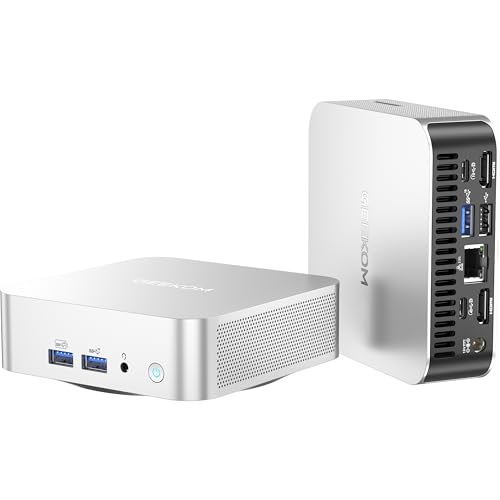
| Ports | Includes HDMI, DisplayPort, USB-C, USB ports, microphone port and RJ45 Ethernet. |
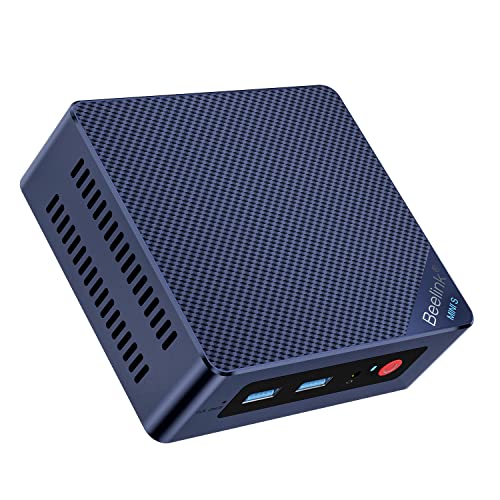
| Physical format | Mini PC design intended to save desk space. |
What to Compare Before Buying
- Memory and storage: This model is supplied with 16 GB RAM and a 512 GB SSD. Compare those figures with the amount of multitasking and local storage you need.
- Display connections: It supports HDMI, DisplayPort and USB-C for triple-display use. Check that your monitors match the connections you plan to use.
- Network options: WiFi, Bluetooth and RJ45 Ethernet are listed. Choose the connection method that suits your setup.
- Form factor: The compact mini PC format suits buyers who want a small desktop unit rather than a full tower.
- Upgrade planning: The description states support for up to 32 GB RAM and up to 4 TB SSD, so future expansion is a point to check if you expect to upgrade later.
Compatibility, Size and Fit
Check the video inputs on your monitors before buying, especially if you want to use more than one screen. The listed connections are HDMI, DisplayPort and USB-C, so the match depends on the display equipment you already have.
The compact case is intended for a small footprint on a desk, and VESA mounting is mentioned if you want to place the unit behind a monitor or TV.
What Else You May Need
You will need a suitable monitor or monitors, plus any display cables or adapters needed for your chosen connections. A keyboard and mouse will also be needed for normal desktop use.
Before You Decide
Confirm the monitor connections you need, check that 16 GB RAM and 512 GB SSD are enough for your workload, and make sure the mini PC format suits your space. If you plan to expand later, review the stated RAM and SSD upgrade limits before choosing an offer.