





Quick Summary
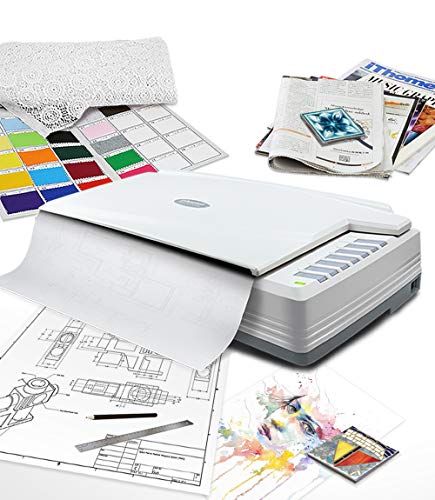
The Plustek A320E OpticPro Scanner is a scanner with a stated 12"x17" scan area and 800 dpi scan resolution. It also lists a CCD image sensor, so the product is defined by a mix of scanning area, resolution and imaging specification.
Who It Is Best For
This scanner suits buyers who need to match the stated scan area and resolution to their intended use. Check the physical size and the available space on your desk before ordering, as the listed dimensions are part of the product identity.
Key Details
| Detail | Verified information and buyer relevance |
|---|---|
| Product name | Plustek A320E OpticPro Scanner, identifying the exact model. |
| Scan area | 12"x17" scan area, which helps buyers judge the usable scanning space. |
| Scan resolution | 800 dpi scan resolution for the stated scanning specification. |
| Image sensor | CCD image sensor, a listed internal component of the scanner. |
| Colour depth | Input 48-bit and output 24-bit colour depth. |
| Power supply | 24 Vdc / 1.25 A power supply, useful for checking the required power setup. |
| Dimensions | 400 mm length, 623 mm width and 140 mm height, important for space planning. |
What To Know Before You Buy
Check the selected scanner size, scan area and desk space before ordering. The model is defined by the stated dimensions and scan area, so it is worth confirming they suit your workspace and scanning needs.
Confirm the power supply details match your setup, as the listed requirement is 24 Vdc / 1.25 A.
Common Buyer Questions
What scan area does it have?
It has a stated 12"x17" scan area, which is the main size detail for checking whether it fits your scanning task.
What resolution is listed?
The scanner is listed with 800 dpi scan resolution.
What power supply does it need?
It uses a 24 Vdc / 1.25 A power supply.
What are the dimensions?
The listed dimensions are 400 mm length, 623 mm width and 140 mm height, so you can check space before ordering.
Final Buying View
The Plustek A320E OpticPro Scanner is a straightforward choice if the stated scan area, resolution and power details match what you need. Review the dimensions, scan area and power requirement carefully before making your choice.


