


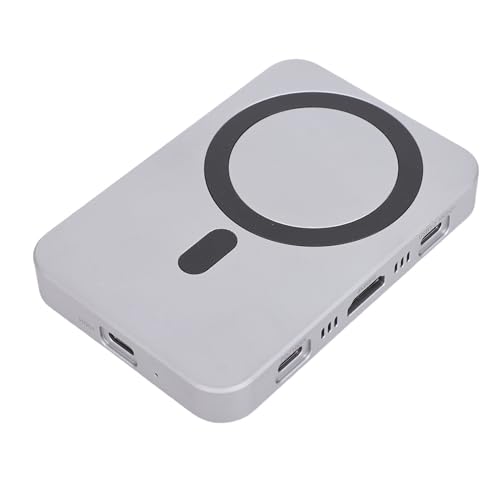
Quick Summary
The ASUS ROG Strix Arion is an M.2 NVMe SSD enclosure with USB 3.2 Gen 2 connectivity and a stated transfer rate of up to 10 Gb/s. It is designed for M.2 PCIe NVM Express SSDs in 2230, 2242, 2260 and 2280 form factors.
The enclosure includes screwdriver-free installation, an aluminium alloy case with thermal pads, an exclusive hanging protective holder, dual USB-C to C and USB-C to A cables, and ASUS Aura Sync lighting effects.
Who It Is Best For
This enclosure suits buyers who need to house a compatible M.2 PCIe NVM Express SSD and want a USB-C connected external enclosure. It is also relevant if you want to check form factor support before ordering, since the supported sizes are listed clearly.
Key Details
| Detail | Verified information and buyer relevance |
|---|---|
| Product name | ASUS ROG Strix Arion, an M.2 NVMe SSD enclosure. |
| Connection | USB 3.2 Gen 2 with USB-C, stated at up to 10 Gb/s. |
| Supported SSD type | M.2 PCIe NVM Express SSDs. |
| Supported form factors | 2230, 2242, 2260 and 2280, so the drive size must match the enclosure. |
| Installation | Screwdriver-free installation for quicker SSD fitting. |
| Case and thermal features | Aluminium alloy case and thermal pads are included. |
| Included accessories | Exclusive hanging protective holder, plus USB-C to C and USB-C to A cables. |
| Lighting | ASUS Aura Sync lighting effects are included. |
Why Buyers Choose It
- USB 3.2 Gen 2 and up to 10 Gb/s give a clear connection specification for external SSD use.
- The stated support for 2230 to 2280 form factors makes it easier to match the enclosure to the SSD already on hand.
- Screwdriver-free installation reduces the number of steps needed when fitting a compatible drive.
- Dual USB-C to C and USB-C to A cables add connection options for different devices.
How It Works
- Fit a compatible M.2 PCIe NVM Express SSD in one of the supported sizes: 2230, 2242, 2260 or 2280.
- Use the screwdriver-free installation method to place the drive in the enclosure.
- Connect the enclosure through the USB-C interface using either the USB-C to C cable or the USB-C to A cable.
- Use the enclosure with the included hanging protective holder if required.
Real World Use
In everyday use, this product acts as an external enclosure for a compatible M.2 NVMe SSD. The aluminium alloy case and thermal pads are part of the unit, while the included cables allow connection through USB-C in either cable configuration listed.
What To Know Before You Buy
Check that your SSD is a compatible M.2 PCIe NVM Express drive and that its form factor is one of the supported sizes. Also confirm whether you need USB-C to C or USB-C to A connection, as both cables are included.
The lighting effects, protective holder and installation method are all part of the product, but the SSD itself is a separate item to confirm before ordering.
Common Buyer Questions
Which SSDs fit this enclosure?
It supports M.2 PCIe NVM Express SSDs in 2230, 2242, 2260 and 2280 form factors.
Does it include connection cables?
Yes. Dual USB-C to C and USB-C to A cables are included.
Is installation tool-free?
Yes. The enclosure is described with screwdriver-free installation.
What connection speed is stated?
USB 3.2 Gen 2 is stated at up to 10 Gb/s.
Final Buying View
Choose this enclosure if you need a USB-C M.2 NVMe SSD housing with the stated size support and included cable options. Confirm your SSD form factor before ordering, then match the connection type to your device.


