
Portable NVMe Enclosures
Portable NVMe enclosures are compact cases designed to turn a compatible internal NVMe SSD into an external storage drive. They are useful for PC builders, laptop users, gamers, students, creators, technicians and anyone who wants a practical way to reuse, access or carry an M.2 NVMe drive.
The right enclosure should match the SSD type, drive size, computer port and intended use. When comparing portable NVMe enclosures, look at M.2 compatibility, supported drive lengths where listed, USB or Thunderbolt connection where listed, cable type, heat management, tool free design where listed, operating system support, casing material, portability and whether the enclosure is intended for backups, file transfers, gaming storage or drive recovery.
- Portable NVMe Enclosures
NVMe to USB-C M.2 NVMe PCIe NGFF External Enclosure Adapter, USB 3.1 Gen 2 10Gbps
£12.39 *View On Amazon* - Portable NVMe Enclosures
lvifloae M.2 NVMe PCIe SSD Enclosure, USB 3.2 Gen 2 Type C, 10Gbps, Supports 2230/2242/2260/2280 SSDs
£15.29 *View On Amazon* - Portable NVMe Enclosures
Portable 40Gbps External NVMe Enclosure for 2230, 2242, 2260, 2280
£78.89 *View On Amazon* - Portable NVMe Enclosures
Portable Enclosure for 2280 B+M NVMe Drive, 10Gbps, Aluminium
£35.74 *View On Amazon* - Portable NVMe Enclosures
Portable 40Gbps External NVMe Enclosure Case for 2230 2242 2260 2280
£93.82 *View On Amazon* - Portable NVMe Enclosures
ISHEEP NVMe AHCI M.2 SSD Duplicator Enclosure Clone Docking Station K2022P
£24.99 *View On Amazon* - Portable NVMe Enclosures
Shanrya M.2 NVMe SSD Enclosure 10Gbps Portable Case
£28.82 *View On Amazon* - Portable NVMe Enclosures
SATECHI USB-C Aluminium Tool-Free Enclosure for M.2 PCIe NVMe and SATA SSD
£48.99 *View On Amazon* - Portable NVMe Enclosures
Uhidka M.2 NVMe to Type-C USB 3.1 Adapter, Tool-Free SSD Adapter for 2230/2242/2260/2280/22110
£9.68 *View On Amazon* - Portable NVMe Enclosures
CY M.2 NVMe SSD Enclosure Adapter, USB 3.1 Gen 2 10Gbps, M-Key for 2230/2242
£29.88 *View On Amazon* - Portable NVMe Enclosures
Osmond 2230 NVMe SSD Enclosure, PCIe USB 3.2 10Gbps, Aluminium, Portable, UASP TRIM
£11.30 *View On Amazon* - Portable NVMe Enclosures
ISHEEP M.2 SSD Enclosure USB C 3.2 Gen2x2 to NVMe/AHCI SSD Case K1687P3
£19.90 *View On Amazon* - Portable NVMe Enclosures
NUOBESTY Solid State Drive Enclosure Reader for PCIe NVMe SSD, USB Type-C Converter Case
£17.59 *View On Amazon* - Portable NVMe Enclosures
Magnetic M.2 2230 NVMe SSD Enclosure for iPhone 17/16 Pro Max and iPad Pro
£24.04 *View On Amazon* - Portable NVMe Enclosures
LINKUP Tool-less NVMe SSD Enclosure, M.2 to USB-C Adapter
£25.20 *View On Amazon* - Portable NVMe Enclosures
M.2 NVMe 2230 SSD Enclosure, Type C USB 3.2 Gen 2 10Gbps, Magnetic Portable Aluminium Alloy Enclosure Adapter
£74.43 *View On Amazon* - Portable NVMe Enclosures
DOCKCASE Magnetic Smart M.2 NVMe SSD Enclosure, 100W PD, 3-Second Power Loss Prevention, 10Gbps USB 3.2 NVMe Adapter, SSD Health Detection, Fits 2230/2242 NVMe, Compatible with 15/16 Pro Max Phones ProRes
Original price was: £64.99.£52.90Current price is: £52.90. *View On Amazon* - Portable NVMe Enclosures
Portable SSD Enclosure, M.2 NVMe SSD, USB 3.1 Gen2, 10Gbps, Type C
£17.15 *View On Amazon* - Portable NVMe Enclosures
ISHEEP 40Gbps NVMe M.2 SSD Enclosure for 2280 M and B+M Key, USB-C, K1695
£39.99 *View On Amazon* - Portable NVMe Enclosures
Yottamaster 1TB Portable Solid State Drive Up to 980MB/s Read External NVMe SSD
£59.99 *View On Amazon* - Portable NVMe Enclosures
Portable SSD Enclosure, 10Gbps USB 3.1 Gen 2 Type C M.2 NVMe SSD Enclosure
£17.15 *View On Amazon* - Portable NVMe Enclosures
Portable SSD Enclosure with MagSafe for iPhone, Magnetic Phone Stand, USB-C
£34.16 *View On Amazon*









What Are Portable NVMe Enclosures
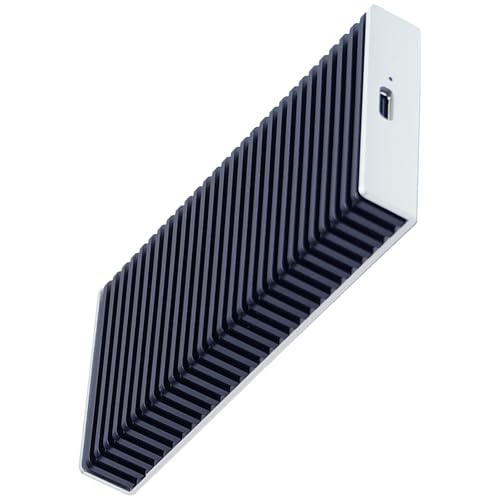
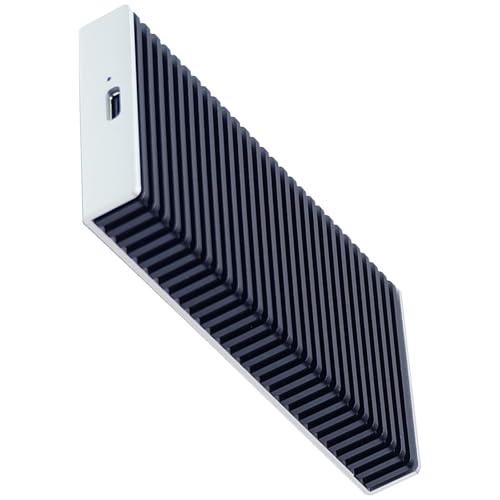
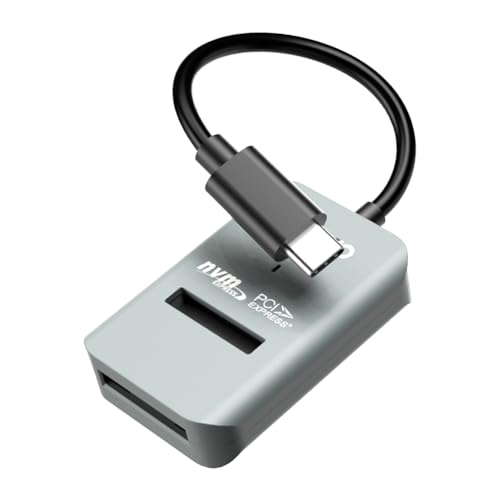
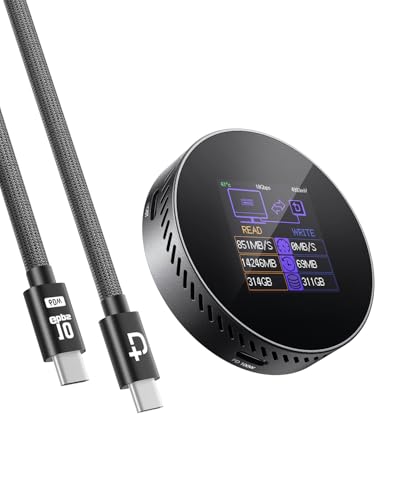
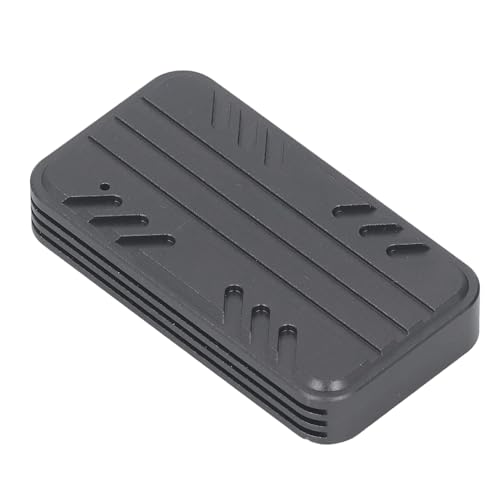
A portable NVMe enclosure is an external case that holds an M.2 NVMe solid state drive and connects it to a computer through a compatible cable. It allows the SSD to be used like an external drive, provided the enclosure, SSD and computer are compatible.
Depending on the product, portable NVMe enclosures may include USB C, USB A adapters, Thunderbolt support where listed, aluminium style casing, thermal pads, heat sinks, LED indicators, tool free opening, screw fixing, cables or protective cases where provided in the listing.
Not every M.2 drive will work in every enclosure. NVMe and SATA M.2 drives can look similar, but they are different technologies, so compatibility should be checked carefully before buying.
What Portable NVMe Enclosures Are Used For
Portable NVMe enclosures are used for external storage, backing up files, transferring large folders, accessing old laptop drives, cloning drives, recovering data where possible, expanding storage and carrying project files between devices.
They can be useful when upgrading a laptop or desktop SSD. Instead of leaving the old NVMe drive unused, a suitable enclosure can turn it into a portable external drive where compatible.
Creators may use them for photo, video or project storage. Gamers may use them for extra game files where supported by the device. Technicians may use them for testing drives, moving data or accessing removed SSDs.
They are also useful for keeping important files separate from a main computer, although they should be part of a wider backup plan rather than the only copy of important data.
How To Choose The Right Portable NVMe Enclosure
Start with the SSD. Check whether your drive is M.2 NVMe and compare its key type and length with the enclosure listing. Do not assume every M.2 drive is NVMe, as some M.2 drives use SATA and may not work in NVMe only enclosures.
Next, check the connection type. Many enclosures connect using USB C, while some may include USB A cables or adapters where listed. A USB C shaped port does not always guarantee the same speed or feature support, so check the product and computer details carefully.
Think about heat management. NVMe drives can become warm during longer file transfers or heavy use. Enclosures may include thermal pads, metal casing or ventilation features where listed. Choose a design that suits how the drive will be used.
Also consider whether you want tool free access. Tool free designs can be useful if you change drives often, while screw fixed designs may feel more secure for a drive that will stay installed.
Key Features To Compare
Drive compatibility is the most important feature. Check whether the enclosure supports NVMe drives, SATA drives, or both where listed.
Drive length support matters. M.2 SSDs can come in different lengths, and the enclosure should support the size you plan to install where listed.
Connection type affects compatibility. USB C, USB A and Thunderbolt support vary by product, computer and cable, so check the details before buying.
Data transfer support should be checked carefully. Faster transfer rates should only be relied on where clearly listed and where the SSD, enclosure, cable and computer all support them.
Heat management can affect comfort and stability during longer use. Thermal pads, heat spreaders and metal casing where listed may help manage heat, but results depend on the drive and workload.
Cable inclusion is worth checking. Some enclosures include one or more cables, while others may require separate purchases.
Build style affects portability. A slim enclosure can be easier to carry, while a more substantial casing may feel better suited to frequent use depending on the product.
Portable NVMe Enclosures Compared With External SSDs
A portable NVMe enclosure lets you install a compatible internal NVMe SSD and use it externally. This can be useful if you already own a spare SSD or want more control over the drive used inside.
An external SSD is usually sold as a complete ready made storage device. It can be simpler because the drive and casing are already matched by the manufacturer.
The trade off is convenience versus flexibility. An external SSD may be easier for beginners, while an NVMe enclosure can be more flexible for upgrades, repairs and drive reuse where compatibility is understood.
NVMe Enclosures Compared With SATA SSD Enclosures
NVMe enclosures are designed for M.2 NVMe SSDs where listed. These drives use a different interface from SATA drives and are commonly used in modern laptops and desktops.
SATA SSD enclosures are designed for SATA drives, such as 2.5 inch SATA SSDs or M.2 SATA drives depending on the enclosure. They should not be assumed compatible with NVMe SSDs.
The better choice depends on the drive you have. If your drive is M.2 NVMe, choose a compatible NVMe enclosure. If your drive is SATA, choose an enclosure that clearly supports SATA.
Guidance For Beginners, Regular Users And Experienced Buyers
Beginners should focus on matching the enclosure to the SSD. Check NVMe support, M.2 length and the cable needed for the computer before thinking about advanced features.
Regular users may want to compare heat management, cable quality, casing strength, portability and whether the enclosure is easy to open or close.
Experienced buyers may look more closely at controller support where listed, transfer standards, Thunderbolt compatibility where listed, operating system support, tool free design, thermal performance features and drive cloning use.
Technicians and PC builders may prefer enclosures that are quick to access, reliable for repeated drive swaps and compatible with a range of M.2 NVMe drive lengths where listed.
Use Cases By Device And Setup
For laptop upgrades, a portable NVMe enclosure can help copy data from an old drive or turn the removed drive into external storage where compatible.
For desktop PC users, it can provide fast external storage for backups, documents, media libraries or project files where supported.
For creators, an NVMe enclosure can be useful for moving photos, video files, design assets and working folders between devices.
For students, it can provide compact storage for coursework, media and backups, provided the drive is handled and stored carefully.
For gamers, it may be used for external game storage where the computer, console or platform supports that use. Compatibility should always be checked before relying on it for games.
For technicians, it can be useful for drive testing, diagnostics, file transfer and data access where the SSD is working and compatible.
Fit, Compatibility And Drive Matching
Compatibility should be checked before buying. Confirm the SSD is M.2 NVMe, then check the supported key type and length where listed.
Common M.2 lengths may be listed in product descriptions, but not every enclosure supports every size. Always compare your drive with the enclosure details.
Check whether the enclosure supports single sided or double sided SSDs where listed, especially if your drive has components on both sides.
The computer connection also matters. A USB C enclosure may need a compatible USB C port, and any higher speed features depend on the computer, cable and enclosure all supporting them.
If the enclosure will be used with phones, tablets, consoles or older computers, check device compatibility carefully before buying.
Installation And Setup Considerations
Installing an SSD into an NVMe enclosure usually involves opening the case, placing the drive into the connector and securing it according to the product instructions. Some designs use screws, while others may be tool free where listed.
Handle the SSD carefully and avoid touching the contacts. Work on a clean, stable surface and take sensible anti static precautions.
If thermal pads are included where listed, follow the instructions for placement. Incorrect installation may affect fit or heat transfer.
After installation, the drive may need formatting before use, depending on whether it is new, used or from another computer. Formatting can erase data, so make sure important files are backed up before changing drive settings.
Safety And Responsible Use
Portable NVMe enclosures should be used with compatible drives, cables and devices. Do not force an SSD into the connector or close the enclosure if the drive does not sit correctly.
NVMe drives and enclosures can become warm during use, especially during large transfers. Place the enclosure on a suitable surface with airflow and avoid covering it with bedding, papers or clothing.
Do not unplug the enclosure while files are transferring. Use the computer’s safe removal method where appropriate to reduce the risk of file corruption.
If the enclosure, cable or drive becomes unusually hot, smells unusual, disconnects repeatedly or shows visible damage, stop using it until the issue is checked.
Keep the enclosure away from liquids, dust, rough handling and heavy pressure when carrying it in a bag.
Performance, Heat And Cable Considerations
Performance depends on the SSD, enclosure, cable, computer port and file type. A high speed enclosure will not deliver its full potential if the computer port or cable does not support the same level of transfer.
Heat can also affect long transfers. Some enclosures may include aluminium casing, thermal pads or heat spreading features where listed, but heavy use can still make the enclosure warm to the touch.
Cable choice matters. Use the supplied or recommended cable where suitable, and check whether the cable supports the data transfer and power needs of the enclosure.
For regular large file work, choose an enclosure that suits repeated use rather than focusing only on headline speed figures.
Care, Cleaning And Storage
Always follow the care guidance supplied with the product. Keep the enclosure clean, dry and free from dust around the connector and seams.
Unplug by holding the connector rather than pulling the cable. Avoid sharp bends near the cable ends.
Store the enclosure in a pouch, case or safe bag compartment where suitable. This helps reduce scratches, knocks and pressure on the connector.
If the enclosure is not used for long periods, keep it in a dry place away from heat, moisture and magnetic or electrical hazards where relevant.
Back up important files. An external drive is useful, but it should not be the only copy of valuable photos, documents or work files.
Useful Accessories To Consider
Useful accessories may include NVMe SSD drives, USB C cables, USB A adapters where compatible, laptop bags, tech pouches, external SSD cases, docking stations, USB hubs, backup drives and cable organisers.
For desk use, a USB hub or docking station may help connect the enclosure more conveniently where the port supports the required data speed. For travel, a protective pouch and short cable can make the enclosure easier to carry.
If buying a portable NVMe enclosure as a gift or replacement accessory, confirm the SSD type, drive length and device port before choosing.
Why Buy From YPC
At YPC, we understand active lifestyles and the need for practical products that work in real use. Portable NVMe enclosures should be easy to compare by SSD compatibility, connection type, drive size support, cable options, heat management, installation style, portability and everyday use.
This category is designed to help buyers choose practical enclosures for external storage, backups, upgrades, file transfer and drive reuse. Browse the portable NVMe enclosures at YPC and compare the available options to find a suitable enclosure for your SSD and device setup.
FAQs
What is a portable NVMe enclosure?
A portable NVMe enclosure is an external case that lets you install a compatible M.2 NVMe SSD and connect it to a computer or supported device as external storage.
How do I know if my SSD fits an NVMe enclosure?
Check whether your SSD is M.2 NVMe, then compare the key type and drive length with the enclosure listing. Do not assume all M.2 drives are compatible.
Are NVMe and SATA M.2 drives the same?
No. NVMe and SATA M.2 drives can look similar, but they use different interfaces. An NVMe only enclosure may not work with a SATA M.2 drive unless the listing clearly supports both.
Can I use a portable NVMe enclosure for backups?
Yes, a compatible NVMe enclosure and SSD can be used for backups. Important files should still be backed up in more than one place where possible.
Do portable NVMe enclosures need external power?
Many portable NVMe enclosures are powered through the USB or compatible connection where listed, but power needs vary. Check the product details before buying.
Do NVMe enclosures get hot?
They can become warm during use, especially during large transfers. Heat levels depend on the SSD, enclosure design, workload and airflow. Check for thermal features where listed.
Can I use a portable NVMe enclosure with a phone or tablet?
Only where the phone or tablet supports external storage and the enclosure is compatible. Check device support, file system requirements and power needs before relying on it.
What accessories are useful with a portable NVMe enclosure?
Useful accessories may include a compatible NVMe SSD, USB C cable, USB A adapter where suitable, tech pouch, cable organiser, USB hub, docking station and backup storage.
 Getting ready for Summer? View our Home and Garden Products

Heading outdoors this winter? Take a look at our Outdoor Clothing.